Antivirus Software With Automatic Updates
Protecting your devices is essential in today’s digital world, and antivirus software with automatic updates offers a reliable way to keep your data secure. With seamless update capabilities, these solutions help ensure your system stays protected against evolving threats. Explore a wide selection of antivirus software with automatic updates to find the right option for your home or business needs, all available at Dell.
This product is not available
Check out the following recommendations.




Antivirus Software With Automatic Updates
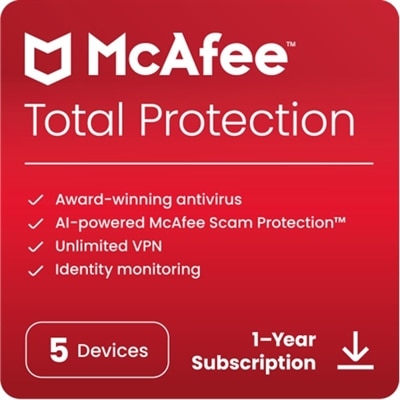
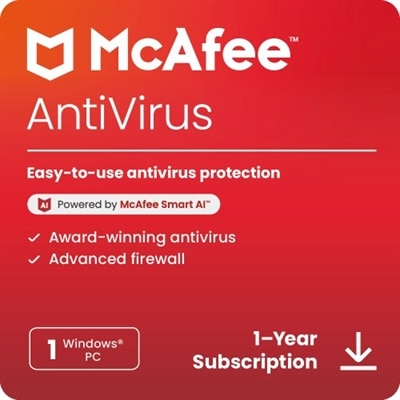
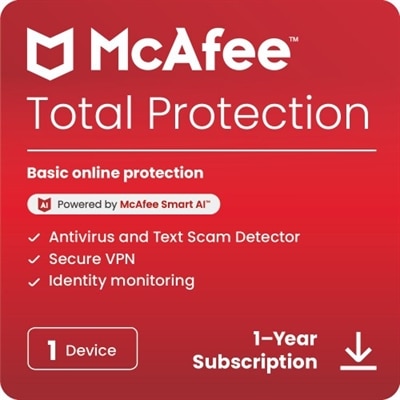
Antivirus software with automatic updates helps keep everyday computing safer without asking you to remember a recurring maintenance task. After installation, the software can refresh its virus definitions, threat intelligence, and other security components in the background, helping it recognize newly discovered malware as threats evolve. Automatic updating is especially useful because harmful files can arrive through familiar places: an email attachment from an unfamiliar sender, a compromised website, a deceptively ordinary download, or a message that encourages you to open a link immediately. A security application can scan files, monitor activity, identify suspicious behavior, and provide warnings before a potential threat causes greater disruption. Many options also include features such as web protection, email scanning, ransomware defenses, privacy tools, password management, or network safeguards, although the available features vary by plan and device. When comparing products, consider how many computers, tablets, or phones you need to cover, which operating systems they use, and whether the license supports a household or a single device. Windows and macOS computers may have different compatibility requirements, while Android and iOS devices may receive a different set of security features through their respective app stores. Reviewing the supported operating systems, device count, renewal terms, and account requirements before completing a purchase can help you choose protection that fits naturally into your setup. A household with a shared laptop, a home office desktop, and several phones may benefit from a multi-device option, while someone using one personal computer may prefer a simpler license. For a broader look at available options, visit Antivirus Protection.
Automatic updates are valuable because security information changes continuously. New malicious programs, phishing pages, and exploit techniques can appear between the times a person manually checks for updates, and an outdated security database may not recognize a threat that was identified only recently. Look for settings that specifically refer to automatic virus definition updates, background updates, streaming updates, or real-time protection. In many applications, these features are enabled during setup, but it is still sensible to review them after installation, particularly if the computer is shared by several people or has been restored from a backup. Some updates refresh small detection files quietly, while larger engine or application updates may require a restart to finish applying changes. When a trusted security program requests a reboot, allowing it to complete can help ensure that the latest protection is active. Automatic updating works best alongside practical habits: keep the operating system and web browser updated, use strong and unique passwords, download software from reputable sources, and pause before opening an unexpected attachment or entering personal information. Antivirus software is not a substitute for careful browsing, and no single tool can guarantee that every threat will be blocked, but current protection adds an important layer between a suspicious file and the information stored on a device. People who share computers with children, use a laptop for financial tasks, or keep family photos and important documents on a desktop may appreciate the reassurance of background monitoring. It can also be a thoughtful technology gift for a relative who is comfortable using a computer but less likely to remember manual security maintenance. Choose an option with clear notifications and straightforward controls if the recipient prefers technology that stays quietly in the background rather than requiring frequent attention.
Performance and convenience are also important considerations when selecting antivirus software with automatic updates. Security tools should provide meaningful monitoring without making ordinary tasks feel slow or complicated, so check system requirements and look for software suited to the age and capabilities of the computer. A lightweight application may be preferable for an older laptop, while a family computer used for shopping, schoolwork, streaming, and personal documents may benefit from broader coverage and simple account management. Cloud-assisted scanning can allow some threat analysis to take place using regularly refreshed online intelligence, reducing the need to store every update locally, though an internet connection may be needed for certain functions. Review how the software handles alerts, quarantined files, scheduled scans, privacy settings, and potentially unwanted applications. Clear explanations are helpful when a program blocks a download or flags a website, especially for users who do not work with security tools every day. Automatic updates should not be disabled simply to avoid a short download or an occasional restart, since manual updating can leave a device without the latest known protections. At the same time, users should install only legitimate security software and avoid pop-up warnings that pressure them into downloading unfamiliar programs. During the warmer and cooler stretches of the year, laptops often move between home, school, work, travel, and shared spaces, increasing the value of protection that follows a device without constant manual intervention. A well-matched antivirus application can provide a steady layer of defense while users focus on messages, projects, photos, shopping, and the other ordinary moments that make a computer part of daily life.
FAQs:
When choosing antivirus software with automatic updates, look for features such as real-time threat detection, seamless background updates, compatibility with your operating system, and the ability to schedule scans. Many options also offer additional layers of protection like email filtering, parental controls, and integration with web protection features.
Yes, most modern antivirus programs with automatic updates are designed to work quietly in the background. They typically update virus definitions and security patches without causing noticeable slowdowns or interruptions, allowing you to work, browse, or play games without distraction.
Many antivirus solutions with automatic updates are optimized to run efficiently on a wide range of devices, including older computers. It's a good idea to check the software's system requirements to ensure compatibility, but most providers offer lightweight options that minimize resource usage.
Some antivirus software licenses allow installation on multiple devices, such as laptops, desktops, and tablets, under a single subscription. Be sure to review the license terms to understand how many devices are covered and whether cross-platform support is available.
Yes, an active internet connection is required for automatic antivirus updates to download the latest virus definitions and security patches. Regular connectivity ensures your software can provide up-to-date protection against new and emerging threats.