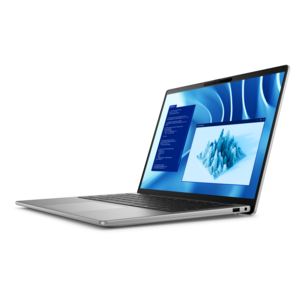
$2258.00
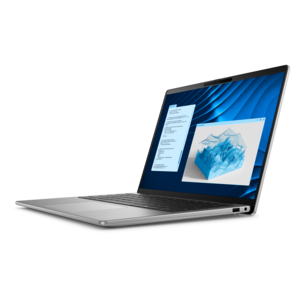
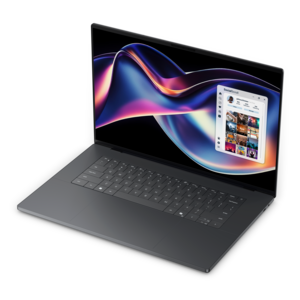
A premium laptop delivering powerful on-device AI, game-changing unplugged performance, and outstanding battery life.
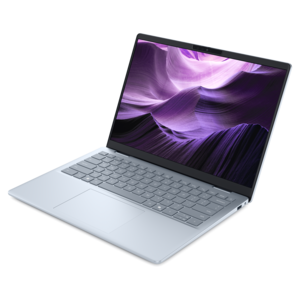
Discover the next generation of portable computing with ARM-Based Laptops Optimized for Battery Efficiency. Designed to keep up with your on-the-go lifestyle, these laptops deliver seamless performance while maximizing energy savings. Whether you’re working remotely, streaming content, or staying connected throughout the day, ARM-based laptops offer a reliable solution for users seeking longer battery life and responsive operation. Explore a range of options that combine sleek design, portability, and advanced technology to enhance your everyday productivity.
A premium laptop delivering powerful on-device AI, game-changing unplugged performance, and outstanding battery life.
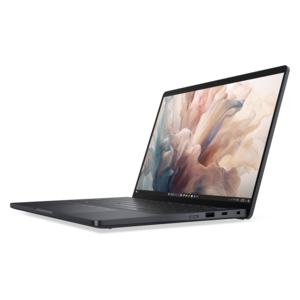
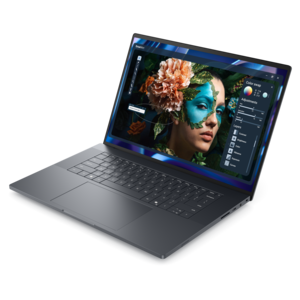
A professional laptop delivering powerful on-device AI, impressive unplugged performance, and groundbreaking battery life.
ARM-based laptops optimized for battery efficiency are portable computers designed to balance responsive everyday performance with lower energy use. Their processors typically use a system-on-chip design that brings computing, graphics, and other functions into a closely integrated package, helping reduce the power needed to move information between components. That efficiency can support longer stretches away from an outlet, particularly during activities such as writing documents, reading, browsing, and watching downloaded video. Depending on the design and workload, it can also mean less heat and quieter operation, although cooling systems vary. For a college student moving between lectures, a professional taking notes through back-to-back meetings, or a traveler working at an airport gate, the practical benefit is flexibility: less interruption to find a charger and more freedom to settle into a comfortable workspace. Processor architecture alone, however, does not determine battery life. The display, battery capacity, software, wireless activity, and power settings all contribute to how long a laptop runs between charges. Software compatibility is equally important. Applications built to run natively on the laptop’s ARM architecture can take better advantage of its design, while some applications developed for another architecture may run through emulation, potentially changing performance and energy use. Certain specialized programs, device drivers, and games may have additional compatibility requirements or may not work at all. A browser-centered routine involving email, documents, research, and video calls presents different demands from complex creative projects or specialized technical software. The strongest match is a laptop whose operating system, applications, and connected accessories support the tasks it will handle every day. A remote worker who relies on a particular conferencing setup, for example, needs dependable camera, microphone, and peripheral support just as much as impressive battery endurance. ARM-based laptops are especially appealing when efficient mobility fits naturally into that daily routine, rather than requiring compromises in essential software or equipment.
Battery performance becomes more meaningful when it is considered alongside the conditions behind a runtime estimate. A result measured during local video playback at modest screen brightness is not directly comparable with a day of live meetings, frequent downloads, and dozens of active browser tabs. Higher brightness, demanding applications, and sustained graphics work can shorten unplugged use, even on an efficient platform. Battery capacity, usually expressed in watt-hours, describes how much energy the battery can hold, but a larger number does not automatically mean longer runtime; the rest of the computer determines how quickly that energy is used. Display choices illustrate that balance clearly. A larger, sharper screen can make spreadsheets easier to scan and photographs more detailed, while a smaller display may suit someone prioritizing a lighter bag. Higher refresh rates create smoother motion but can increase power consumption, and the effect of different panel technologies depends on brightness, content, and settings. An antiglare surface can make reflections less distracting near a window without relying entirely on extra brightness. Comfortable keyboard spacing, a responsive touchpad, and readable text also matter during a long unplugged session, especially when the laptop becomes a temporary office at a kitchen table or on a train. Charging features deserve similar attention. Where supported, USB-C charging can simplify a travel setup, but the charger and cable still need to meet the laptop’s power requirements. Fast-charging claims depend on specified conditions and should not be treated as a promise that every charger will deliver the same result. Sleep behavior matters, too: background activity and connected devices can consume power while the lid is closed. A balanced setup combines realistic battery expectations with a screen, input layout, and charging arrangement that feel comfortable throughout an ordinary day. Consistent unplugged performance during the intended workload matters more than an isolated maximum runtime measured under conditions that rarely resemble actual use.
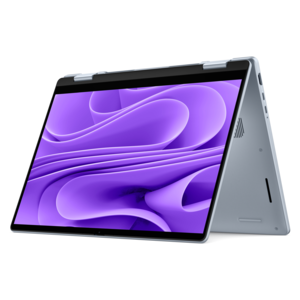
The physical design of an ARM-based laptop shapes how well that efficiency translates into daily convenience. A slim profile can slide easily into a work tote, but overall weight, dimensions, and charger size determine the full carrying experience. Aluminum or magnesium-alloy construction can provide rigidity with a refined feel, while well-designed polymer housings can also be practical for frequent travel. Material alone does not establish durability; hinge construction, chassis reinforcement, and protection during transport matter as well. A snug padded sleeve helps reduce scuffs and minor bumps, and keeping pens, keys, and other hard objects away from the closed display can prevent avoidable damage. For shoppers who want flexible screen positioning for handwritten notes, presentations, or reading, Premium Convertible Laptops With Long Battery Performance offer a related form factor, with processor architecture and application compatibility remaining separate considerations. Touch and pen support vary by design, so those features should match the way the computer will actually be used. A student annotating lecture slides may appreciate different capabilities from an accountant working primarily with a keyboard and external display. Ports also affect portability: a built-in connection for an essential accessory can eliminate the need to carry an adapter, while an external monitor or other powered accessory may change battery consumption when connected. Everyday care helps preserve both the computer and its battery. Ventilation openings should remain clear, and soft bedding can obstruct airflow on designs that require it. Gentle cleaning with an appropriate cloth, following the manufacturer’s instructions, protects the screen and finish. Avoiding excessive heat and using supported battery-health settings can help limit unnecessary battery wear over time. As a graduation gift or a practical upgrade for someone beginning a more mobile work routine, an efficient laptop is most useful when its size, software support, and controls suit the recipient. Long battery life supports that experience, but comfort, compatibility, and dependable everyday performance make it worth carrying.
Add the products you would like to compare, and quickly determine which is best for your needs.