Audio Enhancements
Elevate your auditory experience with cutting-edge audio enhancements designed to transform the way you listen. Whether you're a music lover, a gamer immersing yourself in virtual worlds, or a professional seeking crystal-clear sound quality for work, our collection offers something for everyone. Discover the perfect blend of innovation and performance as you explore options that cater to all your audio needs. With a focus on delivering exceptional sound, these enhancements are crafted to provide an unparalleled listening experience. Dive into a world of rich, immersive audio that brings every note and sound to life.
This product is not available
Check out the following recommendations.
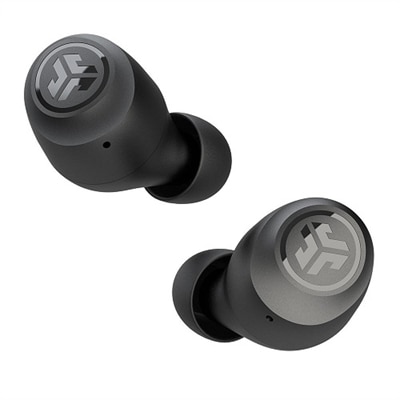
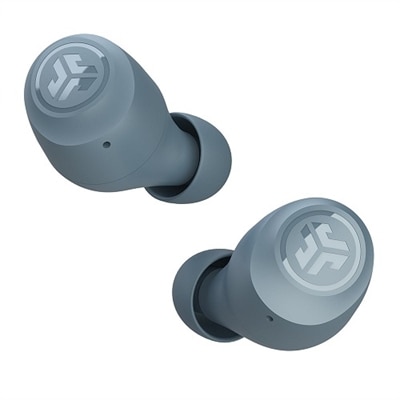
Audio Enhancements
Audio enhancements can make everyday listening feel more natural, immersive and comfortable, whether you are joining a video call, watching a film, playing a game or settling in with a favorite playlist. This category brings together audio-focused accessories and software designed to help you shape the way sound reaches your ears. Headphones and earbuds can provide a more personal listening experience in shared spaces, while desktop speakers and soundbars can give music, dialogue and game audio a fuller presence across a room. A microphone can help your voice sound clearer during meetings, classes and conversations, especially in spaces with background noise. When choosing an audio enhancement, consider where and how it will be used first. Someone who listens at a desk may value a compact design, comfortable ear cushions and simple connection options, while a person who moves between rooms may prefer lightweight wireless equipment with dependable battery life. For movie nights and gaming, look for features that help separate dialogue, effects and directional sound. For calls, prioritize microphone clarity, noise management and controls that are easy to reach without interrupting the conversation. Comfort matters just as much as technical specifications: a product that feels natural after an hour of use is more likely to become part of a daily routine. During the cooler months, audio accessories can also make a thoughtful gift for students, remote workers, travelers, gamers and anyone who enjoys creating a more focused atmosphere at home.
Many audio enhancements use software to adjust sound after it leaves an application and before it reaches speakers, headphones or another output device. In Windows, built-in audio enhancements may include bass boost, virtual surround sound, loudness equalization and other effects intended to change the character of playback. These settings can make quiet dialogue easier to hear, add weight to music or create a wider sense of space in compatible content, though the best result depends on the output device, recording quality and personal preference. To review them, open Settings with Win + I, select System, choose Sound, and then select the specific output device you are using. Look for the Audio enhancements dropdown and choose Device default effects, another available effect option or Off. Spatial sound settings may appear in the same area or under related sound controls, depending on the Windows version and device. If audio becomes distorted, unusually loud, hollow or delayed, turn enhancements off temporarily and test the same content again. Disabling one effect at a time can help identify the source of a problem, while updating audio drivers, reconnecting the device and checking the selected output can resolve common playback issues. Third-party Audio Effects Software may provide additional equalizer controls, presets or processing tools, but it is wise to compare those settings with Windows enhancements so multiple layers of processing do not create unwanted echo, lag or distortion.
The right audio setup often depends on small details that are easy to overlook. Check whether a computer, tablet or phone supports the connection method you plan to use, and confirm that wireless accessories are compatible with the operating system and applications you rely on. Bluetooth can reduce cable clutter and make it convenient to move around, while wired connections can be useful for extended listening, low-latency gaming or systems that do not need another battery to manage. Battery capacity, charging time and the availability of onboard controls are important for portable listening, especially when moving between work, study and leisure. For desktop use, consider the available space, cable length and whether the speakers or microphone will sit beside a monitor, beneath a display or on a separate surface. A closed-back headphone design can help limit sound escaping into a shared room, while an open listening design may feel more spacious but is better suited to quieter environments. Families may appreciate volume controls, adjustable fit and durable construction; professionals may focus on voice pickup and all-day comfort; creators may look for faithful playback and flexible monitoring options. When sound does not seem right, check volume levels in both the application and Windows, make sure the intended output is selected, and test another recording before assuming the hardware is at fault. With a considered combination of comfortable equipment and sensible software settings, audio enhancements can help turn a basic computer setup into a more enjoyable space for communication, entertainment and concentration throughout the changing seasons.
FAQs:
Common audio enhancements for home and office include wireless headphones, desktop speakers, soundbars, noise-cancelling headsets, and microphones with built-in audio processing. These devices are designed to improve sound clarity, reduce background noise, and deliver a more immersive listening experience for music, movies, virtual meetings, and gaming.
Audio enhancements are beneficial for a wide range of users, including students, remote workers, educators, music lovers, gamers, and content creators. Anyone looking to enjoy clearer sound, minimize distractions, or elevate their entertainment setup can benefit from these devices.
Yes, many audio enhancements make excellent gifts. Wireless earbuds, portable Bluetooth speakers, and high-quality headphones are popular choices for birthdays, holidays, or special occasions. They offer practical value and can be enjoyed by recipients of all ages and interests.
Audio enhancements like noise-cancelling headsets and microphones with advanced processing help reduce ambient noise and ensure clear communication. This leads to more productive virtual meetings and online classes, as participants can hear and be heard without distractions.
Absolutely. Audio effects software allows users to apply equalization, noise reduction, compression, and other enhancements to tailor sound to their preferences. These tools are especially valuable for content creators and professionals who require precise control over their audio output.