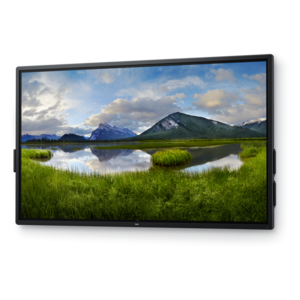
Audiovisual Carts
Audiovisual carts are essential tools for seamlessly transporting and organizing your multimedia equipment, making them perfect for classrooms, offices, and conference rooms. Designed to accommodate various devices such as projectors, monitors, and sound systems, these versatile carts help streamline your presentations and enhance your audiovisual experience. With robust construction and thoughtful design, audiovisual carts provide the mobility and convenience needed to keep your technology accessible and ready for use in any setting.
This product is not available
Check out the following recommendations.




Audiovisual Carts
Audiovisual carts provide a practical way to bring screens, computers, speakers, and presentation equipment where they are needed without committing every room to a permanent installation. Designed for movement and flexibility, these carts can support classrooms, meeting rooms, training areas, libraries, community spaces, healthcare environments, and home entertainment setups. A well-chosen cart creates a central, organized platform for a monitor or display while leaving room for a laptop, desktop, media player, compact audio equipment, or other essential accessories. Locking casters make it easier to move equipment across smooth floors, while sturdy shelves and a stable base help keep everything secure during use. For spaces that serve more than one purpose, mobility can make a meaningful difference: a display can move from a conference room to a training area, or a presentation setup can be rolled out only when needed and stored neatly afterward. When comparing audiovisual carts, consider the size and weight of the equipment they will hold, the height of the viewing surface, the width of the base, and the available shelf space. A cart should feel balanced when loaded, with enough clearance for cables and ventilation around heat-producing electronics. Adjustable mounting points can add flexibility when displays change, while integrated cable channels help reduce tangles and keep the finished setup looking intentional. Lockable wheels are especially useful in shared spaces, and a braking mechanism can prevent the cart from drifting while someone connects a cable or adjusts the screen. For households, a mobile cart may be useful in a recreation room, study, or spare room where the same display supports movie nights, gaming, remote learning, and work presentations. During the cooler months, when indoor gatherings and at-home activities become more common, a movable setup can shift easily between rooms without requiring a complicated renovation.
The right audiovisual cart depends on how people interact with the equipment as much as on the equipment itself. In a classroom or training room, the display should be visible from the back row, and the cart should allow a presenter to make small height or angle adjustments without interrupting the session. In a conference environment, a lower shelf can hold a laptop and presentation accessories, while a separate surface keeps a keyboard, remote, or notebook within easy reach. For a community or shared-use space, look for a durable frame, smooth casters, protective edges, and locking features that can withstand frequent repositioning. A cart used for demonstrations may benefit from a broad work surface, whereas a compact cart for a small office may be better suited to a streamlined footprint that fits beside desks and through standard doorways. Cable access is another detail that can be easy to overlook until the first setup begins. Openings or built-in routing paths allow power and signal cables to pass cleanly from the display to equipment below, reducing loose cords across walkways. It is also helpful to confirm compatibility with the display’s mounting pattern and to measure doorway widths, elevator entrances, storage areas, and the intended viewing distance before choosing a size. Accessories can complete the arrangement; explore Audio Video Accessories for complementary items that help connect, position, and manage audiovisual equipment. A reliable cart should support the full setup without making the room feel crowded. Imagine rolling one into place before a presentation: the wheels glide across the floor, the display sits at a comfortable height, the laptop rests on a stable shelf, and the cables remain gathered instead of spilling into the aisle. Those small conveniences add up during repeated use.
Audiovisual carts can also help organizations make better use of existing technology. Rather than assigning one display or presentation system to a single room, a mobile cart can extend its usefulness across several spaces. Schools may use carts for lessons, video-based instruction, group projects, and assemblies; businesses may use them for presentations, onboarding, staff meetings, and collaborative work; libraries and community centers may move them between workshops and public programs. At home, a cart can serve as a flexible platform for a monitor, laptop, speakers, or entertainment equipment, making it easier to adapt a room as household needs change. Consider the daily path the cart will travel, including thresholds, carpet transitions, tight corners, and areas where people gather. Larger wheels may roll more smoothly over uneven surfaces, while compact casters can make a smaller cart easier to steer in a crowded office. Construction materials also matter: metal frames can provide dependable support, finished surfaces can be easier to clean, and shelves with raised edges can offer added peace of mind when equipment is moved. If the cart will be used by multiple people, simple controls and clear access to connections can reduce setup time and avoid unnecessary handling of the display. A thoughtful audiovisual cart is more than a stand; it is a mobile workspace that brings visual and audio tools closer to the audience while keeping the room adaptable. As routines shift from outdoor activities to more indoor learning, collaboration, and entertainment, a movable setup can remain useful in many settings without taking over the space.
FAQs:
Audiovisual carts are designed to accommodate a wide range of devices including monitors, laptops, projectors, speakers, webcams, and other audio-video equipment. Many carts feature adjustable shelves and cable management systems to help organize and secure your technology for easy mobility and setup.
AV carts are widely used by educators, corporate professionals, healthcare providers, and anyone who needs to move technology between rooms or locations. They are especially helpful in environments where flexibility and collaboration are key, such as classrooms, conference rooms, hospitals, and creative studios.
Yes, many audiovisual carts are specifically designed to support video conference setups. These carts can hold monitors, cameras, microphones, and other conferencing equipment, making it easy to create a portable video conference station that can be moved wherever it’s needed.
When selecting an av cart for classroom use, consider features such as sturdy construction, adjustable shelving, lockable wheels, and integrated cable management. Some carts also offer storage compartments for accessories, making it easier to keep technology organized and accessible for teachers and students.
An audiovisual cart enables teams to easily share screens, present information, and conduct meetings in various locations without being tied to a single room. Its mobility and versatility make it easier to adapt workspaces for group discussions, training sessions, or hybrid meetings, fostering greater collaboration and productivity.