$65.99
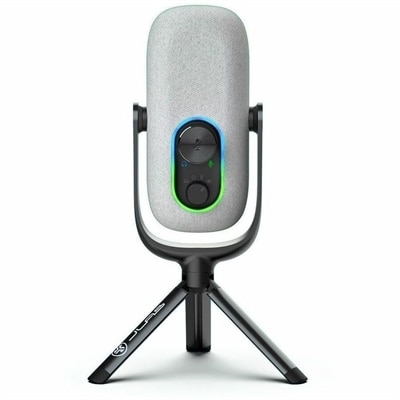
A 2K QHD webcam designed for clear, confident everyday video collaboration.
Get ready for a successful school year with back to school webcams designed to help you stay connected and engaged in every class. Whether you're attending virtual lessons, collaborating on group projects, or catching up with friends and family, the right webcam ensures clear communication and a smooth online experience. Explore a wide selection of reliable options to find the perfect fit for your study space and make the most of your academic journey. Shop back to school webcams today and set yourself up for success.
A 2K QHD webcam designed for clear, confident everyday video collaboration.
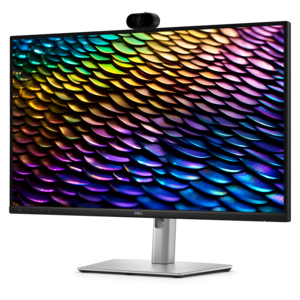
A Full HD conferencing monitor with built-in webcam, speakers, and microphone for seamless everyday collaboration.
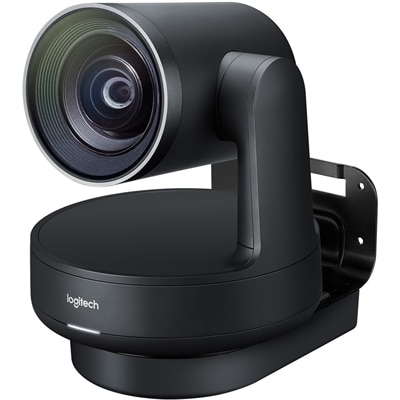
A matte-black Ultra HD PTZ camera with 4K imaging, 15X zoom, 90° coverage, and automatic framing.
Back-to-school webcams help students, instructors, tutors and families stay connected when learning takes place beyond a traditional classroom. A dependable webcam can make a laptop or desktop setup feel more personal, whether a student is attending a virtual lecture, joining a small study group, meeting with a teacher or presenting a project from a bedroom desk. Many webcams connect through USB and are designed for plug-and-play setup, allowing them to work with a wide range of computers without a complicated installation process. A universal clip can attach securely to a laptop display or monitor, while a compact design keeps the camera from taking up valuable space beside notebooks, headphones and other school essentials. When choosing among recommended webcams, consider how the camera will be used and where it will sit. A 720p webcam can provide reliable image quality for everyday classes and conversations, while a 1080p webcam can deliver a sharper, more defined picture for presentations, group collaboration and recorded assignments. Some options offer a wider field of view, which can be useful when a student needs to show a whiteboard, include a second person in the frame or demonstrate a hands-on project. Higher-resolution options may be appropriate for users who create video lessons, participate in creative coursework or want more flexibility when cropping and framing their image. A camera that tilts or adjusts easily can help keep the face centered, even when the display angle changes between a seated class and a standing presentation. For students moving between home, a residence hall, a library or a shared family workspace, a lightweight webcam with a sturdy clip can be especially convenient. It can also make a thoughtful gift for a student beginning a new academic routine, a remote tutor building a dedicated teaching area or a family member who stays in touch through video calls. A webcam does not need to be complicated to become a useful part of a school setup; it simply needs to provide a clear image, steady placement and a connection that works smoothly with the computer already in use.
Audio is just as important as video, particularly when lessons include discussion, oral presentations or collaborative work. Built-in microphones can reduce the need for an additional accessory and help keep a desk uncluttered, but microphone performance varies by design. Look for a webcam with noise-reducing or noise-canceling microphone technology when the surrounding space may include keyboard sounds, household activity, air conditioning or the muffled movement of other people nearby. A microphone positioned close to the camera can help voices sound more direct, while a pair of microphones may capture speech more consistently as the user turns slightly during conversation. Lighting also has a noticeable effect on the way a webcam image appears. Automatic light correction can balance a dim study corner, a bright window or the changing light that comes through a room during the day, helping the face remain visible without constant manual adjustments. Even with automatic correction, placing the desk so that light falls toward the user rather than directly behind them can improve the image. A physical privacy shutter or lens cover adds a simple layer of control when the webcam is not in use; closing it provides a clear visual reminder that the camera is blocked. Students can benefit from that feature when moving between online classes, homework and personal activities, while parents and educators may appreciate the extra reassurance it provides in shared spaces. Compatibility should also be part of the decision. Check the computer’s available USB connection, the operating system requirements and the software used for classes or meetings. A plug-and-play model is often a practical choice for households that want to avoid extra drivers or setup steps, while a webcam with flexible mounting options can pair well with a laptop, desktop display or external monitor. The right fit depends on the user’s routine, but clear video, understandable audio, convenient controls and straightforward compatibility are useful priorities across many learning environments.
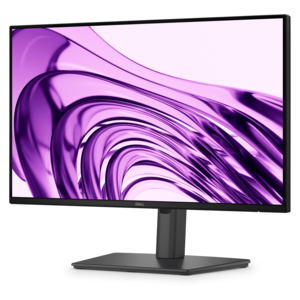
A comfortable workspace can make it easier to stay attentive during a long class, and a webcam works best when it complements the rest of the setup. Positioning the camera near eye level creates a more natural perspective and helps the student appear engaged during a presentation. When a laptop is placed on a stand or books, a webcam mounted on the top edge of the display can keep the lens aligned with the new height. A monitor with a slim bezel may provide a stable surface for a universal clip, while a camera with a small stand can sit on a desk when a student needs more freedom to adjust the viewing angle. For additional display space, browse Back To School Computer Monitors to explore options that can support side-by-side coursework, reference materials and video sessions. A webcam may also be useful outside the classroom: families can use it for calls with relatives, students can meet with project partners, and instructors can record explanations or offer virtual office hours. During the warmer part of the school year and into the cooler months, changing daylight and different study locations can make automatic brightness adjustment especially helpful. A compact camera can travel between rooms or pack alongside a laptop for a shared workspace, provided its clip and cable are easy to manage. Before settling on a choice, consider the student’s age, schedule, room layout and comfort with technology. A learner who attends occasional online sessions may need only dependable 720p video and a built-in microphone, while someone who spends many hours in virtual classes or creates presentations may appreciate 1080p clarity, a wider view and stronger light correction. For creative work, remote instruction or polished recordings, a higher-resolution webcam may offer added flexibility. These recommended webcams are designed to support a range of school routines, from quick morning check-ins to detailed group presentations, giving students and educators a simple way to look and sound prepared wherever learning happens.
Add the products you would like to compare, and quickly determine which is best for your needs.