1. Performance and Processing Power
2. Display Quality
3. Connectivity and Ports
4. Space-Saving Design
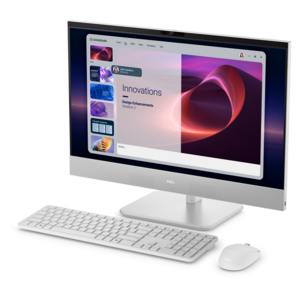
If you're looking for the best 24" desktops for students, look no further! This carefully curated list is based on user review ratings, ensuring that you'll find top-notch options that are highly recommended by fellow students. Whether you're in need of a powerful desktop for graphic design projects, a reliable machine for coding and programming, or a versatile system for everyday tasks, we've got you covered. With a focus on performance, reliability, and value, these desktops are sure to meet the needs of students from all walks of life.
Choosing the right 24-inch desktop can help students stay productive, organized, and entertained throughout their studies.
1. Performance and Processing Power
2. Display Quality
3. Connectivity and Ports
4. Space-Saving Design
Check out the following recommendations.
Students should consider desktops with reliable processors, ample RAM, and sufficient storage for multitasking, research, and running educational software. Features like built-in webcams, multiple USB ports, and Wi-Fi connectivity can also enhance productivity and collaboration.
Yes, the desktops featured on this page are designed to handle a variety of tasks, from completing assignments and attending virtual classes to streaming videos and light gaming, making them versatile choices for students.
Many desktops listed here come with powerful processors and graphics capabilities suitable for creative tasks such as graphic design, photo editing, and basic video production, supporting students in a wide range of academic and extracurricular projects.
Most of the desktops on this page offer multiple display outputs, enabling students to connect two or more monitors for enhanced multitasking and a more immersive learning experience.
Absolutely. The desktops included here are designed with user-friendly setup processes, making it simple for students to get started quickly, even if they’re setting up a desktop for the first time.


Add the products you would like to compare, and quickly determine which is best for your needs.