1. Performance and Speed
2. Portability and Battery Life
3. Durability and Build Quality
4. Operating System and Compatibility
Choosing the right laptop can help high school students excel in their studies and extracurricular activities. Here are some important factors to consider before making a purchase.
1. Performance and Speed
2. Portability and Battery Life
3. Durability and Build Quality
4. Operating System and Compatibility
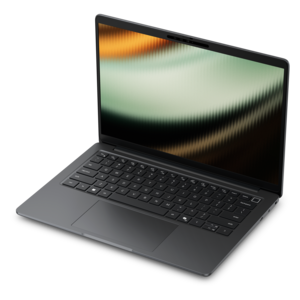
A sleek, durable laptop featuring an AMD Ryzen 5 processor, 16GB DDR5 memory, and FHD+ anti-glare display.
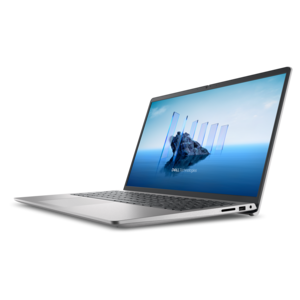
A powerful laptop featuring a 13th Gen Intel Core i5, 16GB RAM, and 512GB SSD with FHD display.
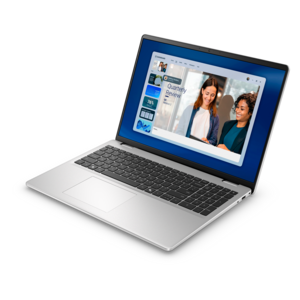
A sleek laptop featuring a 15.6" FHD display, Intel Core processor, 512GB SSD, and Windows 11.
A powerful 16-inch laptop with Intel Core 7 processor, 16GB DDR5 RAM, and FHD+ touch display.
A powerful laptop featuring a 13th Gen Intel Core i7, 16GB RAM, 1TB SSD, and FHD display.
A sleek laptop featuring an AMD Ryzen 5 processor, 16GB DDR5 memory, and a 14" FHD+ display.
A powerful laptop featuring a 13th Gen Intel Core i7, 16GB RAM, 1TB SSD, and FHD touchscreen.
A sleek laptop featuring an AMD Ryzen 3 processor, 512GB SSD, 8GB RAM, and a 15.6" FHD display.
A sleek 14-inch laptop with AI chip, Intel Core Ultra processor, FHD+ display, and long battery life.
A versatile 2-in-1 laptop with a 14-inch FHD+ touchscreen, Intel Core Ultra processor, and 16GB memory.
When choosing a laptop for high school students, consider features like long battery life, lightweight design for portability, a durable build, a comfortable keyboard, and reliable Wi-Fi connectivity. It's also important to have enough processing power and memory to handle schoolwork, web browsing, and multimedia tasks.
Chromebooks can be an excellent choice for high school students who primarily use web-based applications and cloud storage. They are generally easy to use, secure, and offer fast boot times. However, if specific software is required that only runs on Windows or macOS, a traditional laptop may be more appropriate.
For most high school students, 128GB to 256GB of storage is sufficient for documents, presentations, and basic media files. If the student works with large files such as videos or installs many applications, opting for higher storage or using cloud storage solutions can be beneficial.
A touchscreen is not essential but can be helpful for certain tasks like note-taking, drawing, or navigating apps more intuitively. Some students may benefit from convertible laptops that function as both a tablet and a traditional laptop.
The best operating system depends on the student's needs and the school's requirements. Windows laptops offer broad compatibility with educational software; macOS is known for its user-friendly interface; while Chrome OS is lightweight and ideal for web-based tasks. Check with your school to see if they recommend or require a specific platform.
Add the products you would like to compare, and quickly determine which is best for your needs.