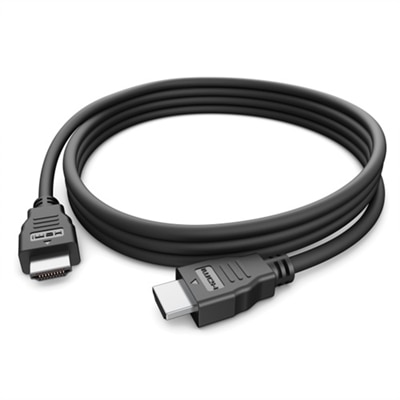
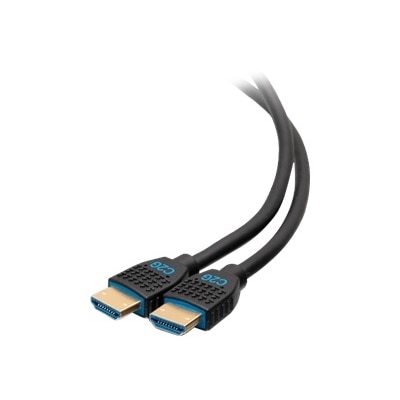
Black HDMI Cables
Black HDMI cables are essential components for connecting your high-definition devices, ensuring seamless audio and video transmission. Whether you're setting up a home theater, enhancing your gaming experience, or linking various multimedia equipment, these cables provide reliable and efficient connectivity. Designed to support a wide range of resolutions and refresh rates, black HDMI cables are versatile solutions for all your digital needs. Explore our selection to find the perfect cable that meets your requirements and delivers top-notch performance for all your electronic devices.
This product is not available
Check out the following recommendations.




Black HDMI Cables
Black HDMI cables carry digital video and audio between compatible devices, connecting everyday essentials such as laptops, desktops, monitors, televisions, and gaming consoles. Their black outer jacket is a practical choice for setups with dark monitor stands, desk frames, or entertainment furniture, helping visible wiring blend into the background rather than draw attention away from the screen. Color does not determine picture quality, bandwidth, or compatibility; those depend on the cable’s capabilities and the equipment connected at either end. For most purchases, the important details are connector type, supported resolution and refresh rate, cable length, and construction. A standard HDMI Type A connector is the familiar full-size plug found on many displays and computers, while some compact devices use Mini HDMI or Micro HDMI instead. Checking both ports before choosing a cable prevents the small but frustrating discovery that a new connection will not fit. Devices with full-size HDMI ports at both ends generally use HDMI To HDMI Cables, with the appropriate performance rating for the intended setup. On a home office desk, that connection can give a laptop a larger workspace for spreadsheets, side-by-side documents, or video meetings. In a living room, it can carry a movie’s picture and sound through a single cable, reducing the tangle that separate connections would create. Students may use one to connect a notebook computer to a dorm-room monitor, while photographers and designers may need a larger display for reviewing their work. A spare cable can also be a useful, modest gift for someone setting up a first apartment, rearranging a workspace, or adding a gaming screen, provided the connectors and capabilities match their equipment. The understated finish makes black a versatile option across these settings, whether the cable follows the back edge of a desk or disappears behind a wall-mounted display.
Performance matters most when a screen’s resolution, refresh rate, and color settings place greater demands on the connection. Certified Premium High Speed HDMI cables are tested for bandwidth up to 18Gbps and are a common choice for compatible 4K setups running at 60Hz. Certified Ultra High Speed HDMI cables support bandwidth up to 48Gbps and can accommodate demanding formats such as 4K at 120Hz or 8K at 60Hz with compatible equipment and appropriate settings. Exact support also depends on factors such as color depth, chroma format, and whether the devices use display stream compression. These cable categories are more useful shopping references than a version number alone, so look for a clearly stated bandwidth, certification, and supported video formats rather than relying only on descriptions such as “4K cable” or “8K cable.” A higher-capacity cable does not increase a monitor’s native resolution or make an older computer produce a refresh rate it cannot output. The source device, display input, and any equipment in between must all support the intended signal. This is particularly important for gaming, where a compatible high-refresh-rate connection can help preserve smooth motion during a fast turn or a crowded on-screen scene. Features such as variable refresh rate and dynamic HDR likewise require support from the connected devices, not just suitable cabling. For audio connections, check whether the cable supports eARC when linking compatible equipment through designated eARC ports. There is no need to buy additional bandwidth simply to make an ordinary desktop image look richer: when a suitable cable reliably carries the same digital signal, a more expensive cable does not inherently produce sharper text or deeper colors. Extra capacity can nevertheless be useful when a higher-performance monitor or computer is a likely next purchase. For a shared household or multipurpose workspace, choosing around the most demanding intended use can also make it easier to move the cable between compatible devices without second-guessing its capabilities.
Length and physical fit often make the difference between a comfortable setup and one that is awkward to live with. Measure the path the black HDMI cable will actually follow, including bends around furniture, the drop behind a desk, and enough slack to move a monitor or pull a computer forward for cleaning. The straight-line distance between two ports rarely tells the whole story. A cable that barely reaches can place tension on connectors, while a much longer cable leaves unnecessary loops to gather dust near your feet. Shorter passive cables are often convenient for desktop use; longer runs, especially at high bandwidth, deserve closer attention to the manufacturer’s stated capabilities at the exact length being purchased. Active copper or optical HDMI cables can be useful for extended distances, but many are directional, with labeled source and display ends, and some require additional power. Connector housing size matters as well, particularly behind slim displays, inside recessed port panels, or beside neighboring plugs. A flexible jacket can ease routing through a monitor arm, while braided coverings may offer useful abrasion resistance where a cable rubs against furniture. Neither a thick jacket nor a braided finish proves higher video performance. Good shielding and sound construction help support a reliable connection, but broad claims about premium materials are less informative than verified specifications and certification. For concealed installations, choose a cable with an in-wall rating appropriate to the location and local code requirements; a black jacket alone says nothing about suitability inside a wall. CL2 or CL3 markings may be relevant for residential installations, but the required rating depends on the installation. Gentle bends, loosely fastened cable ties, and clearance from chair wheels help protect the cable during everyday use. It is also worth testing the intended resolution, refresh rate, and audio connection before securing a cable behind furniture. A little attention to those practical details keeps the finished setup tidy and dependable, with the black cable quietly doing its job while the screen remains the center of attention.
FAQs:
Black HDMI cables are compatible with a wide range of devices, including laptops, desktops, monitors, HDTVs, gaming consoles, Blu-ray players, streaming devices, and projectors. They are designed to transmit high-quality audio and video signals between these devices, making them ideal for home entertainment systems, office setups, and gaming stations.
Yes, most black HDMI cables are backwards compatible with previous HDMI standards. This means you can use a new HDMI cable with older devices, though the connection will operate at the highest supported standard of the connected devices.
Absolutely. HDMI cables, including black HDMI cables, are designed to carry both high-definition video and multi-channel audio signals, eliminating the need for separate audio cables and ensuring a streamlined connection between your devices.
The color of an HDMI cable, such as black, does not affect its performance or signal quality. The main factors that impact performance are the cable's specifications, such as speed rating, supported resolutions, and build quality.
Many modern black HDMI cables support advanced features such as Ethernet connectivity and Audio Return Channel (ARC). These features allow for network data transfer and two-way audio transmission between compatible devices, reducing the number of cables needed in your setup.