$29.99
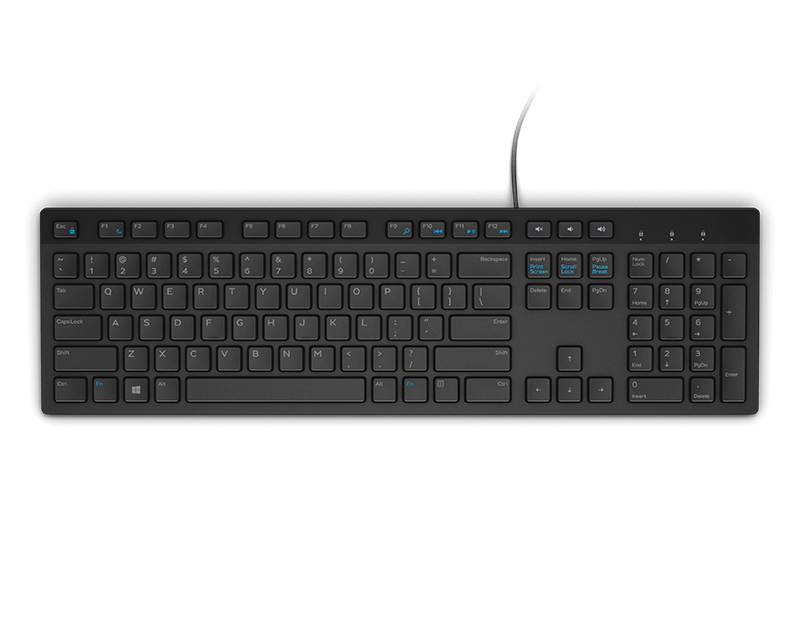
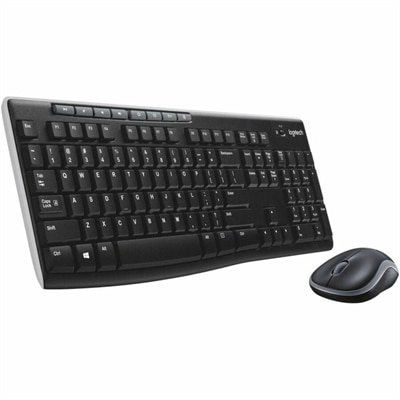
A black wireless keyboard and mouse combo with 2.4 GHz connectivity and long battery life.
Enhance your computing experience with our range of black wireless mice, designed to offer convenience and style for any workspace. With sleek, modern designs that complement any setup, these wireless mice provide the freedom to navigate without the clutter of cords. Whether you're working from home, in the office, or on the go, our selection ensures seamless connectivity and precision. Explore our collection to find the perfect black wireless mouse that meets your needs and elevates your productivity.
A black wireless keyboard and mouse combo with 2.4 GHz connectivity and long battery life.
A compact black mouse with dual-mode connectivity, featuring 2.4GHz wireless and Bluetooth 5.0 connections.
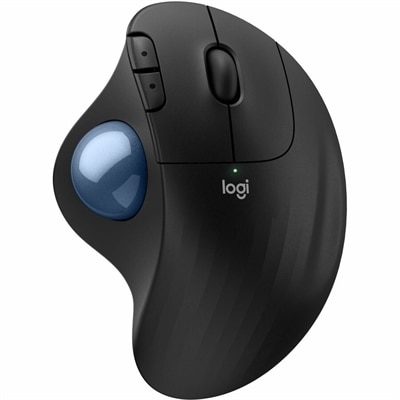
An ergonomic wireless trackball mouse with thumb control, quiet clicks, customizable buttons, and graphite finish.
A right-hand-focused wireless gaming mouse with 26,000 DPI, reliable connectivity, and robust battery life.
Black wireless mice offer a clean, adaptable way to control a laptop or desktop without adding another cable to a busy workspace. The black finish blends easily with nearly any setup, from a minimalist desk with a single monitor to a family computer surrounded by notebooks, charging cords, and school supplies. For everyday tasks such as browsing, writing, managing spreadsheets, editing photos, or organizing files, a wireless mouse can feel more natural and precise than a built-in touchpad. It also gives the hand a larger surface to rest on, which can make long sessions more comfortable. When comparing options, start with the shape and size. A compact mouse can slip into a laptop bag or travel pouch, while a fuller design may provide better support for the palm during an entire workday. An ambidextrous shape works well in shared spaces and accommodates either hand, while a contoured design may feel more secure for users who prefer a defined thumb rest. Weight matters, too: a lightweight model is easy to carry between rooms or offices, while a slightly heavier mouse can feel steadier when making careful selections or navigating detailed screens. The best choice is usually the one that feels comfortable after several minutes of continuous use, not simply the one that looks appealing at first glance. Browse additional options in Wireless Mice when you want to compare wireless designs for different desks, routines, and computing needs.
Connection type is another important consideration. Many wireless mice use Bluetooth, which can connect directly to compatible laptops and tablets without occupying a USB port. That makes Bluetooth especially convenient for newer, slim devices with limited connectivity and for people who move frequently between a home office, classroom, and shared workspace. Other models use a small USB receiver, sometimes called a dongle, that plugs into the computer and creates a dependable 2.4 GHz connection. A receiver can be useful for desktops, older laptops, or computers that do not support Bluetooth, and it often provides a simple plug-in-and-use experience. Check whether the receiver can remain stored inside the mouse when it is packed away; that small feature can prevent it from disappearing at the bottom of a bag. Battery life also deserves attention. Some mice use replaceable batteries, while rechargeable models can be powered through a cable between uses. Consider your habits: a person who works at a fixed desk may appreciate the convenience of charging, while a frequent traveler may prefer a long-lasting battery that does not require another cable. Sensor performance affects how smoothly the pointer moves across the screen. A standard optical sensor is suitable for office work, web browsing, school assignments, and general home use, while adjustable sensitivity can help users who switch between precise detail work and broad, fast cursor movement. Smooth tracking on a mouse pad or clean desk surface is generally more important for daily comfort than simply choosing the highest sensitivity setting.
Black wireless mice can suit a wide range of people and can make a practical gift for students, remote workers, new graduates, frequent travelers, and anyone refreshing a home computer setup. A student may use one for research, presentations, and creative projects, then pack it away with a laptop at the end of the day. Someone working from home might keep one beside a keyboard for video calls, documents, and quiet evening tasks, particularly if low-noise buttons help maintain a peaceful room while others are sleeping or studying nearby. For a shared family computer, look for a durable design that is easy to grip and simple to connect, with buttons that do not require excessive pressure. Travelers may value a compact shape, a protective pouch, and battery efficiency, while users who spend hours in design applications or games may prefer responsive tracking, programmable buttons, and a form that supports a relaxed hand position. Even a basic mouse can improve a familiar routine: moving a pointer across a large monitor, selecting a line of text, dragging a file into a folder, or scrolling through a long page can feel more controlled when the device fits properly. Before choosing, consider the computer’s available ports, operating system compatibility, preferred hand, typical travel distance, desk surface, and the amount of time spent clicking and scrolling each day. A black wireless mouse that matches those practical details can bring a quieter, less cluttered feel to work, study, entertainment, and everyday computing.
Add the products you would like to compare, and quickly determine which is best for your needs.