$49.99
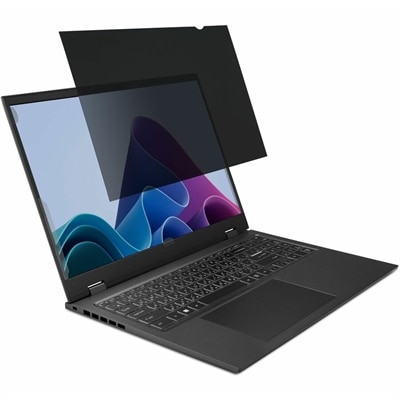
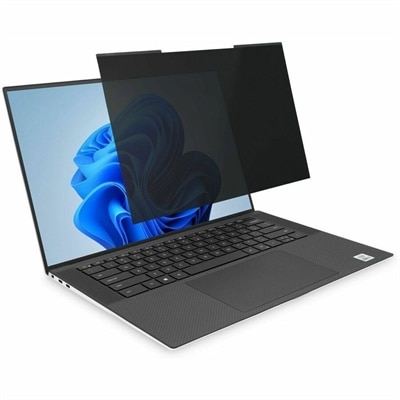
A magnetic privacy filter with ±30° viewing, blue-light reduction, glare control, and matte or glossy sides.
In today's digital age, protecting your eyes from the harmful effects of prolonged screen exposure is more important than ever. Blue light filters are an essential tool for anyone who spends significant time in front of computers, tablets, or smartphones. These innovative solutions help reduce eye strain and improve visual comfort by minimizing the blue light emitted from screens. Whether you're working late into the night, gaming for hours on end, or simply browsing the web, incorporating blue light filters into your routine can make a significant difference in maintaining eye health and overall well-being. Explore our selection of blue light filters to find the perfect fit for your devices and lifestyle.
A magnetic privacy filter with ±30° viewing, blue-light reduction, glare control, and matte or glossy sides.
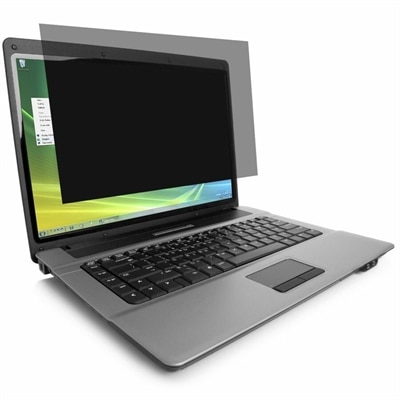
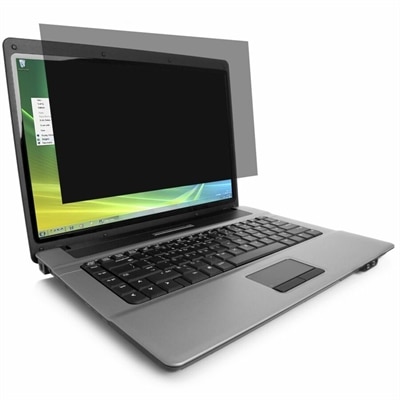
A laptop privacy screen filter combining blue light reduction, color performance, and visual comfort for workspaces.
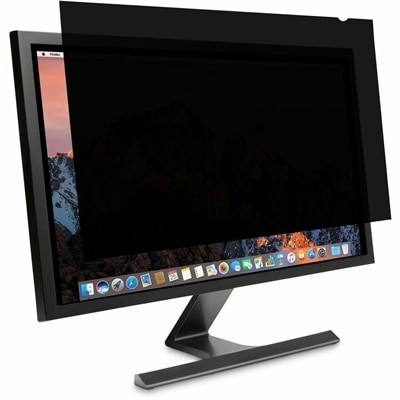
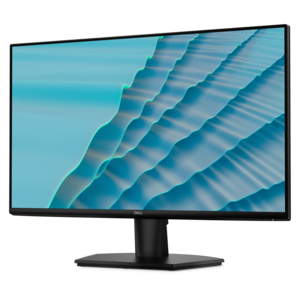
A reversible monitor privacy screen with anti-reflective coating, 30-degree viewing restriction and up to 30% blue-light filtering.
Blue light filters are designed to reduce or modify some of the short-wavelength, high-energy visible light produced by digital displays. They are available in several forms, including built-in software settings, physical screen filters and specialized eyewear. Software tools adjust a display’s color temperature, usually shifting white tones toward warmer amber or yellow hues during selected hours. Many laptops, desktops, tablets and phones include these controls in their display or accessibility settings, allowing the filter to turn on automatically in the evening or be adjusted manually for extended reading. Physical filters attach to a screen and may be made from tempered glass, plastic film or another transparent material that blocks or reduces selected wavelengths. These can be useful when a device is shared, when software controls are unavailable or when a consistent filtering layer is preferred. Blue-light-filtering glasses use clear, lightly tinted or amber lenses to reduce the amount of blue light reaching the eyes, and some people choose them for late-night computer work, reading or entertainment. The best format depends on the device being used, the time of day, personal comfort and whether accurate color reproduction matters. A warm display can make photos, videos, design work and other color-sensitive tasks look different, while a heavily tinted lens may affect how colors appear in the surrounding room. Checking the filter’s compatibility with a screen size, aspect ratio, touch functionality, mounting method and viewing angle can help prevent glare, bubbles, loose edges or interference with a camera. When comparing options, look for clear information about the wavelengths addressed, the strength of the tint, light transmission, cleaning requirements and whether the filter is removable or intended for permanent use. Products that reduce reflections may also make a screen more comfortable in a bright room, although blue light reduction and glare reduction are separate features and should not be treated as the same benefit.
People often use blue light filters as part of a broader approach to managing screen comfort. Someone who spends the day moving between a laptop and desktop monitor may prefer software settings that follow a schedule, while a person who works in a shared space may appreciate eyewear that can be used with several screens. Students, remote workers, travelers, readers and anyone who enjoys watching content or browsing late in the evening may find a warmer display easier on the eyes, particularly in a dim room. During the cooler months, when more time is often spent indoors with computers, monitors and other connected devices, a small adjustment to evening screen habits can make a workspace feel more pleasant. Filters may also be considered as practical gifts for a student setting up a study area, a family member working from home or a frequent traveler who uses a laptop in hotel rooms and transit spaces. Comfort varies from person to person, so the most useful choice is one that fits naturally into existing routines rather than one that requires constant adjustment. Positioning the screen about an arm’s length away, keeping the top of a monitor near eye level, increasing text size when needed and reducing reflections from lamps or windows can matter just as much as the filter itself. Regular breaks are also important; the 20-20-20 approach—looking at something about 20 feet away for 20 seconds every 20 minutes—can help interrupt long periods of uninterrupted near-focus. Dry indoor air, infrequent blinking and poor lighting can contribute to tired eyes as well. A filter cannot correct an outdated prescription, treat an eye condition or replace professional care, and persistent pain, headaches, blurred vision, double vision or unusual light sensitivity should be discussed with an eye-care professional. For display options built around viewing comfort, explore Eye Care Monitors With Low Blue Light to compare monitors designed with features that may support a more comfortable viewing experience.
Research and professional opinions about blue-light filtering products are not uniform, particularly when it comes to claims about preventing eye strain or improving visual performance. Digital eye discomfort is often linked to several factors at once, including prolonged close-up focus, reduced blinking, glare, poor posture, uncorrected vision needs and insufficient breaks. Blue-light filtering glasses and screen films may feel comfortable for some users, but studies have not consistently shown that blue-light-blocking lenses provide a significant improvement in overall vision performance or eliminate digital eye strain. The strongest practical reason to use a filter may be evening comfort and sleep readiness. Exposure to bright, short-wavelength light late at night can influence melatonin production and the body’s natural circadian timing, so dimming a screen, selecting a warmer color profile and limiting stimulating screen activity before bed may support a more restful routine for some people. Results differ according to brightness, viewing distance, personal sensitivity, the type of work being done and how close to bedtime the device is used. A software filter is convenient and adjustable, but it affects only the device on which it is enabled. A physical filter offers a dedicated solution for one screen and should be selected to match its dimensions. Eyewear travels easily and works across devices, though lens tint, frame fit, reflection control and comfort over long periods deserve close attention. Whatever option is chosen, it is wise to treat blue light filtering as one part of sensible screen habits rather than a complete solution. Lowering brightness to match the room, using comfortable ambient lighting, stepping away at regular intervals and maintaining a consistent evening routine can provide broader support for comfortable device use.
Add the products you would like to compare, and quickly determine which is best for your needs.