Monitors With Blue Light Filter
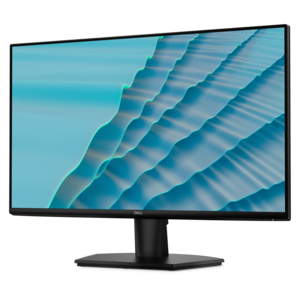
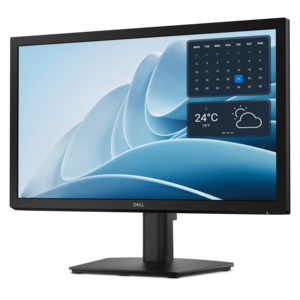
Monitors with blue light filter are designed to help create a more comfortable viewing experience, whether you're working, gaming, or streaming your favorite shows. Explore a wide range of options that prioritize eye comfort and modern aesthetics, making it easy to find the perfect display for your needs. Enhance your workspace or entertainment setup with monitors that blend advanced technology and stylish design, all while supporting your digital lifestyle. Discover how monitors with blue light filter can be an essential addition to your home or office.
This product is not available
Check out the following recommendations.




Monitors With Blue Light Filter
Monitors with blue light filter settings can make a computer workspace feel more comfortable, especially when a screen is used for long stretches or in a room with changing light. These displays typically include a built-in mode that shifts the screen’s color temperature toward warmer amber tones, reducing the amount of short-wavelength blue light shown on the panel. The result may be easier on the eyes for some people, particularly during evening work, reading, photo organization or relaxed browsing in a dim room. A blue light filter is not a substitute for thoughtful screen habits, and research on blue light and eye strain is mixed. Many eye-care professionals point out that discomfort is often connected to reduced blinking, glare, dry air, poor viewing distance or extended periods without a break. Still, a warmer display can be a useful comfort feature, and reducing bright, cool-toned light before bedtime may support a more sleep-friendly routine. Built-in monitor modes can be adjusted through the display’s on-screen menu, while operating systems commonly offer their own night-light settings that shift the color temperature across compatible screens. These software controls may provide more scheduling and intensity options than a monitor preset, making them useful for people who move between a desktop monitor and a laptop throughout the day. A monitor with a blue light filter gives shoppers a convenient hardware-based option, while software tools, room lighting and personal habits can work alongside it.
When comparing monitors with blue light filter features, begin with the way the display will be used. Someone writing documents, managing email or attending video meetings may value a comfortable screen with a clear, adjustable image and a stand that supports height, tilt and swivel changes. A person working with spreadsheets or several applications at once may prefer a larger screen or a wider aspect ratio that reduces the need to switch between windows. For creative work, look for settings that preserve accurate colors when needed, since warmer viewing modes can change how whites, skin tones and other colors appear. For gaming, motion handling and refresh rate may be more important during play, while the blue light filter can be reserved for browsing or late-night sessions. Resolution should match the screen size and viewing distance, and a matte or anti-glare surface can help reduce reflections from windows, lamps and overhead fixtures. Brightness matters as well: a screen that is much brighter than the surrounding room can feel harsh, while a display that is too dim may encourage squinting. Connectivity is another practical consideration. Check that the monitor includes ports compatible with the laptop, desktop or other devices in the workspace, and consider whether audio support, built-in speakers, USB connections or a streamlined single-cable setup would make everyday use easier. People who share a workspace may appreciate easy-to-reach controls and a filter mode that can be adjusted without navigating through complicated menus. Those who use multiple displays should also check whether similar color and brightness adjustments can be applied across the entire setup. Additional information about related options is available through Blue Light Filters.
A blue light filter monitor can suit many routines, from a home office tucked beside a living-room window to a study area used after the household has quieted down. Students and remote professionals may use one for reading, video calls, research and extended writing sessions. Families can place one in a shared work area where different users need comfortable settings at different times of day. It can also be a thoughtful gift for someone setting up a first home office, refreshing a study space or replacing an older display that lacks modern comfort controls. For evening use, a warmer filter setting paired with lower room lighting can create a gentler visual environment, though it is wise to keep the screen at a comfortable brightness and avoid treating the feature as a medical solution. Simple habits remain valuable: position the monitor about an arm’s length away, place the top of the screen near eye level, reduce reflections, blink regularly and follow the 20-20-20 practice of looking at something about 20 feet away for 20 seconds every 20 minutes. Short breaks can be especially welcome during cooler months, when indoor heating may make the air feel dry and screen-heavy days can blend together. Shoppers should also consider desk depth, available wall or tabletop space, warranty coverage, adjustability and the intended connection type before choosing a display. With the right size, resolution, stand and viewing settings, a monitor with a blue light filter can become a comfortable centerpiece for work, study, entertainment and everyday computing across morning tasks and quieter evening sessions.
FAQs:
When choosing a low blue light monitor, consider features such as built-in blue light filter modes, adjustable color temperature settings, and certifications for eye comfort. Some monitors also offer flicker-free technology and customizable schedules for blue light reduction, allowing you to tailor the display to your daily routine.
Blue light filter monitors are particularly beneficial for individuals who spend long hours in front of a screen, such as remote workers, students, gamers, and creative professionals. They are also a thoughtful gift for anyone who experiences eye fatigue or prefers a more comfortable viewing experience during extended use.
Most Dell monitors with blue light filtering capabilities include an on-screen display menu where you can enable features like 'ComfortView' or 'Low Blue Light' mode. You can typically access these settings using the monitor’s physical buttons and adjust the filter strength to your preference.
Yes, blue light filter monitors are compatible with a wide range of computers, including desktops and laptops. Simply connect the monitor using the appropriate cable (such as HDMI, DisplayPort, or VGA), and you can enjoy the benefits of reduced blue light exposure with your current setup.
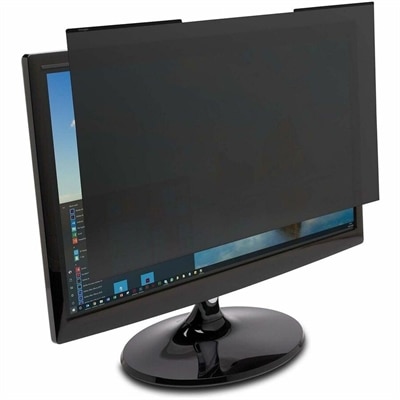
In addition to using a monitor with a built-in blue light filter, you can enable software-based solutions like Windows Night Light or third-party applications. Physical blue light screen protectors are also available as an added layer of protection. Combining these methods can further enhance eye comfort during extended screen time.