$69.99
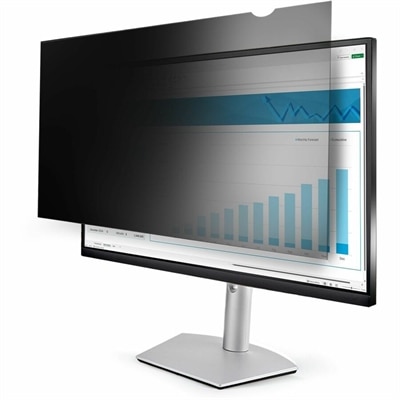
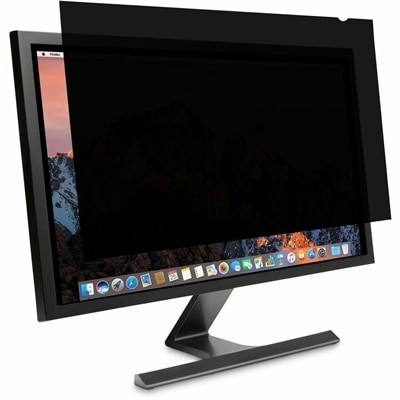
A reversible monitor privacy screen with anti-reflective coating, 30-degree viewing restriction and up to 30% blue-light filtering.
Enhance your workspace security and maintain screen confidentiality with a privacy filter for monitors. Designed to help keep sensitive information protected from prying eyes, these filters are ideal for offices, public areas, or any environment where privacy matters. Find the right privacy filter for monitors to support your workflow and safeguard your on-screen data, all while enjoying a more secure computing experience.
A reversible monitor privacy screen with anti-reflective coating, 30-degree viewing restriction and up to 30% blue-light filtering.
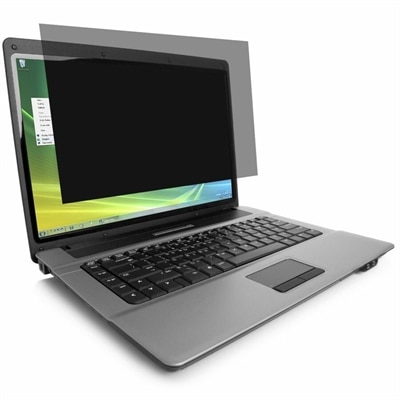
A durable privacy filter limiting side viewing, reducing blue light, and resisting scratches, fingerprints, and dust.
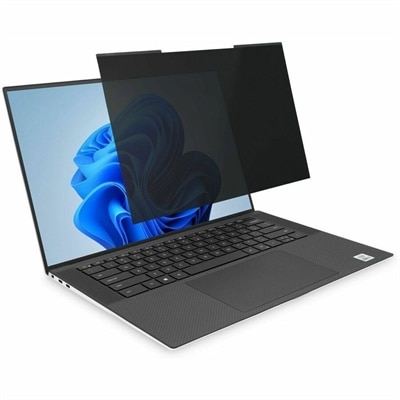
A magnetic privacy filter with ±30° viewing, blue-light reduction, glare control, and matte or glossy sides.
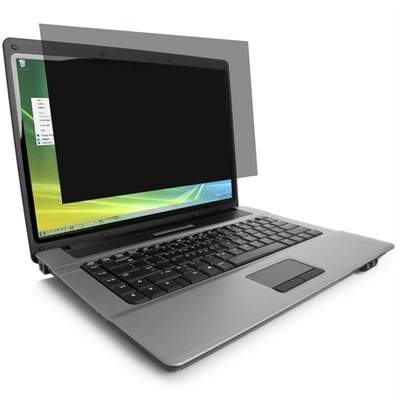
A privacy filter for monitors helps keep on-screen information visible to the person seated directly in front while making the display difficult to read from the sides. This added layer of discretion can be useful in open offices, shared workspaces, reception areas, classrooms, libraries, healthcare settings, and home offices positioned near a doorway or window. The technology behind many filters uses tiny vertical lenses, often called micro-louvers, that control how light leaves the display. When viewed straight on, the screen can remain clear and easy to read; from wider angles—often beyond roughly 30 degrees from the center—the image may appear dark, blurred, or obscured. This can help reduce casual shoulder surfing when someone walks past a desk, sits nearby on public transportation, or works at the next station in a busy office. A monitor privacy filter does not replace strong passwords, screen-lock habits, secure document handling, or workplace privacy practices, but it can provide a practical visual barrier for everyday use. It is especially helpful for people who regularly view customer information, financial records, patient details, internal communications, project plans, or other content that is not intended for surrounding viewers. Remote workers may also appreciate the extra reassurance when a desk is set up in a common room, while students and professionals can use one to create a more private working area without rearranging the entire room. For an additional option on a portable computer, browse Laptop Privacy Screens.
Choosing the right filter begins with the monitor itself. Measure the visible screen area rather than the outer frame, and confirm the diagonal size, width-to-height ratio, and display orientation before selecting an option. A 16:9 widescreen panel requires a different shape from a 16:10 display, ultrawide monitor, or vertically rotated screen, and even a small mismatch can leave edges uncovered or interfere with the bezel. It is also worth checking whether the display has a raised frame, a very thin bezel, a curved panel, a touchscreen surface, or an integrated webcam, since these features can affect how the filter sits and how easily it can be attached. Mounting styles vary. Some filters use removable tabs that hold the panel in place while allowing it to be lifted away, while others rely on adhesive strips or channels that create a more permanent installation. A tab-mounted design can be convenient for shared workstations or for people who occasionally need to show their display to a colleague. Adhesive mounting may provide a cleaner, more fixed appearance, but the attachment method should be compatible with the monitor’s finish and should not block controls, speakers, sensors, or ventilation openings. Reversible filters may offer a glossy side for a sharper, brighter image and a matte side to reduce reflections, giving users flexibility as lighting changes through the day. Some options also include anti-glare treatment, which can make text more comfortable to view beneath overhead lights or beside a sunny window. Blue-light reduction may be another consideration for people who spend long periods reading documents, editing spreadsheets, or working through evening hours. These features can complement privacy protection, although they serve different purposes: viewing-angle control limits what nearby people can see, anti-glare treatment manages reflections, and blue-light filtering changes certain portions of the display’s light output. A protective filter may also help guard the screen surface against light scratches, fingerprints, and dust during ordinary use, but careful cleaning remains important. Use a soft, lint-free cloth and follow the care instructions rather than pressing firmly or applying harsh household chemicals.
A well-fitted monitor privacy filter can become an unobtrusive part of a daily workstation, much like a keyboard, desk lamp, or cable organizer. Picture a shared office during a busy afternoon: conversations are happening nearby, people are moving between desks, and a bright display can otherwise be visible from several seats away. With the correct filter in place, the person at the keyboard can continue reviewing a report while passersby see far less of the content at an angle. The same benefit can follow a worker from a home office to a coworking space, conference room, hotel desk, or airport lounge. For families, it can help create a clearer boundary around schoolwork, personal correspondence, or household finances when a computer is located in a common area. It may also be a thoughtful practical gift for a remote worker, college student, frequent traveler, consultant, or anyone who uses a desktop in a shared environment. When comparing options, consider the display’s exact dimensions, the desired level of side-angle privacy, clarity from the front, surface finish, attachment method, ease of removal, and any glare or blue-light preferences. A filter that is too small may leave important areas exposed, while one that is too dark or poorly aligned can make ordinary tasks frustrating. Proper installation matters as well: clean the screen gently, align the top and side edges carefully, and check the viewing position from the user’s normal seated height. Keep in mind that privacy performance can vary with room lighting, screen brightness, viewing distance, and the angle of the observer. Selecting a compatible filter and positioning the monitor thoughtfully can make private work feel more natural, reduce visual distractions, and support a more comfortable setup through the cooler months and beyond.
Add the products you would like to compare, and quickly determine which is best for your needs.