$64.99
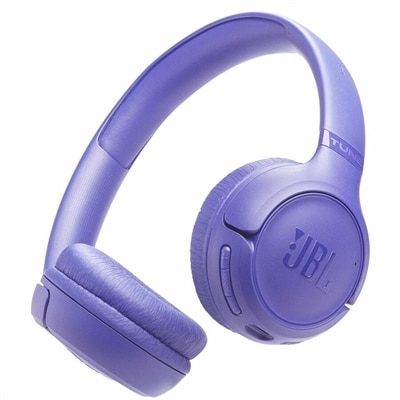
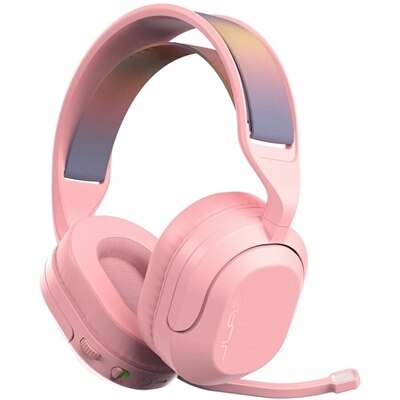
A wireless gaming headset with 50mm drivers, Bluetooth, USB-C connectivity, flip-to-mute mic, and Cloud Foam comfort.
A wireless gaming headset with 50mm drivers, Bluetooth, USB-C connectivity, flip-to-mute mic, and Cloud Foam comfort.
Bluetooth gaming headsets combine wireless listening and voice communication in a single wearable accessory, with uses that extend from multiplayer matches to mobile games, music, and everyday calls. A Bluetooth connection pairs the headset with a compatible device without a separate audio cable, keeping a desk clearer and allowing more freedom to shift in a chair or reach for a controller. For gaming, however, Bluetooth and dedicated wireless connections serve different purposes. Standard Bluetooth can introduce an audible delay between an on-screen action and its sound, with the amount depending on the headset, source device, audio codec, and software. That delay may be less noticeable during a turn-based game than during a rhythm challenge or a competitive match where footsteps and timing matter. Some Bluetooth gaming headsets also support a dedicated 2.4 GHz wireless connection through a USB adapter, providing a lower-latency option for compatible gaming systems while retaining Bluetooth for a phone or tablet. A headset described as dual-wireless does not necessarily mix both sources at once: some models switch between connections, while others support simultaneous game audio and phone audio. Bluetooth multipoint is another distinct feature, allowing connections to more than one Bluetooth device without necessarily playing audio from both together. Platform compatibility remains important because a console, computer, or handheld may support wireless listening differently from microphone input. A device having Bluetooth does not, by itself, guarantee support for a Bluetooth gaming headset’s audio and chat functions. USB adapters also need explicit support for the intended platform; a matching connector alone is not enough. For someone moving between a laptop at a desk and games on a phone, these connection details can make the difference between an easy transition and repeated changes to audio settings. Wireless range varies with walls, interference, and the surrounding environment, so a stated range is not a promise of uninterrupted sound in every room. The most useful connection setup is one that suits the devices and kinds of games involved, rather than simply offering the longest feature list.
Sound, microphone performance, and everyday controls shape how Bluetooth gaming headsets feel in use just as much as their connection options. Clear dialogue and well-separated effects can help a player follow a story, hear a teammate over background action, or distinguish nearby movement from distant scenery. Strong bass adds weight to engines and explosions, but excessive bass can mask quieter cues; driver diameter alone does not establish sound quality. Surround sound and spatial audio features may add a sense of direction when supported by the game, platform, and headset software, although their effect varies with the recording and individual listener. For voice chat, a boom microphone places the pickup closer to the mouth, while integrated microphones create a less conspicuous shape for listening away from a gaming setup. Neither design guarantees clarity on its own. Microphone positioning, room acoustics, and background-noise processing all influence how naturally speech reaches the other end. A microphone that reduces keyboard clicks serves a different purpose from active noise cancellation, which reduces certain sounds heard by the wearer. Passive isolation relies on the physical seal around the ears and can soften outside noise without electronic processing. In a shared living room, sidetone or microphone monitoring can be helpful because it feeds some of the wearer’s voice back into the earcups, making it easier to avoid speaking too loudly. Accessible volume controls, a clear mute indicator, and a predictable mute button or flip-to-mute action also matter during quick exchanges. Battery life deserves the same practical attention: published estimates depend on test conditions and may change with volume, lighting, noise cancellation, microphone use, and connection mode. Support for quick charging, listening while charging, or wired playback varies by headset, and a charging port does not automatically support USB audio. For an evening that moves from a group call into a long gaming session, a readable battery indicator and a convenient charging routine can be more useful than a maximum runtime measured under different conditions.
Comfort becomes especially noticeable after the first hour, when headband pressure, earcup depth, and heat buildup begin to matter more than appearance. Over-ear Bluetooth gaming headsets typically use cushioned earcups and an adjustable headband, but the fit depends on head shape, ear size, and how firmly the headset clamps. Deep cushions can give ears more space, while swiveling cups help the padding sit evenly against the sides of the head. Eyeglass frames may interrupt the cushion seal or create pressure near the temples, making padding softness and headband adjustment particularly relevant for wearers with glasses. Fabric-covered cushions often feel more breathable, while leatherette surfaces may provide a closer seal and are generally easier to wipe clean; actual comfort and isolation depend on the complete design. Lightweight plastic construction can reduce the load during extended use, and metal reinforcement at hinges or adjustment points can add support, though no single material guarantees durability. Replaceable ear cushions, a detachable microphone, and a protective carrying case can support longer-term use or make a headset easier to transport between a desk and a backpack. Regular care is straightforward: wipe exterior surfaces with a soft cloth, follow the manufacturer’s cleaning directions, keep moisture away from ports and microphone openings, and let cushions dry fully before storage. Leaving a headset in a hot car or dropping it loose among heavy accessories can put unnecessary stress on its battery, padding, and joints. Intended use also influences style. A restrained design can move comfortably between gaming, remote study, and calls, while a lighter finish can complement a bright desk arrangement; White Wireless Gaming Headsets offer a related visual direction for coordinated setups. As a birthday or graduation gift, a gaming headset is most personal when its fit, microphone design, and supported connections match the recipient’s habits. Someone playing quietly in a shared home may value isolation and clear chat, while a frequent traveler may put more weight on portability and Bluetooth listening. Those everyday details help a headset earn its place beyond a single game.
Add the products you would like to compare, and quickly determine which is best for your needs.