Bluetooth Printers
Discover the ultimate convenience and flexibility with Bluetooth printers, where seamless connectivity meets high-quality printing. Whether you're at home, in the office, or on the go, these innovative devices offer wireless freedom, allowing you to print from your smartphone, tablet, or laptop with ease. Bluetooth printers eliminate the need for cumbersome cables and provide a clutter-free workspace while ensuring you can effortlessly produce documents, photos, and more. Explore a range of options designed to meet diverse needs and enhance your productivity with cutting-edge technology.
This product is not available
Check out the following recommendations.




Bluetooth Printers
Bluetooth printers make it easier to turn something on your phone, tablet or laptop into a physical page without running a cable across a desk or joining a shared Wi-Fi network. Instead of sending a print job through a home or office network, a compatible device pairs directly with the printer over Bluetooth, creating a convenient short-range connection for printing from nearby. This setup can be especially useful in apartments, dorm rooms, classrooms, home offices and small businesses where space is limited or a traditional network is not available. A portable Bluetooth printer can fit into a work bag for printing receipts, forms, notes or labels while traveling, while a full-size printer with Bluetooth support may provide a more familiar solution for everyday documents at home. The right choice depends first on what you plan to print. Compact thermal models are designed for quick, ink-free output and may be useful for shipping labels, inventory stickers, receipts, checklists, appointment reminders and other narrow-format items. Some portable document printers use thermal paper to produce pages in a compact form factor, making them practical for travel or occasional paperwork, but they may not support standard letter-size pages or full-color images. Inkjet and laser printers with Bluetooth connectivity are generally better suited to ordinary office documents, schoolwork, forms and graphics, with inkjet models often favored for color output and photo-friendly printing and laser models known for crisp text and efficient high-volume monochrome work. Before choosing, check the supported paper size, print technology, output color, maximum print resolution and whether the printer includes other functions such as scanning or copying. A printer that looks ideal for a kitchen counter may not be the best fit for a home office that regularly produces multipage reports, just as a fast document printer may be excessive for someone who only needs occasional labels.
Bluetooth printers are useful for people who value a simple, direct workflow. A student can print a study outline from a tablet at a desk, a remote worker can produce a signed form from a laptop in a room without convenient network access, and a small online seller can print packing labels near a worktable instead of moving between a computer and a larger office printer. They can also be thoughtful gifts for someone setting up a first apartment, organizing a craft room, managing a side business or preparing for a move. Portable models are easy to store in a drawer and bring out when needed, while desktop models may offer larger paper trays, faster output and more consistent performance for recurring tasks. Pairing is usually completed through the device’s Bluetooth settings or the printer’s companion application, although the exact steps vary by operating system and model. Confirm that the printer supports the phone, tablet or computer you intend to use, and look for a clear app experience if you expect to print from mobile devices often. Bluetooth is a local connection, not a long-distance replacement for a network: the device generally needs to remain within approximately 30 feet, and walls, furniture or nearby wireless activity can reduce the reliable range. Many printers pair with one device at a time or require a brief reconnect when switching between users, so households or workgroups should consider how many people will print from the same unit. Battery-powered printers can be convenient for travel, but battery life, charging time and the availability of a power adapter matter when printing away from an outlet. Also review the expected page yield, replacement supply requirements, paper capacity, noise level, size and weight. A compact footprint is valuable during the cooler months when workspaces may feel more crowded indoors, yet a small printer may require more frequent paper loading or use proprietary media that costs more than standard paper over time.
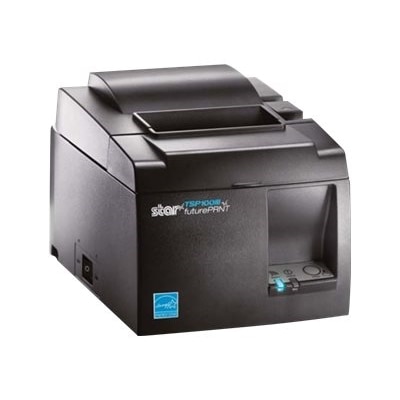
Paper and supply compatibility deserve particular attention when comparing Bluetooth printers. Thermal printers create images by applying heat to specially coated paper, so they do not use conventional ink or toner for those prints. That can simplify maintenance and prevent dried cartridges, but thermal output is often limited to black-and-white or a narrow range of color effects, depending on the paper and printer. Thermal paper also varies in width, roll size, adhesive backing and intended use; a shipping-label printer typically needs a different format from a pocket photo or document printer. For options designed around inkless label and receipt printing, explore Thermal Printers while checking the required media before completing a purchase. Standard inkjet printers usually require separate ink cartridges or combined color cartridges, and laser printers use toner cartridges, so compare the ongoing supply cost with the number and type of pages you expect to produce. If color is important, verify whether the printer supports color documents and photographs rather than assuming Bluetooth capability includes that function. For shipping labels, confirm the supported label dimensions and whether your selling platform or carrier software works with the printer. For school or office use, look for automatic duplex printing if you want to reduce paper consumption, an automatic document feeder for scanning or copying multiple pages, and a paper tray that accommodates the formats you use most. A printer’s speed can be helpful when several pages are needed, but first-page time, mobile app usability and dependable pairing often matter more for occasional home printing. Reading the technical specifications with your routine in mind helps avoid an attractive but unsuitable purchase: the best Bluetooth printer is the one that matches your documents, devices, workspace and supply preferences, providing a straightforward path from a digital file to a clean, useful print.
FAQs:
Bluetooth printers are designed for versatile connectivity, allowing you to print directly from smartphones, tablets, and laptops. Most models are compatible with major operating systems like Windows, macOS, iOS, and Android, making it easy to print documents or photos from virtually any Bluetooth-enabled device.
Setting up a Bluetooth printer typically involves turning on the printer's Bluetooth function, enabling Bluetooth on your device, and pairing the two through your device's Bluetooth settings. Many printers also offer dedicated mobile apps for streamlined setup and additional features, like editing or previewing documents before printing.
Bluetooth printers provide a clutter-free solution by eliminating the need for cables, making them ideal for home offices with limited space. They allow multiple users to connect wirelessly, support printing from mobile devices, and are often compact enough to fit comfortably on a desk or shelf.
Many Bluetooth printers are capable of producing high-quality color prints, making them suitable for both documents and photos. Inkjet models tend to excel at vibrant photo printing, while some portable and thermal options are designed specifically for quick snapshots or labels.
Most Bluetooth printers offer a wireless connection range of about 30 feet (approximately 10 meters). This range is generally sufficient for home offices, classrooms, and small business environments, allowing you to print from anywhere within the same room or nearby spaces.