$84.99
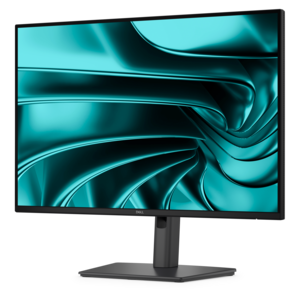
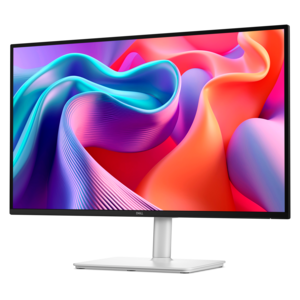
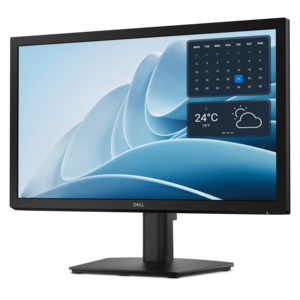
A productivity monitor offering 100Hz refresh and eye comfort solutions that reduce blue light emissions.
Bright monitors deliver vivid visuals and enhanced clarity, making them an ideal choice for a range of environments, from home offices to creative studios. Whether you're working on detailed projects, streaming your favorite content, or enjoying immersive gaming experiences, bright monitors offer the crisp images and vibrant colors you need. Explore a wide selection of options designed to elevate your viewing experience and meet your unique requirements. Find the perfect bright monitors to transform how you see and interact with your digital world.
A productivity monitor offering 100Hz refresh and eye comfort solutions that reduce blue light emissions.
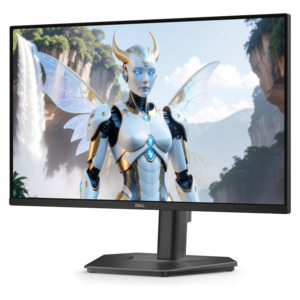
A fast IPS FHD monitor with 240Hz refresh rate, adjustable stand and TÜV Rheinland eye comfort.
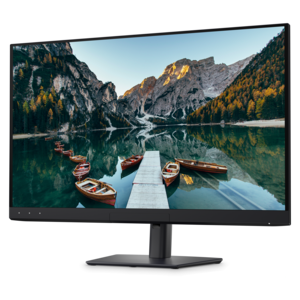
A Full HD monitor with 144Hz refresh rate, built-in speakers, and TÜV 4-star eye comfort certification.
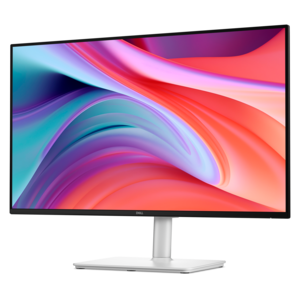
A 16:10 FHD USB-C hub monitor offering 100W power delivery and TÜV-certified four-star eye comfort.
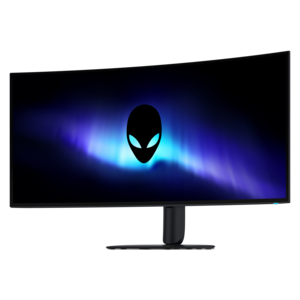
A 5K ultrawide gaming monitor with RGB stripe tandem OLED technology for bright, vibrant visuals.
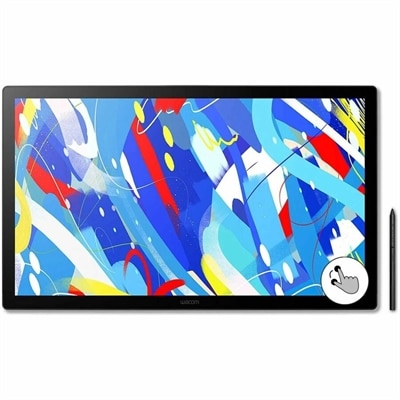
A professional drawing display with 2.5K WQHD resolution, etched anti-glare glass, multitouch, and pressure-sensitive stylus.
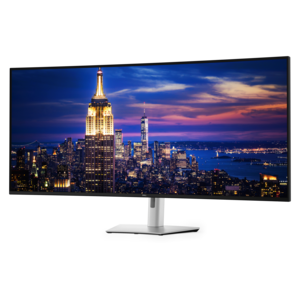
A 6K ultrawide monitor with Thunderbolt hub connectivity, exceptional clarity, seamless multitasking, and all-day eye comfort.
Bright monitors are designed to keep images, text, and interface elements clear when surrounding light makes ordinary screens difficult to see. Many standard indoor displays produce about 200 to 300 nits of brightness, which can be comfortable in a dim office or home workspace. For rooms with large windows, overhead lighting, pale walls that reflect sunlight, or a desk positioned near a bright exterior view, a display rated at 500 nits or higher can provide a more legible picture. Specialized sunlight-readable screens may reach 1,000 to 3,000 nits or more for demanding outdoor or high-glare settings, while high dynamic range displays can produce much brighter highlights than their everyday full-screen output. Peak brightness and sustained brightness are not the same measurement, so compare both when available. A high peak value can make reflections, fireworks, sunlight, and other bright areas appear more vivid, but sustained luminance has greater importance when reading documents, working with spreadsheets, or keeping several windows open for hours. A matte or low-reflection coating can also make a meaningful difference, since reducing glare may improve comfort without requiring the backlight to run at its highest setting. Brightness alone does not determine picture quality: resolution, contrast, color coverage, viewing angles, refresh rate, response time, and panel type all contribute to the experience. A photographer or video creator may prioritize accurate color and factory calibration, while a gamer may look for a fast refresh rate, quick pixel response, adaptive synchronization, and strong HDR performance. Someone working with code, financial documents, or creative applications may benefit from a larger screen, a sharp resolution, and enough workspace to place multiple windows side by side. Consider the room first, then match the display to the work performed there. A sunlit home office often calls for more luminance than a softly lit bedroom, and a monitor intended for occasional evening use may not need the same output as one positioned beside a bright window throughout the day.
When choosing among bright monitors, think about how the screen will fit into a normal day rather than focusing on a single specification. Measure the desk, viewing distance, and available wall or stand space before selecting a size. Larger and ultra-wide displays can make timelines, side-by-side documents, design canvases, and game environments feel more expansive, but they also require greater viewing distance and a sturdy surface. A smaller screen may be a better fit for a compact desk, a shared workspace, or a secondary workstation; explore Small Monitors when limited space is an important part of the decision. Check the stand adjustments as carefully as the panel: height, tilt, swivel, and pivot controls can help position the top of the screen near eye level and reduce neck strain. VESA compatibility can provide additional flexibility with an arm or wall mount. Connection options matter as well. HDMI and DisplayPort are common choices for computers and gaming systems, while USB-C can simplify a compatible laptop setup by carrying video, data, and power through one cable. Built-in USB ports may keep a keyboard, mouse, webcam, or other accessory within easy reach, and integrated speakers can be convenient for everyday audio even when separate speakers or headphones are preferred for richer sound. Look for controls that make it easy to adjust brightness, input sources, color modes, and HDR behavior. Automatic brightness features can be useful in rooms where daylight changes from morning to afternoon, though many people prefer manual control for consistent color work. Eye comfort features such as flicker reduction, a low-blue-light mode, and an adjustable text preset can make long reading sessions feel easier, particularly during the cooler months when more time may be spent indoors. Even a highly bright monitor should not be operated at maximum output all day if the room does not require it; a balanced setting can preserve comfort and reduce unnecessary power use.
Bright monitors can support a wide range of people and routines, from a student organizing research across multiple windows to a remote professional moving between video meetings, documents, and creative applications. They can be helpful in a kitchen, studio, workshop, or home office where reflections and uneven lighting make a conventional screen hard to read. A bright display may also suit a gamer who wants HDR highlights to stand out in a sunlit room, provided the screen offers suitable refresh performance and the computer can support the chosen resolution and frame rate. For photo and video work, look beyond maximum luminance and review color accuracy, color-gamut coverage, calibration options, and the consistency of brightness across the panel. For everyday productivity, prioritize crisp text, comfortable viewing angles, sensible connectivity, and a stand that supports a natural posture. A monitor can also be a thoughtful gift for someone setting up a first home office, upgrading a study area, building a creative workstation, or making a gaming corner more comfortable. The most useful choice reflects the recipient’s equipment and habits: check the available desk width, the computer’s video outputs, preferred screen size, and whether the person values color work, fast motion, or additional workspace. In a bright room, place the display so windows and lamps are not directly behind or in front of the viewer, then fine-tune the angle to reduce reflections. Keep the screen clean with an appropriate soft cloth, allow ventilation around the chassis, and use a comfortable ambient light rather than relying on the monitor as the only source of illumination. With the right combination of luminance, clarity, ergonomics, and connectivity, a bright monitor can make ordinary tasks easier to see and help a workspace feel more inviting from the first morning message to the final evening project.
Add the products you would like to compare, and quickly determine which is best for your needs.