$224.99
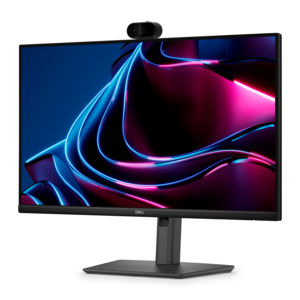
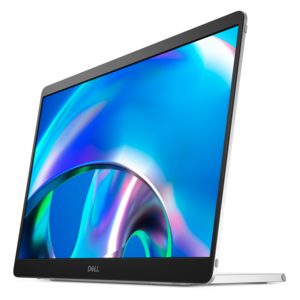
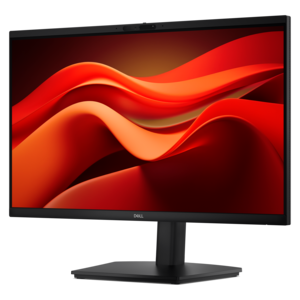
A Full HD conferencing monitor with built-in webcam, speakers, and microphone for seamless everyday collaboration.
Find built-in monitors that fit your space and work with your equipment. Compare screen size, resolution, and connectivity, and review each display’s dimensions and installation requirements to help choose a compatible option for your setup.
A Full HD conferencing monitor with built-in webcam, speakers, and microphone for seamless everyday collaboration.
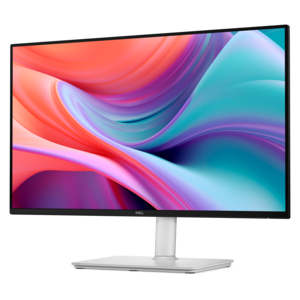
A Full HD IPS monitor with built-in webcam and USB-C hub, designed for streamlined open-workspace collaboration.
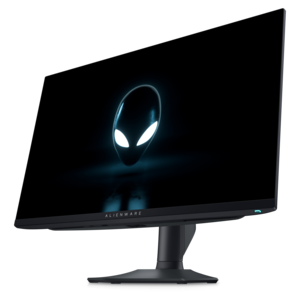
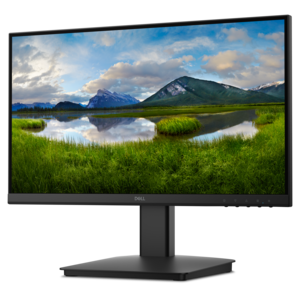
A Full HD monitor with 144Hz refresh rate, built-in speakers, and TÜV 4-star eye comfort certification.
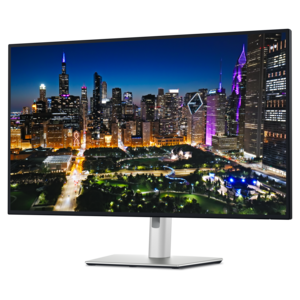
A 4K monitor with enhanced IPS Black, 3000:1 contrast, 120Hz refresh, eye comfort, and ambient sensing.
A premium AMOLED smartwatch with health monitoring, sports apps, mapping, and up to 16-day battery life.
A built-in monitor is a display integrated into a larger device or workspace, or a monitor with additional hardware incorporated into its housing. The term can describe the screen in an all-in-one computer, a display fitted into a desk, or an external monitor with built-in speakers, a webcam, microphones, or a connection hub. These configurations serve different purposes, so the distinction between an integrated screen and integrated features matters. An all-in-one computer contains computing components along with its display, while a monitor with a webcam generally still needs a connected computer to handle applications and files. For a home office, integrated features can reduce the number of separate accessories around a keyboard and leave more room for a notebook, drawing tablet, or morning coffee. In a shared household workspace, fewer loose components can make the desk easier to reset between homework, video calls, and everyday browsing. Built-in speakers provide convenient sound for conversations and casual listening, although their size and placement affect volume and clarity. A built-in webcam can keep the camera near eye level when the screen is positioned correctly, and a physical privacy shutter offers a visible way to cover the lens when it is not needed. Microphone placement also matters in rooms where a keyboard, ceiling fan, or nearby conversation creates background noise. Monitors with integrated connection hubs can bring peripheral connections closer to the user, helping organize a mouse, keyboard, and compatible accessories around one central display. Some USB-C connections support video, data, and power through one cable, but those capabilities depend on the monitor, computer, and cable rather than the connector shape alone. The practical appeal is a workspace with fewer separate devices to position, connect, and move. For students, remote employees, and households sharing one desk, that integration can make daily transitions simpler without requiring every activity to happen in the same way.
Screen quality and physical fit remain central to the experience, regardless of what is built into the monitor. A larger display can give spreadsheets, research tabs, and presentation notes room to sit side by side, but the screen also needs to suit the depth of the desk and the distance from the chair. A wide panel on a shallow surface may put its edges uncomfortably close, while a smaller screen across a deep desk can make text difficult to read. Resolution affects how much detail the panel can show; operating system scaling influences whether that detail appears as comfortably sized text or tiny menus. For someone reviewing photographs, editing illustrations, or preparing visual presentations, color accuracy and consistent viewing angles deserve particular attention. For long stretches of reading and document work, a comfortable brightness level and reduced reflections may be more immediately noticeable. Matte surfaces can soften distracting reflections from windows and lamps, though no finish eliminates the need for thoughtful placement. Faster refresh rates can make scrolling and motion look smoother when supported by the connected computer and its settings. Touch capability adds another consideration: reaching toward a screen repeatedly feels different from using a mouse, especially if the panel sits far back on the desk. Height adjustment, tilt, and an appropriate viewing distance help position the display without forcing an awkward neck angle. Integrated cameras should remain useful at that position rather than requiring the screen to be tilted away from a comfortable view. For a monitor fitted into furniture or a recessed opening, the complete housing dimensions matter, not just the diagonal screen measurement. Space is needed for connectors, cable bends, ventilation, and access to controls. A slim front profile does not necessarily mean the back will fit flush against a wall. Mount compatibility and weight limits also matter when an adjustable arm replaces a stand, particularly when the display contains additional hardware. These details shape how naturally the monitor fits into the room and how comfortably it supports a full afternoon of work.
Materials, construction, and care influence how well an integrated display holds up to everyday use. Monitor housings commonly combine molded plastic with metal structural components, while stands may use metal reinforcement to keep the screen stable during typing or adjustment. A finish that looks subtle in a quiet study may show fingerprints more readily in a shared family workspace, and frequently used ports benefit from being positioned where cables can connect without repeated twisting or strain. Built-in hardware reduces the number of separate accessories, but it also ties those features to the life of the display. A separate webcam or speaker can often be replaced independently; an integrated component may require service or an external alternative if it stops working. That trade-off is especially relevant for a monitor expected to remain useful through several computer upgrades. Accessible connections, compatible drivers, and clearly documented functions help support that longer working life. Day-to-day care is usually straightforward: a clean, soft microfiber cloth helps remove dust, while any cleaning solution should follow the manufacturer's recommendations and be applied as directed rather than sprayed into openings. Excess pressure, abrasive materials, and unsuitable chemicals can damage screen coatings. Clear ventilation paths are important for displays with integrated electronics, particularly in fitted furniture where heat can collect behind the panel. Cables also need enough slack for normal adjustment without pulling against their ports. For a college student establishing a study area, a household member starting remote work, or someone refreshing a creative workspace, a monitor can be a thoughtful gift when desk dimensions and computer connections are already known. Comparing integrated configurations with Standard Monitors can help distinguish essential display characteristics from convenient extras. The most useful combination is the one that supports the recipient's actual routine, from clear video conversations to comfortable reading, while leaving enough flexibility for a different computer, a rearranged room, or changing interests over time.
Add the products you would like to compare, and quickly determine which is best for your needs.