Standard Monitors

Find standard monitors for everyday tasks like browsing, working with documents, and checking email. Compare screen size, resolution, and connection options to choose a computer display that fits your desk, supports your daily tasks, and connects to your PC.

Filters

$119.99

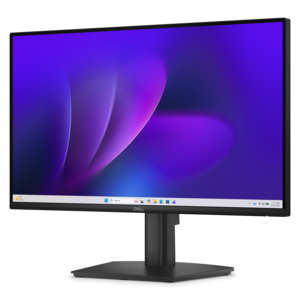
A Full HD monitor with 144Hz refresh rate, built-in speakers, and TÜV 4-star eye comfort certification.
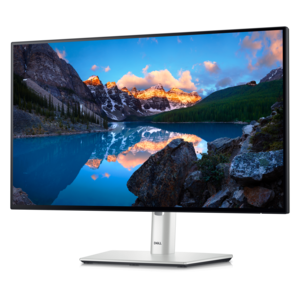
$119.99
$59.99

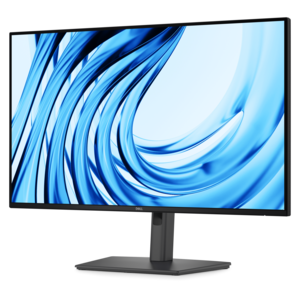
A smooth 100Hz monitor with TÜV Rheinland 3-star eye comfort certification for everyday productivity.

$59.99
$264.99

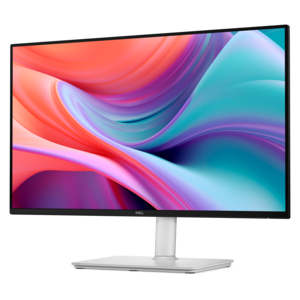
A TÜV-certified monitor offering 4-star eye comfort, enhanced productivity, and extensive connectivity.

$264.99
$99.99

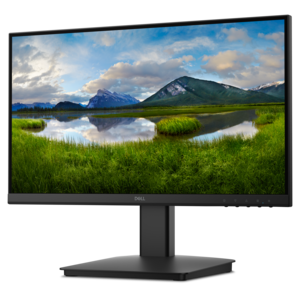
A fixed-stand monitor certified by TÜV Rheinland for three-star eye comfort and enhanced productivity.

$99.99
$234.99

A Full HD productivity monitor with extensive connectivity, high refresh rate, and TÜV-certified four-star eye comfort.

$234.99

Standard Monitors

A standard monitor is a general-purpose computer display for office work, school assignments, web browsing, and everyday entertainment. Typical standard monitors measure 22 to 24 inches diagonally, have a 16:9 widescreen aspect ratio, and provide 1920 x 1080 resolution, also called Full HD or 1080p. These are common characteristics rather than a universal definition; general-purpose displays also come in other sizes and resolutions. This familiar combination gives documents, websites, video calls, and streaming video a practical amount of screen space without requiring an especially large desk. For someone working through email in the morning, reviewing a spreadsheet in the afternoon, and watching a show later, a standard computer monitor can serve several purposes in the same setup. Screen size describes the diagonal measurement of the display, not its overall width or the space occupied by its stand. A 24-inch screen with a 16:9 aspect ratio is approximately 21 inches wide and 12 inches tall before the surrounding frame is included, while the stand adds to the total height and depth. Those distinctions matter on a shallow writing desk, a shared homework table, or a workstation tucked into a bedroom corner. Full HD resolution is a familiar fit for everyday tasks at this size, although perceived sharpness also depends on viewing distance, eyesight, and text settings. A larger display at the same resolution spreads the same number of pixels across more space, making individual pixels more noticeable at close range. Higher resolutions can provide finer detail and additional workspace, with display scaling helping keep text comfortably readable. For students, remote workers, and households sharing a computer, the appeal of a standard monitor is its straightforward balance of readable content, manageable dimensions, and versatility across ordinary routines.

The display panel influences how a standard monitor looks during those routines. In-plane switching panels generally maintain more consistent colors and viewing angles, which can be useful when two people review a document together or when the screen sits slightly off-center. Vertical alignment panels generally provide stronger native contrast, helping dark areas appear deeper, although performance varies by display. Neither panel type alone determines overall picture quality; brightness, surface finish, color performance, and the surrounding light also play a role. A matte or anti-glare surface can soften reflections from a nearby window or overhead fixture, but placing a screen away from direct glare remains important. Brightness that suits the room is often more comfortable than leaving the display at its highest setting throughout the day. Refresh rate describes how many times the screen updates each second. A 60 Hz or 75 Hz refresh rate is generally sufficient for documents, browsing, and video calls, while higher refresh rates can make scrolling and motion look smoother. Response time is a separate measurement and is usually a greater consideration for fast-moving games than for routine office tasks. Connections are equally important to how naturally a display fits into a workspace. HDMI and DisplayPort commonly carry video from a compatible computer, while some monitors support video over USB-C. A USB-C connector does not automatically mean that the display accepts video, charges a laptop, or includes a USB hub; those capabilities depend on the monitor, computer, and cable. A compatible single-cable connection can simplify a laptop workspace, while a desktop computer may use a dedicated video connection. Built-in speakers, headphone connections, and USB ports also vary. For a desk used for frequent meetings, it is worth remembering that a monitor does not necessarily include a camera or microphone, so those functions may remain with the connected computer or separate accessories.

The physical construction of a standard monitor matters just as much as the image when it becomes part of a daily workspace. Housings commonly use plastic, while stands may combine plastic with metal components for support. A stable base helps keep the screen steady during typing, and its footprint determines how much room remains for a keyboard, notebook, or drawing pad. Height adjustment, tilt, swivel, and rotation are distinct features, not capabilities shared by every stand. A height-adjustable screen can accommodate different users at a shared desk, while portrait rotation may suit long documents or programming work. For displays with compatible mounting points, a monitor arm can free desk space, provided its mounting pattern, weight capacity, and attachment method match the screen and furniture. An approximately arm’s-length viewing distance and a screen positioned around or slightly below eye level offer useful starting points, with adjustments for vision needs and posture. Where desk width is especially limited, Small Monitors can be a natural fit for compact work areas or a secondary screen alongside a laptop. Everyday durability also depends on handling and care. Supporting the display by its frame and stand rather than pressing on the panel helps protect the screen, and leaving ventilation openings clear allows heat to dissipate. For cleaning, a soft, clean microfiber cloth is generally appropriate, with any additional cleaning method following the manufacturer’s instructions. Spraying liquid directly onto the screen or using abrasive materials can damage the surface or allow moisture into the housing. Routing cables with enough slack for adjustments helps avoid strain on connectors and keeps the desk easier to maintain. A standard monitor can also make a useful gift for a student setting up a study space or someone establishing a home office, especially when the screen dimensions, computer connections, and stand requirements are understood beforehand. The most useful fit is a display that supports the recipient’s actual habits, whether that means reading course materials, managing household paperwork, or moving comfortably between work and entertainment.

FAQs:

Add the products you would like to compare, and quickly determine which is best for your needs.

Add the products you would like to compare, and quickly determine which is best for your needs.