$559.99
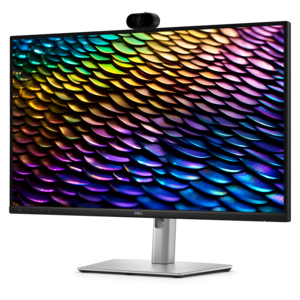
A QHD IPS conferencing monitor with integrated webcam, speakers, microphone, and USB-C connectivity for productive collaboration.
Career-Ready Video Interview Setup brings together laptops, monitors, webcams, headsets and other accessories to help you prepare for clear, comfortable virtual interviews. Explore options for creating a focused workspace, improving video and audio quality, and staying connected throughout your job search.
A QHD IPS conferencing monitor with integrated webcam, speakers, microphone, and USB-C connectivity for productive collaboration.
A Full HD conferencing monitor with built-in webcam, speakers, and microphone for seamless everyday collaboration.
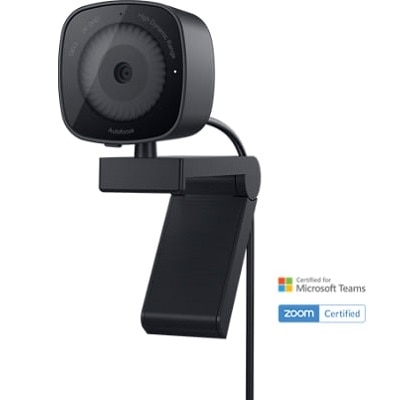
A 1080p conference camera with full-duplex speakerphone audio, autofocus, remote pan-tilt-zoom, and echo cancellation.
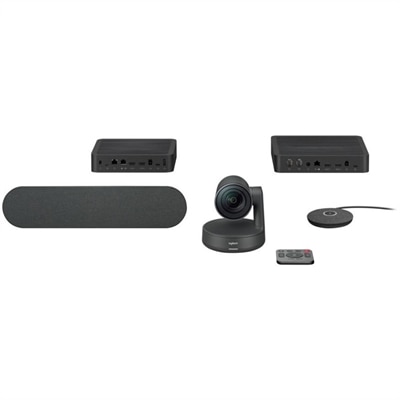
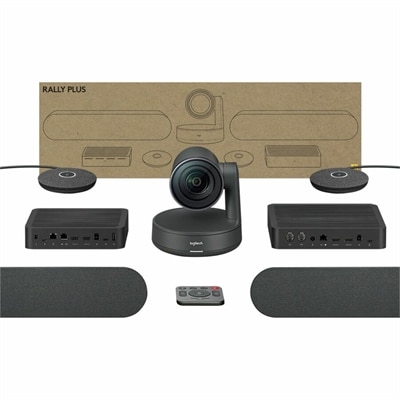
A modular 4K Ultra-HD conferencing system with PTZ camera, expandable microphones, speakers, and USB connectivity.
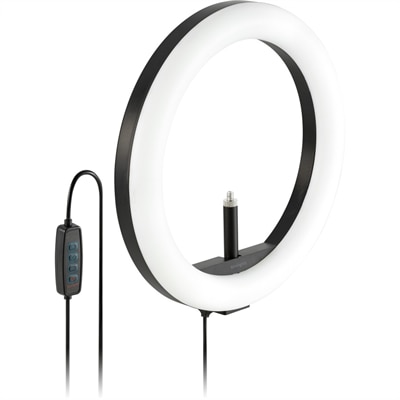
A bicolor 930-lumen ring light with 96 LEDs, adjustable brightness, and flexible webcam positioning for video calls.
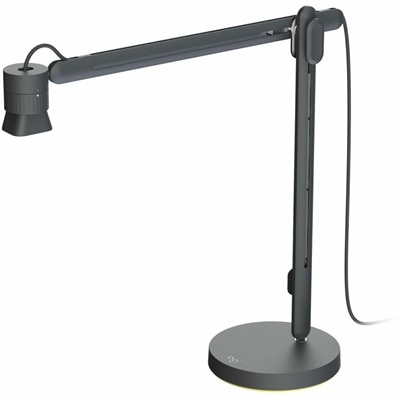
An articulating overhead camera arm with base mount, 1080p60 video, USB connectivity, and versatile pivoting controls.
A career-ready video interview setup brings together the everyday technology and desk essentials that help you look polished, sound clear, and stay focused when meeting with a hiring team online. Whether you are preparing for a first interview, a final conversation, a remote internship, a career change, or a series of recruiting appointments, the right equipment can make the experience feel more natural and dependable. A capable laptop or desktop provides the foundation for video meeting software, application forms, digital portfolios, and interview notes, while a monitor can give you more room to keep reference materials nearby without crowding the call window. A dedicated webcam can offer a more flexible camera position than a built-in display camera, especially when it is placed at eye level and aimed straight ahead. Explore Webcams for Video Interviews when comparing camera options for a professional-looking frame. Look for features such as sharp image quality, automatic light adjustment, a broad but controlled field of view, and easy compatibility with the software you already use. A compact keyboard, responsive mouse, and adjustable laptop stand can also improve comfort during preparation and help keep your posture steady throughout a longer conversation. These products may be useful for recent graduates, experienced professionals, freelancers, students entering the workforce, and anyone interviewing from home rather than traveling to an office.
A strong setup begins with the way the camera, light, sound, and background work together. Position the screen or webcam at eye level so you can sit upright without looking down; a stable stand can help create the right height, while a monitor arm or adjustable display can make fine-tuning easier. Frame yourself from about the chest or shoulders upward, leaving a modest amount of space above your head. Face a window or place a soft lamp in front of you so light reaches your face evenly. Bright light behind you can make your face appear shadowed, while overhead lighting alone may create distracting shadows around the eyes. A quiet room with a simple, tidy background keeps attention on the conversation, and a closed door can help reduce interruptions. Audio deserves equal attention. Headphones, earbuds, or a headset with a clear microphone can reduce echo and help you hear every word, particularly in homes with hard floors or shared spaces. Before an interview, open the meeting application, select the intended camera and microphone, and make a short test recording. Confirm that your internet connection is steady, close unrelated browser tabs, silence phone alerts, and disable computer notifications that could appear on screen or interrupt your response. Keeping a notepad, pen, and glass of water within reach can be helpful, but place them where they will not pull your eyes away from the camera for long stretches.
The best choices depend on the person, the setting, and how often the equipment will be used. Someone who interviews regularly may value a durable, adjustable setup that can remain arranged on a desk, while a student or traveling professional may prefer lightweight accessories that fit easily into a backpack. A larger display can be helpful for candidates who need to review a résumé, presentation, coding sample, or portfolio while keeping the interview window visible, provided that notes remain brief and the camera stays near the screen used for conversation. A comfortable headset may be especially useful in a shared apartment, household, or busy home office, and a simple stand or compact lighting accessory can help create consistency when the interview location changes. These items can also make thoughtful gifts for a graduate, job seeker, remote worker, or family member building a home office, particularly during the cooler months when more meetings and preparation may take place indoors. Prioritize broad compatibility, adjustable positioning, dependable connectivity, and a comfortable fit over unnecessary complexity. Once the setup is arranged, rehearse speaking while looking toward the camera lens, sit in a stable chair, and keep clothing distinct from the background so your expression remains easy to see. A calm, organized workspace will not replace preparation for the role, but it can remove avoidable distractions and help your experience, communication, and professionalism come through clearly.
Add the products you would like to compare, and quickly determine which is best for your needs.