$129.99
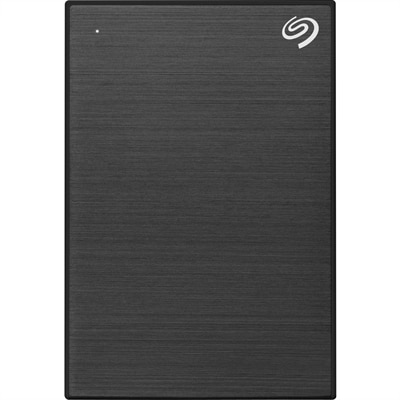
A black 1TB portable hard drive with USB 3.0 connectivity, hardware encryption, and customizable automatic backups.
Elevate your Chromebook experience with the right accessories designed to enhance productivity, comfort, and connectivity. Whether you’re working, studying, or streaming your favorite content, Chromebook accessories offer practical solutions for every need. Discover a wide selection of essentials that help you get the most out of your device, all in one convenient place.
A black 1TB portable hard drive with USB 3.0 connectivity, hardware encryption, and customizable automatic backups.
Chromebook accessories can make everyday computing more comfortable, protected and adaptable, whether a Chromebook travels between classrooms, conference rooms, coffee tables and home offices. A thoughtfully chosen case or sleeve helps guard against scuffs, light bumps and the friction of daily transport, while a form-fitting cover can add another layer of protection without making the computer difficult to open or fold. Before choosing a protective accessory, check the Chromebook’s screen size, dimensions, hinge design and convertible features. A sleeve with a soft interior is useful for slipping a Chromebook into a backpack, tote or work bag, while a structured case may be preferable for commutes or shared spaces where the computer is set down frequently. Weight and handle design also matter; a compact accessory is easier to carry throughout a school day, and a reinforced handle can be reassuring when moving between rooms. For families, students and professionals who rely on their computers away from a desk, these small details can make a noticeable difference. A Chromebook accessory can also be a practical gift for someone beginning a new course, setting up a home workspace or replacing an older computer with one of the versatile Chromebook Computers available for work, learning and entertainment.
Charging accessories deserve equal attention because a dependable power setup helps a Chromebook remain ready for long study sessions, video calls and travel. USB-C charging is common across many newer computers, but power requirements and charging capabilities can vary, so it is important to confirm that an adapter supplies the appropriate wattage and uses a compatible connector. A compact charger is convenient for a day bag, while a higher-capacity option can be useful at a shared workspace where more than one compatible device needs power. Cable length also affects comfort: a short cable keeps a tidy desk clear, while a longer cable can reach a floor-level outlet without pulling on the computer. Look for durable construction, secure connections and safety features designed for reliable everyday charging. When a Chromebook has a limited number of ports, a USB-C hub or dock can add flexibility by making it easier to connect common peripherals, an external monitor or other compatible accessories. Consider the ports needed most often before choosing one, such as USB-A for older input devices, HDMI for a display or an audio connection for headphones. A hub that fits naturally beside the computer and does not block nearby ports can be especially useful in a compact workspace. For portable use, a lightweight design is easier to pack; for a permanent desk, a sturdier dock with an organized cable layout may create a cleaner, more comfortable setup.
Input and audio accessories can change the way a Chromebook feels during a full day of typing, navigation or communication. An external keyboard may offer a familiar desktop layout, a more spacious typing area or dedicated shortcuts for Chrome OS functions, making it useful for extended writing, coursework and administrative tasks. A wireless mouse can provide precise control for spreadsheets, creative applications and detailed navigation, while a compact design travels easily with a laptop. Pay attention to connection type, battery life, comfort and the location of frequently used buttons. For shared environments, quiet keys and a contoured mouse can help reduce distractions and hand fatigue. Headsets support clearer conversations during remote classes, virtual appointments and work meetings, and a built-in microphone can reduce the need to speak directly toward the computer. Wired options are simple to connect, while wireless designs reduce cable clutter; either choice should be checked for Chromebook compatibility and a comfortable fit for longer sessions. A stylus can add a natural feel to supported touchscreens, helping with handwritten notes, annotation, sketching and navigation. Compatibility is essential, since active pens may use different technologies and not every touchscreen Chromebook supports the same features. When comparing accessories, look for clear compatibility information or a certification indicating that the device is designed to work with Chrome OS. The best setup depends on how the Chromebook is used: a student may value a protective sleeve, comfortable keyboard and stylus; a remote worker may prioritize a dock, monitor and headset; and a traveler may prefer compact charging equipment, a lightweight mouse and durable protection. As cooler months bring more time indoors, these accessories can help turn a kitchen table, study corner or shared family room into a more capable and comfortable place to work, learn and stay connected.
Add the products you would like to compare, and quickly determine which is best for your needs.