Chromebook Backpacks
Chromebook backpacks offer a convenient and stylish way to carry your device and essentials wherever you go. Designed with students, professionals, and travelers in mind, these backpacks provide an ideal solution for safely transporting your Chromebook and accessories. Explore a wide variety of chromebook backpacks to find the perfect fit for your daily routine, whether you're heading to class, commuting to work, or embarking on a new adventure.
This product is not available
Check out the following recommendations.
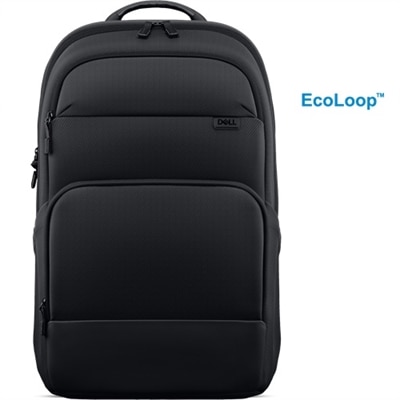
Chromebook Backpacks
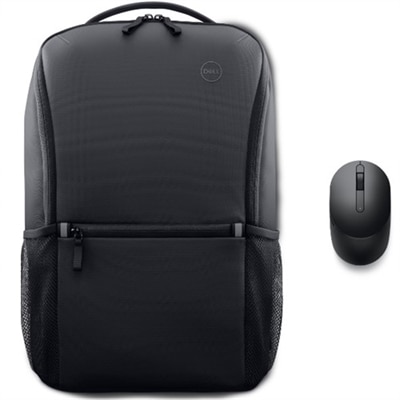
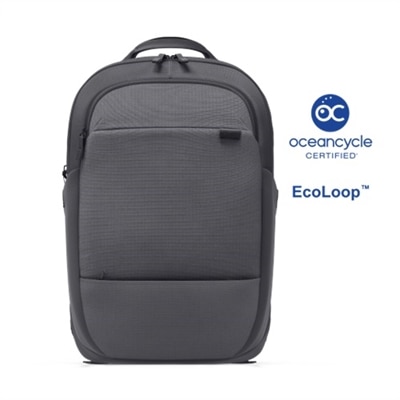
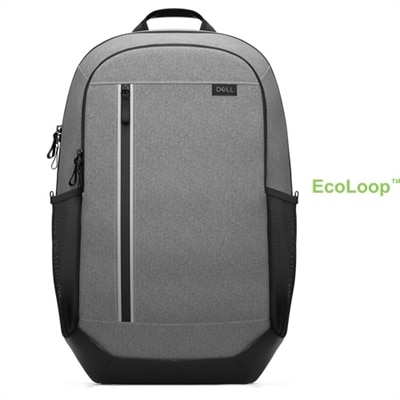
A Chromebook backpack is an everyday carry solution designed to protect a lightweight computer while keeping the rest of your routine organized. Students may use one to carry a Chromebook between home, class, the library, and after-school activities, while commuters can rely on the same style of bag for a device, charger, notebook, headphones, and a packed lunch. It can also be a practical gift for someone beginning a new school year, starting a job, working from shared spaces, or replacing an overstuffed shoulder bag. The most important feature is a dedicated padded sleeve that holds the Chromebook securely and helps prevent contact with books, keys, water bottles, or other items. Before choosing a backpack, measure the device rather than relying only on the screen-size label. Many Chromebooks measure between 11 and 14 inches, but some larger models approach 15.6 inches, and the internal sleeve dimensions may differ from the advertised exterior capacity. A close fit helps reduce movement as the backpack is carried, while a little room around the edges can make it easier to place the device inside without forcing it into the compartment. Padding along the bottom is especially useful because backpacks are often set on classroom floors, office entryways, or the pavement beside a bus stop. Water-resistant polyester, nylon, or a coated fabric exterior can help protect the contents from light rain and accidental splashes, while a water-resistant liner adds another layer of reassurance. No fabric backpack should be treated as completely waterproof, so use care during heavy rain and keep the zipper openings covered whenever possible. Durability also depends on construction details that are easy to overlook: reinforced stitching at the shoulder straps, sturdy zipper pulls, a firm handle, and a base that can stand up to repeated contact with the ground. A bag that feels comfortable when empty may fit quite differently once it holds a Chromebook, power adapter, notebooks, and personal items, making adjustable straps and breathable back padding valuable for longer walks.
Organization determines how naturally a Chromebook backpack fits into daily life. A front compartment can keep a charging cable, mouse, pens, and small accessories within reach, so the main compartment does not become a tangled pocket of cords and loose supplies. Interior slip pockets are useful for a phone, identification, or portable storage device, while a larger open section can accommodate folders, a sweatshirt, or a lunch container without pressing directly against the Chromebook sleeve. If the backpack will be used for school, look for enough capacity for textbooks or binders and consider whether the shape can slide beneath a desk or fit comfortably in a locker. For commuting, a streamlined profile may be more convenient on crowded buses and trains, and a discreet exterior can help the bag transition from the office to a café without looking bulky. Students who walk or cycle may appreciate reflective accents, breathable padding, and a sternum strap that helps stabilize the load. Families choosing a backpack for a younger user should pay close attention to weight, strap adjustment, and easy-to-open zippers; a bag that is too large or complicated can become frustrating before the first week is over. At home, a separate pocket for the charger encourages a simple habit: the Chromebook stays protected in its sleeve while the power adapter returns to the same place after use. Someone who regularly works away from a desk may also want room for a compact keyboard, earbuds, a notebook, and a reusable bottle, provided those items have their own spaces and cannot press against the computer. To round out a portable setup, explore Chromebook Accessories for complementary items that can make study, travel, and remote work more comfortable. The right backpack should feel balanced when carried, protect the device during ordinary bumps, and make the small details of the day easier: a charger found quickly, a notebook kept dry, and a Chromebook ready to open when you reach your destination.
FAQs:
When choosing a chromebook backpack for daily activities, prioritize features such as padded laptop compartments for device protection, organizational pockets for accessories, ergonomic shoulder straps for comfort, and durable, water-resistant materials to withstand changing weather and frequent use.
Yes, chromebook backpacks come in a variety of styles and designs to suit students, professionals, and anyone who carries a Chromebook. Students often prefer lightweight, colorful options with extra storage, while professionals may opt for sleek, minimalist designs that complement business attire.
Many chromebook backpacks are versatile enough for travel or outdoor use. Look for options with extra compartments for travel essentials, reinforced construction, and features like luggage pass-through straps or water bottle holders, making them ideal for commuting, day trips, or spring getaways.
Organizational features such as dedicated pockets for chargers, pens, notebooks, and other accessories help keep your belongings tidy and easily accessible. This not only saves time but also ensures you’re prepared for work, school, or meetings throughout the day.
Chromebook backpacks are often made from materials like nylon, polyester, or canvas, which provide durability and resistance to wear and tear. Many also feature reinforced stitching and water-resistant coatings to protect your devices and belongings in various environments.