Chromebook Mice
Discover the perfect companion for your Chromebook with our selection of Chromebook mice, designed to enhance your computing experience with precision and ease. Whether you're navigating through tasks at work, school, or home, these mice offer seamless connectivity and ergonomic designs tailored to fit your needs. Explore a variety of options that combine functionality with style, ensuring you find the ideal mouse to complement your Chromebook setup. With versatile features and reliable performance, our range of Chromebook mice is crafted to support your productivity and elevate your digital interactions.
This product is not available
Check out the following recommendations.
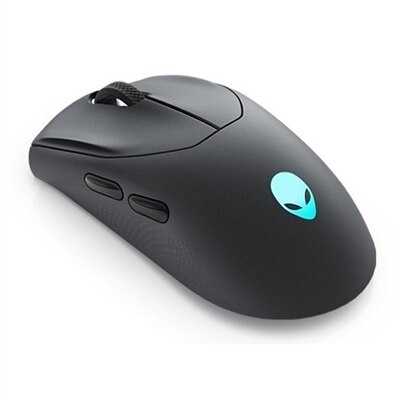
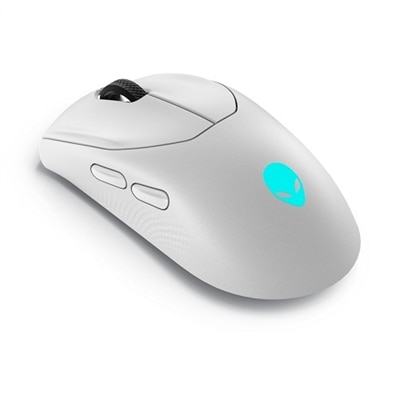
Chromebook Mice
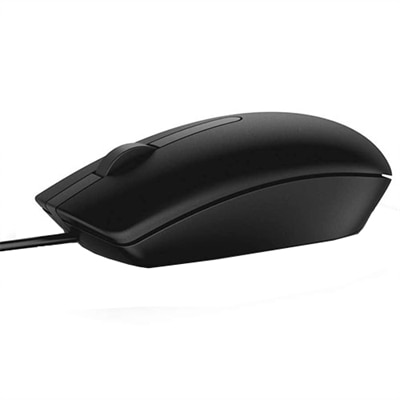
Chromebook mice make navigating a laptop feel more natural, precise and comfortable, whether you are working at a desk, studying at the kitchen table or moving between rooms during the day. A touchpad is convenient for quick taps and scrolling, but a mouse can provide steadier control for selecting text, arranging files, editing photos, reviewing spreadsheets and browsing for extended periods. Standard USB and Bluetooth mice generally work with a Chromebook through simple plug-and-play setup, making this category a practical choice for students, remote workers, families and anyone who prefers the familiar feel of a traditional pointer. When choosing a mouse, start by checking how it connects. A Bluetooth mouse pairs wirelessly without occupying a physical port, which can be helpful on a compact Chromebook or when the computer has limited connectivity. To connect one, click the time in the lower-right corner of the Chromebook screen, open the Bluetooth menu, select the option to pair a new device, and place the mouse in pairing mode according to its instructions. Once it appears in the available-device list, select it to complete the connection. A USB wireless mouse uses a small receiver that plugs into the Chromebook and is often ready to use almost immediately. If the receiver has a USB-A connector and the Chromebook has only USB-C ports, a USB-C-to-USB-A adapter can provide the needed connection. Wired USB mice are another straightforward option, particularly for a permanent workstation, and they avoid the need to manage batteries or recharge an internal battery. Before purchasing, review the Chromebook’s available ports and the mouse’s connection type so the setup fits the way the computer is used.
Comfort matters just as much as connectivity when a mouse will be used for several hours at a time. Look for a shape that supports the palm without forcing the wrist into an awkward angle, along with buttons that respond without requiring excessive pressure. A compact mouse can slip easily into a backpack beside a Chromebook and may suit smaller hands or occasional use, while a larger design can feel more supportive during long sessions at a desk. Low-noise clicking is useful in classrooms, shared offices, libraries and quiet rooms, where sharp clicks can become distracting. A scroll wheel with a textured surface helps move through long documents, web pages and course materials with better control, while additional buttons may provide shortcuts for navigation or other frequently used actions. Optical tracking typically works across many everyday surfaces, although a clean, even desk mat can improve accuracy on glass, highly reflective finishes or heavily patterned materials. Wireless mice powered by replaceable batteries are convenient when a quick battery change is preferable; rechargeable models can reduce the need to keep spare batteries nearby, provided the charging routine fits the user’s habits. For travel, consider the mouse’s overall size, the way the receiver is stored and whether its design can withstand being carried between home, school and work. A smooth exterior may be easy to wipe clean, while a textured grip can help maintain control when hands are cool or the room is dry during the cooler months. Families may also appreciate a mouse that is simple to pair and comfortable for different users, especially when one Chromebook is shared for homework, household planning, recipes and casual browsing. A dependable mouse can be a thoughtful gift for a student beginning a new course, a relative setting up a home workspace or a friend who spends long hours using a laptop. It adds a small measure of comfort without requiring a complicated change to the computer itself.
Chromebook mice can also complement different ways of using a laptop. A person who frequently switches between documents and browser tabs may value accurate movement and a smooth scroll wheel, while someone who travels may prioritize a lightweight wireless design that takes up little room in a computer sleeve. For creative work, detailed cursor control can make it easier to crop images, adjust layouts and select small on-screen controls. For accessibility, a physical mouse may offer an alternative to repeated touchpad gestures and can be easier to position precisely for users who find a touchpad tiring or difficult to control. Chromebook users who enjoy tapping directly on the screen can pair a mouse with a larger display experience; those comparing different touch-enabled computers can explore Touchscreen Chromebooks while deciding which combination of input methods suits their routine. After connecting a mouse, open a browser window or document to test the pointer, scroll wheel and buttons. If movement feels too fast or too slow, Chromebook settings can usually be adjusted through the Settings app, where users can change pointer speed, scrolling behavior and related options. Keep the sensor area free of dust, store a wireless receiver safely when traveling and switch off a battery-powered mouse when it will not be used for a while. Bluetooth users should keep an eye on battery status and reconnect the mouse if it has been idle for an extended period. With the right size, connection method and comfort features, a Chromebook mouse can turn everyday laptop tasks into a smoother experience, from morning lessons and focused work to evening browsing in a warmly lit room.
FAQs:
Most standard mice, including wired USB-A, USB-C, and Bluetooth models, are compatible with Chromebooks. For the best experience, look for mice that have 'Works With Chromebook' certification to ensure seamless plug-and-play functionality and optimal performance.
When choosing a mouse for Chromebook, consider features such as ergonomic design for comfortable use, silent-click buttons for quiet environments, adjustable DPI for precise cursor control, and long battery life if you opt for a wireless model. Compatibility with Chrome OS and your preferred connection type—USB or Bluetooth—are also important.
Chromebook mice are ideal for students, educators, remote workers, and anyone who values precision and comfort during long computing sessions. They’re also great for those who frequently travel or work in shared spaces, as many models are compact and portable.
To connect a Bluetooth mouse, turn on your Chromebook’s Bluetooth from the settings menu, set your mouse to pairing mode, and select it from the list of available devices. The process is quick and doesn’t require any additional drivers or software.
Yes, many Chromebook mice feature ambidextrous designs, making them comfortable for both left- and right-handed users. Look for models with symmetrical shapes and customizable button configurations to suit your preferred hand.