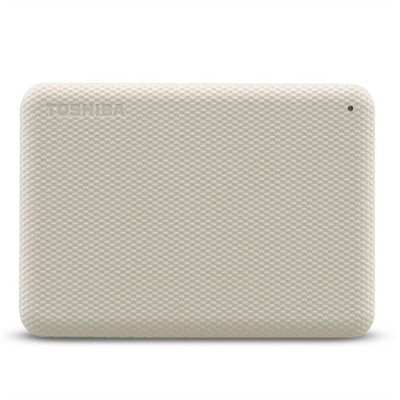
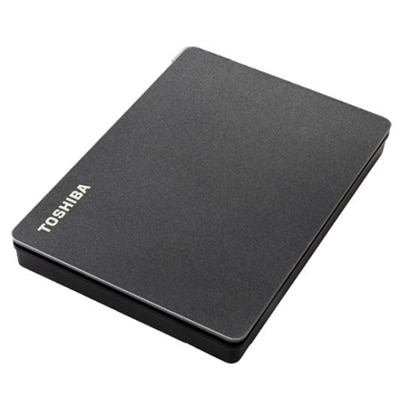
Cloud Storage Hard Drives
Cloud storage hard drives offer a reliable solution for managing and backing up your digital files with ease. Perfect for both personal and professional use, these drives help you store, access, and organize important documents, photos, videos, and more. With cloud storage hard drives, you can enjoy the flexibility of expanding your storage capacity while keeping your data secure and accessible from virtually anywhere. Explore a range of options designed to suit various needs and streamline your workflow with confidence.
This product is not available
Check out the following recommendations.




Cloud Storage Hard Drives
Cloud storage hard drives bring the convenience of remote file access into a physical device designed for everyday use at home. Rather than keeping every photo, document, video, and project file on one computer, a personal cloud drive connects to a home router and creates a private file library that can be reached by approved users on the same network or, when configured for remote access, from outside the home. This setup can be a practical alternative to relying exclusively on online accounts with recurring fees, while also giving you a local copy of important files. The right choice depends on how much content you plan to keep, how many people will access it, and whether you prefer a ready-to-use system with drives already installed or a multi-bay enclosure that lets you add compatible drives as your needs grow. Families often use these devices to gather years of phone photos in one place, share school projects and household documents, or create a central library for movies and music. Remote workers may keep active documents available across a laptop and desktop, while photographers and content creators can move large collections off their computers without losing convenient access. A personal cloud drive can also complement cloud accounts by keeping a nearby copy of irreplaceable files, reducing the need to download everything again after replacing a computer or phone.
Capacity is one of the first considerations when comparing these products. Estimate the size of your existing photo, video, music, and document libraries, then leave room for several years of growth rather than choosing a system that will be full soon after setup. High-resolution phone photos and 4K video can consume space quickly, especially when several household members back up their devices automatically. A system with a single installed drive may be straightforward for a smaller library, while a multi-drive design can provide more flexibility for larger collections and future expansion. It is also worth looking at the drive format, supported capacity, backup features, mobile applications, and the ease of replacing or adding a drive. Some devices are designed for simple plug-and-play setup, with guided software that helps create user accounts, enable automatic backups, and organize shared folders. Others offer more control over folder permissions, redundant copies, remote access settings, and scheduled backups. A dependable home connection and a compatible router matter because file transfers and remote viewing depend on the quality of the local network and internet service. For privacy, review how the device handles account access, encryption, software updates, and remote connections. Use strong, unique passwords, enable multifactor authentication when available, and give each household member an individual login instead of sharing one account. These small steps help keep personal files organized and protected while making the system easier to manage over time.
Personal cloud drives can be especially useful for households that want a shared photo library without handing every file to a separate online service. After setup, phones can be configured to back up new pictures automatically over Wi-Fi, making it easier to preserve everyday moments such as family gatherings, weekend trips, pets at play, and videos recorded during the cooler months indoors. Relatives in different homes may receive permission to view selected folders, while private documents remain accessible only to the people who need them. A photographer might use the device as a central destination for finished galleries and an additional copy of working files; a student could keep assignments available from a laptop and desktop; and a small home business could organize receipts, forms, and shared project folders without passing large attachments back and forth. These devices can also make thoughtful gifts for someone who has accumulated years of memories across phones, memory cards, and aging computers. Before choosing one, consider whether the recipient is comfortable with a guided setup, whether automatic phone backup is important, and whether the system offers enough capacity for the files they already own. A personal cloud device is not a substitute for a complete backup strategy, since a single physical device can still be affected by damage, theft, or hardware failure. For especially important photos and documents, keep another copy in a separate location or use an additional backup service. Browsing Personal Cloud Storage for Photos can help shoppers compare solutions intended for preserving and accessing personal memories. With suitable capacity, simple account controls, reliable backup routines, and privacy settings that match your household, a cloud storage hard drive can turn scattered files into an organized personal library that remains accessible across the devices you use every day.
FAQs:
A cloud storage hard drive offers centralized, private storage for all your important files, allowing you to access and share data from multiple devices within your home network or remotely over the internet. This setup provides the convenience of cloud access without ongoing subscription fees, plus greater control over your personal data and the ability to easily manage backups for everyone in the household.
While traditional external hard drives connect directly to a single device via USB or similar ports, a home cloud storage device connects to your Wi-Fi router and serves as a network-attached storage (NAS) solution. This enables multiple users to access, upload, and share files simultaneously from laptops, smartphones, and tablets, both locally and remotely.
Cloud external hard drives are ideal for families, small business owners, students, creative professionals, and anyone who needs to organize, back up, and access large volumes of data across several devices. They’re also a great gift for tech enthusiasts or anyone looking to simplify their digital life and enhance data accessibility.
Yes, most cloud storage hard drives are designed to provide secure remote access. As long as the device is connected to your home network and powered on, you can log in from anywhere with an internet connection to view, download, or upload files using a web browser or dedicated mobile app.
When choosing a dell cloud storage device, consider options with automatic backup, user management, mobile app compatibility, and strong encryption for data security. Expandable storage and easy file sharing capabilities are also valuable for growing families or small teams who need flexible, scalable solutions.