$550.00
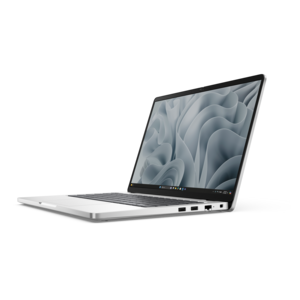
A durable, serviceable Chromebook designed specifically for education environments.
Color accurate laptops are essential tools for professionals and enthusiasts who demand precision in visual tasks. Whether you're a graphic designer, photographer, video editor, or digital artist, having a laptop that delivers true-to-life colors can make all the difference in your work. These laptops are designed to provide exceptional color fidelity, ensuring that what you see on the screen is an accurate representation of your creative vision. Explore our selection of color accurate laptops that cater to various needs and preferences, helping you achieve the highest standards in your projects.
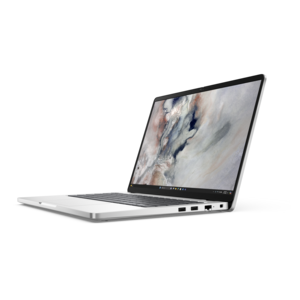
A durable, serviceable Chromebook designed specifically for education environments.
A durable, serviceable Chromebook designed specifically for education environments.
A laptop featuring Intel® 13th Gen processors, a built-in FHD camera, and an enlarged ergonomic keyboard.
A thin, lightweight laptop crafted from eco-friendly materials with Series 3 Intel Core processors for productivity.
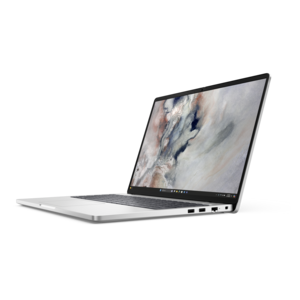
A remarkably thin, lightweight laptop designed for ultimate mobility and effortless everyday productivity.
A durable, serviceable laptop designed specifically for demanding education environments.
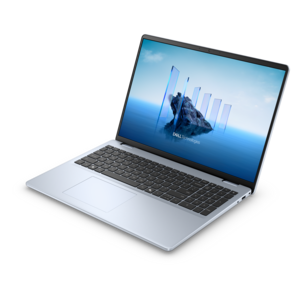
A portable laptop with a sleek design, 16:10 display, and AI PC options for productivity anywhere.
A sleek, portable laptop with an expansive 16:10 display for reliable productivity anywhere.
A modern laptop with AMD Ryzen™ processors, delivering effortless productivity and captivating entertainment in a design.
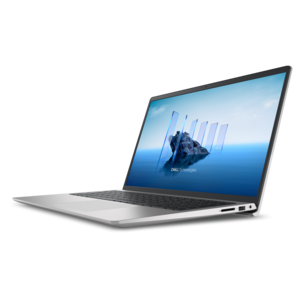
A slim, lightweight laptop with Intel® Core™ processors and graphics for productive work anywhere.
A laptop featuring an FHD camera, enlarged ergonomic keyboard, and AMD Ryzen™ processors for everyday productivity.
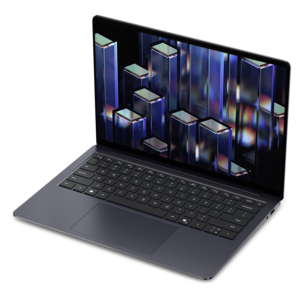
A lightweight AI-powered laptop designed for creative professionals and small businesses.
A durable, modular laptop with robust security, a spacious display, and optional built-in AI for workdays.
A sleek laptop with a stylish design, delivering powerful performance for modern multitasking.
A sleek laptop powered by AMD Ryzen AI 400, designed for smooth, capable multitasking.
A sleek laptop powered by the latest AMD Ryzen AI 400 Series processors for demanding users.
A portable, durable laptop with modular design, strong security, spacious 16:10 display, and built-in AI options.
A durable productivity laptop featuring an expansive 16:10 display and convenient numeric keypad.
A lightweight AI-powered laptop with Intel Arc graphics, ideal for creative professionals and small businesses.
A modern laptop with Intel Core processors and graphics for effortless productivity and captivating entertainment.
An AI-ready laptop with a spacious display, designed for creators and developers seeking high performance.
A durable modular laptop with a 16:10 display, numeric keypad, robust security, and built-in AI options.
A sleek laptop delivering smooth AI experiences and accelerated creative workflows for demanding high-performance users.
A durable, modular laptop with robust security, numeric keypad, spacious 16:10 display, and built-in AI.
Color-accurate laptops bring consistency to work that depends on subtle visual differences, from the warmth of a portrait to the muted green of a package design. Their value lies in showing colors close to an intended reference rather than simply making everything look bright and saturated. For photographers, video editors, illustrators, and designers, that distinction supports more confident decisions about skin tones, shadow detail, gradients, and the relationships between neighboring colors. Three display characteristics help describe this capability: color gamut, color accuracy, and calibration. Gamut is the range of colors a screen can reproduce, while accuracy describes how closely the colors it shows match their target values. Calibration adjusts display behavior toward a defined target, and a display profile helps compatible applications interpret that behavior. Full or near-full sRGB coverage is relevant to many web graphics and everyday photography workflows; DCI-P3 coverage is useful for work targeting that wider color space. Coverage around 98–100% DCI-P3 can support a broad range of saturated colors, but a wide gamut alone does not guarantee accuracy. Delta E expresses the difference between a displayed color and a reference color, with lower values indicating a closer match. A measured Delta E below 2 is often a useful benchmark for demanding creative work, although the test method, reference color space, and whether a figure represents an average or maximum all matter. Factory calibration can provide a strong starting point, especially when accompanied by a report explaining the measurement conditions. A color-managed workflow remains important because even a well-calibrated screen cannot ensure that every application, browser, printer, or viewer’s device will reproduce the same image. These laptops are especially relevant when a slightly yellow highlight or an overly red complexion would change the finished result, not just its appearance on one screen.
Display construction shapes how comfortable and dependable that visual work feels throughout the day. An IPS LCD panel can offer stable viewing angles, helping an image retain its appearance when a designer shifts position or a colleague leans in to review a layout. OLED panels can deliver deep blacks and strong contrast, making dark scenes and fine tonal transitions easier to examine under suitable conditions. Mini-LED backlighting can support high brightness and localized contrast on compatible LCD displays, although bright objects against dark backgrounds may show halos from local dimming. No panel technology guarantees accurate color by itself; calibration, uniformity, software support, and the selected display mode remain important. Uniformity is particularly relevant when a neutral background needs to look consistent from the center of the screen to its corners. Resolution and screen size also affect the experience. A higher-resolution display can reveal small retouching marks and fine text edges, while a larger screen provides more room for a timeline, image preview, and editing controls. Comfortable interface scaling matters as much as pixel count during a long session. Glossy surfaces can make images appear crisp but reflect windows and overhead lights; matte finishes reduce reflections, with a surface texture that varies by panel. Brightness is useful for working in changing surroundings, yet maximum brightness is not automatically the right setting for judging photographs or preparing print work. A consistent, moderately lit workspace helps keep visual judgments steadier. Automatic brightness changes, warm nighttime settings, and vivid display modes can alter the appearance of an image during review. HDR editing adds another layer, requiring appropriate brightness, contrast, signal support, and software rather than a high-resolution screen alone. For a larger workspace alongside a portable computer, Color Accurate Displays for Photo and Video Editing offers a related display category for considering an external screen. Matching color targets across both displays helps make moving between them less visually disruptive.
The rest of a color-accurate laptop supports the work happening behind the image. Photo editing with layered files benefits from sufficient memory and responsive processing, while complex video projects may also need capable graphics hardware and effective cooling. Those components influence how smoothly previews play, adjustments appear, and finished files export; they do not independently make a display more accurate. Sustained performance matters during longer sessions, when heat management can affect responsiveness and fan noise can become noticeable in a quiet studio. Port selection helps determine how easily the laptop fits an existing workspace, whether that means connecting a camera card reader, a drawing tablet, a calibration instrument, or an external display. Supported video output resolution and refresh rate are worth distinguishing from the specifications of the built-in screen. Physical fit matters, too: a compact chassis is easier to carry between a classroom and a shared workspace, while a larger model may provide a more spacious keyboard and a more comfortable view of detailed edits. Aluminum, magnesium alloy, and reinforced plastic constructions each offer different balances of weight, rigidity, and finish, but material names alone do not establish durability. Hinge stability, resistance to flex, and protection during transport all contribute to everyday usability. A padded sleeve keeps the computer separated from chargers and other hard objects, and a clean microfiber cloth helps remove screen smudges that can obscure fine detail. Screen care should follow the manufacturer’s directions, with liquids kept away from openings and pressure kept off the panel. OLED displays can also benefit from built-in panel-care features and sensible management of prolonged static content. Over time, periodic measurement with a compatible calibration instrument can help identify changes in display behavior. For a photography student, a freelance illustrator, or a family member developing a serious interest in filmmaking, a color-accurate laptop can be a thoughtful gift when its capabilities suit the person’s software and intended work. Its lasting usefulness comes from combining trustworthy visual feedback with comfortable handling, dependable performance, and a workflow that carries those careful color decisions into the finished project.
Add the products you would like to compare, and quickly determine which is best for your needs.