Computer Keyboards
Enhance your computing experience with our diverse selection of computer keyboards designed to meet a variety of needs and preferences. Whether you're setting up a home office, upgrading your gaming station, or simply seeking a more comfortable typing experience, our range of keyboards offers something for everyone. From sleek and minimalist designs to ergonomic models that prioritize comfort, discover the perfect keyboard to complement your setup and boost your productivity. Explore our collection today and find the ideal computer keyboard that seamlessly integrates with your digital lifestyle.
This product is not available
Check out the following recommendations.




Computer Keyboards
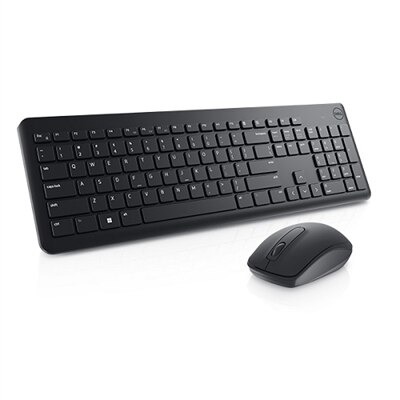
Computer keyboards remain one of the most important ways to interact with a computer, whether you are writing messages, entering information, browsing the web, creating documents or controlling games. A keyboard translates each press into text, commands and shortcuts, making the right design an important part of a comfortable workspace. Wired keyboards connect directly through a USB cable and provide a consistent connection without requiring batteries, making them a practical choice for home offices, classrooms and shared work areas. Wireless keyboards connect through Bluetooth or a small USB receiver, helping reduce cable clutter and making it easier to position the keyboard where it feels most natural. They can be especially useful with a laptop connected to a larger display, a desktop computer in a compact room or a flexible workspace that needs to be cleared at the end of the day. When choosing between wired and wireless models, consider the distance between the keyboard and computer, the number of available ports, battery or charging needs and whether you prefer the simplicity of a cable. A full-size layout includes the familiar letter and number rows along with function keys, navigation controls and a dedicated number pad, which can be valuable for spreadsheets, accounting, inventory work and other tasks that involve frequent numeric entry. Compact layouts take up less desk space and can be easier to carry, while still providing the essential keys for everyday typing. For people who regularly move between rooms or work in changing locations, a smaller keyboard can fit neatly into a backpack beside a laptop and notebook. For a permanent desk, the extra spacing and dedicated controls found on Full Size Keyboards may make long sessions feel more familiar and efficient.
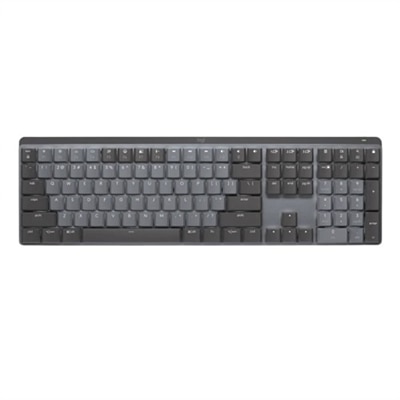
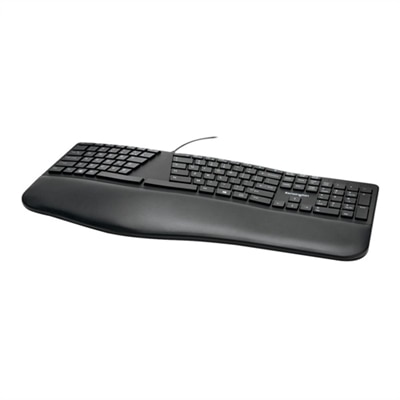
The feel and sound of a keyboard depend largely on its switch design. Membrane keyboards use a flexible layer beneath the keys and are often quiet, straightforward and comfortable for general typing. Their softer key response can suit a family computer, a shared office or a workspace where a muted sound is preferred, especially during early mornings or the cooler months when a home office may be close to other living areas. Mechanical keyboards use individual physical switches beneath each key, providing more distinct tactile feedback and a durable design that appeals to people who spend many hours typing or gaming. Some switches feel light and smooth, while others provide a noticeable bump or audible click, so the experience can vary considerably even among keyboards with similar layouts. Gamers may appreciate responsive keys, rollover support and customizable controls that help keep commands within reach, while writers, programmers and students may value clear feedback that makes repeated keystrokes feel deliberate. Office users often prioritize quiet operation, a familiar layout and comfortable key spacing over specialized features. A keyboard with adjustable feet can help change the typing angle, and a gently curved or split design may support a more natural hand position for people who experience fatigue during extended use. Look for a smooth, stable base that does not slide across the desk, clearly marked keys that are easy to read and a layout that matches your habits. Backlighting can help when working in a dim room, and adjustable brightness may be useful when you need visibility without a bright glow. Other convenient features include dedicated media controls, shortcut keys, a wrist rest, spill-resistant construction and the ability to switch between multiple paired devices. These details can have a real effect over time: a steady key response, a comfortable reach to the number pad and a cable or connection that stays out of the way can make a busy afternoon of typing feel less tiring.
Computer keyboards can be useful for a wide range of people and can make a thoughtful gift for someone setting up a desk, returning to school, building a creative workspace or spending more time at a computer during the cooler seasons. A family member who uses a laptop at a kitchen table may appreciate a separate keyboard that allows the screen to sit at a more comfortable height, while a student may benefit from a reliable layout for papers, research and online coursework. For a remote worker, a wireless keyboard can create a cleaner space for video calls and focused work, while a wired model can provide a dependable option for a dedicated workstation. A keyboard can also complement a desktop computer used for photo organization, music production, coding or casual gaming. Before buying, measure the available desk area and decide whether a number pad, compact footprint or standard layout matters most. Check the connection type to ensure it works with the computer, and consider whether other devices may need to share the keyboard. People who type for long periods should pay attention to key travel, wrist support, posture and the position of the keyboard relative to the monitor; keeping the shoulders relaxed and the wrists level is often more helpful than choosing the most feature-packed design. Wireless models should offer battery life that fits the intended routine, while wired models should have a cable length that reaches comfortably without pulling at the connector. Cleaning is another practical consideration, since dust and crumbs can collect around frequently used keys. A smooth surface, sensible spacing and a design that is easy to maintain can keep a keyboard pleasant to use for years. Whether it is placed beside a desktop, paired with a laptop or added to a shared household workspace, the right computer keyboard brings dependable control and a more comfortable rhythm to everyday computing.
FAQs:
When choosing a computer keyboard for frequent typing, consider features such as tactile feedback, key travel distance, ergonomic design, and wrist support. Backlit keys, adjustable tilt, and quiet operation can also enhance comfort and productivity, especially during extended use.
A dell keyboard with volume knob allows you to easily adjust audio levels without interrupting your workflow. This feature is especially useful during conference calls, streaming, or multitasking, providing quick and precise control over your sound settings.
A lattice less keyboard refers to a design that minimizes or eliminates the frame around the keys, creating a more compact and streamlined appearance. This style can benefit users with limited desk space or those who prefer a minimalist setup, while still maintaining full functionality.
Wireless keyboards are an excellent choice for home offices, offering flexibility and reducing cable clutter. They can be easily repositioned or paired with multiple devices, making them ideal for dynamic workspaces and users who value a clean, organized desk.
Programmable keys on a dell keyboard are particularly appreciated by power users, gamers, and professionals who rely on shortcuts or repetitive tasks. These keys can be customized to launch applications, execute commands, or streamline workflows, enhancing efficiency and personalization.