$42.99
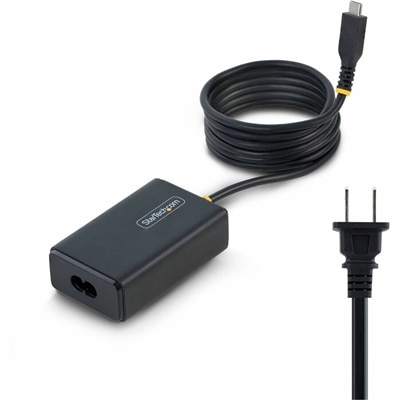
A 65W USB-C Power Delivery adapter with tethered cable, broad voltage support, certifications, and comprehensive safety protections.
Discover the versatility and innovation of computer power options that cater to diverse computing needs. Whether you're seeking robust solutions for high-performance tasks or efficient energy-saving alternatives, explore a range of options designed to enhance productivity and support your lifestyle. From desktops to laptops and everything in between, these power solutions offer flexibility and reliability, ensuring your devices are ready for any challenge. Dive into the world of computer power options and find the perfect match for your technological endeavors.
A 65W USB-C Power Delivery adapter with tethered cable, broad voltage support, certifications, and comprehensive safety protections.
A professional docking station delivering 130W power and versatile connectivity for streamlined productivity.
A versatile Thunderbolt 5 smart dock delivering up to 300W power with remote management capabilities.
Computer power options can mean both the way a computer uses electricity and the accessories that help deliver reliable power to a laptop or desktop setup. When reviewing the products on this page, consider where the computer will be used, how often it will be moved, and whether the priority is portability, steady performance, battery conservation, or a comfortable home workspace. A laptop is a practical choice for students, remote workers, travelers, and anyone who moves between a desk, kitchen table, classroom, or shared office. A desktop can be a strong fit for a permanent workstation, creative projects, gaming, multitasking, or family use in a common area. Monitors, docks, chargers, cables, and other accessories can help shape a setup around the way someone actually works. During the cooler months, a dependable computer station can become the place where school assignments, video calls, hobbies, household planning, and evening entertainment all come together, making thoughtful power and connectivity choices especially useful for a home office or shared family space. For a gift, a practical power accessory can suit a college student settling into a new room, a professional refreshing a home workspace, or a frequent traveler who needs a simple way to keep essential electronics ready throughout the day.
Windows power settings provide another way to manage the balance between performance and energy use. In Windows, open Control Panel, select Hardware and Sound, and then choose Power Options to review available settings. The Balanced plan is designed for everyday activities by adjusting performance and energy consumption as needed, making it a sensible starting point for browsing, writing, streaming, schoolwork, and video meetings. High Performance favors maximum responsiveness and processing power, which can be useful for demanding applications, extended multitasking, or other workloads where speed matters, though it may use more electricity. Power Saver reduces energy consumption and can help extend battery life, particularly when a laptop is away from an outlet. You can also set when the display turns off and when the computer enters sleep mode, reducing idle power use without requiring a complete shutdown. Sleep keeps open apps and documents available in memory while placing the computer in a low-power state, which is convenient for short breaks. Hibernate saves open work to the drive and then turns the computer off, making it useful for longer periods away from the device. Fast Startup can help a compatible Windows computer start more quickly after a full shutdown. Power button and laptop lid settings can be adjusted as well, allowing you to choose whether closing the lid or pressing the power button puts the computer to sleep, hibernates it, or shuts it down. Menu names and available settings can vary by Windows version and device, so reviewing the options on the computer itself is the best way to confirm what is supported.
Physical power components deserve the same careful attention as software settings. Before choosing a charger, cable, power adapter, or desktop power component, check the computer’s required wattage, voltage, connector type, and manufacturer specifications. A compatible rating helps support stable operation and reduces the risk of interruptions during a presentation, file transfer, creative session, or online class. Laptop users may value a compact charger for travel, a second charger for a home or office location, or an accessory that keeps a workspace tidy when outlets are positioned far from the desk. Desktop users should confirm that a replacement internal component fits the computer’s design and provides sufficient capacity for the installed components, with additional headroom when appropriate. Visit System Power Supplies to explore options intended for compatible desktop systems. It is also worth considering the surrounding workspace: a monitor that turns off automatically, a dock that reduces cable changes, and neatly arranged power connections can make the entire station easier to use. Keep vents clear, avoid pinching cables beneath furniture, and replace damaged cords rather than continuing to use them. For households with several computers, matching each device to its correct power accessory prevents confusion when family members share a charging area. A well-planned setup supports a smoother daily routine, whether someone is moving between rooms with a laptop, settling into a focused desktop workstation, or preparing a welcoming computer area for study, creative work, and connection during the quieter stretch of the year.
Add the products you would like to compare, and quickly determine which is best for your needs.