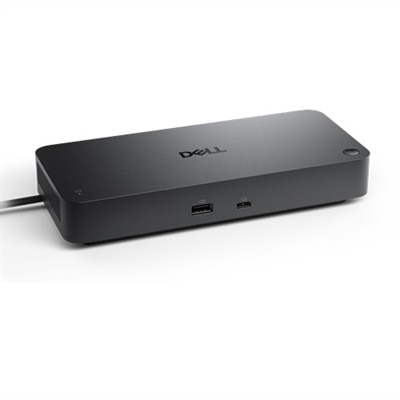
System Power Supplies
System power supplies are the unsung heroes of any electronic setup, ensuring that your devices operate smoothly and efficiently. Whether you're building a custom PC, upgrading your existing system, or maintaining server equipment, choosing the right power supply is crucial for performance and reliability. At Dell, we offer a diverse range of system power supplies designed to meet the varying needs of tech enthusiasts and professionals alike. Explore our selection to find power solutions that align with your technical requirements and keep your systems running at peak performance.
This product is not available
Check out the following recommendations.
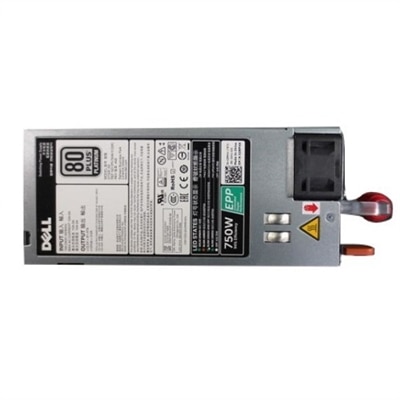
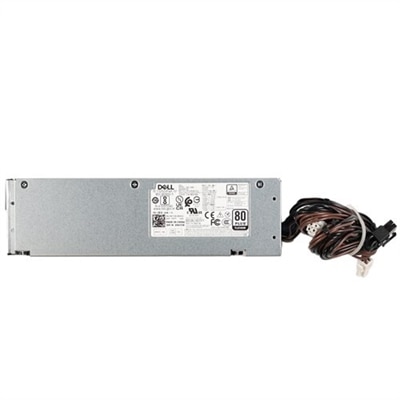
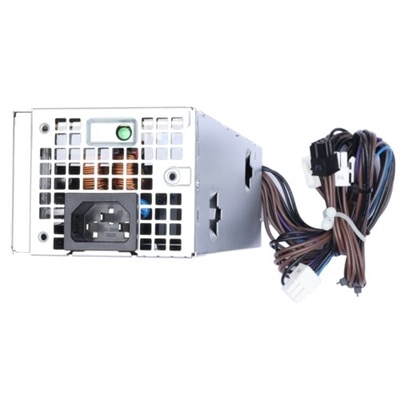
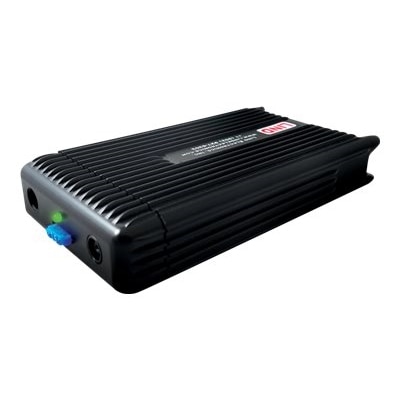
System Power Supplies
System power supplies provide the steady, controlled energy that helps computers and compatible electronics operate reliably. A wall outlet delivers alternating current (AC), while most internal components use direct current (DC) at several lower voltage levels. The power supply performs that conversion, then regulates each output so the connected system receives consistent power as conditions change. It also filters electrical noise and ripple that can interfere with sensitive components, while built-in safeguards may help respond to overvoltage, undervoltage, overcurrent, short circuits and excessive temperature. This work happens quietly behind the scenes, but the difference is easy to notice when a system starts quickly, remains stable during demanding tasks and avoids unexpected shutdowns. Power supplies are commonly considered for desktop computers, custom builds, replacement projects, office workstations and home setups that need dependable performance throughout the day. They can also be useful for makers, students and hobbyists who are assembling compatible electronics and need a properly matched source rather than relying on an improvised adapter. When choosing one, begin with the system’s required wattage and voltage information, then leave reasonable headroom for normal operating changes and future upgrades. A supply running close to its limit may have less room to handle a powerful processor, graphics hardware, additional drives or several accessories at the same time. Checking the connector types, cable lengths, installation space and physical dimensions is equally important, especially when fitting a replacement into an existing desktop chassis. Modular cabling can help keep unused wires out of the way, while fixed cabling may suit a straightforward installation. Efficiency ratings can offer useful insight into how much input power is converted into usable output and how much may become heat, though efficiency should be considered alongside capacity, protections, noise characteristics and compatibility. A quieter design can make a meaningful difference in a home office, where the soft hum of a computer is noticeable during a video call or late-night project. For systems that need a different form factor or specialized output, reviewing the manufacturer’s specifications and the computer’s service documentation before purchasing can prevent an inconvenient mismatch.
The right power solution depends on how the system is used, where it is installed and what matters most in everyday work. A family desktop used for schoolwork and photo organization may need a dependable replacement with familiar connections and simple installation. A workstation used for design, programming or demanding creative applications may benefit from greater capacity and carefully planned headroom, particularly when several components draw power at once. Someone building a first desktop can use the power supply as an opportunity to create a tidy, serviceable interior: route cables away from airflow paths, confirm every plug is fully seated and keep ventilation openings clear of dust and surrounding objects. People who spend long hours working from home may also consider power protection that helps reduce interruptions during brief electrical disturbances. Battery-backed equipment can keep compatible electronics running for a limited period during an outage, giving the user time to save work and shut down properly. It is not a substitute for choosing the correct internal supply, and its capacity should be matched to the total connected load and the desired runtime. For a replacement, compare the existing unit’s dimensions, connectors, output ratings and mounting pattern rather than relying on appearance alone. For a new build, calculate the expected demand from the processor, graphics hardware, drives, cooling devices and accessories, then select a quality unit with appropriate safety features and a comfortable margin. Good airflow matters as well: a supply installed in a cramped, dusty or poorly ventilated area may run warmer and place more stress on its internal components. Keep the original documentation nearby, follow installation instructions carefully and avoid mixing modular cables from different power supply families, since similar-looking connectors may use different wiring. When a computer is being prepared as a graduation, housewarming or birthday gift, a suitable power supply can be a practical foundation for a larger setup, especially for someone building a desktop for learning, gaming or creative work. Those shopping for broader power options can also explore Server Power Supplies. By balancing electrical requirements, physical fit, operating noise, efficiency, protection features and room for future changes, shoppers can choose a system power supply that supports dependable performance without adding unnecessary complexity.
FAQs:
When selecting a system power supply for home or office computers, consider factors such as wattage capacity, efficiency rating (such as 80 PLUS certification), modular versus non-modular cabling, and compatibility with your computer’s motherboard and components. Features like quiet operation and built-in surge protection can also enhance your overall experience.
Upgrading to a new dell power supply is beneficial for anyone looking to improve system stability, support new hardware, or extend the life of their desktop or workstation. This includes students preparing for the school year, professionals working from home, gamers building custom rigs, and families upgrading shared computers.
A dell switching power supply uses advanced circuitry to efficiently convert AC to DC power, offering improved energy efficiency and often a more compact design compared to traditional linear power supplies. This can lead to reduced energy consumption and less heat generation, making it suitable for modern desktops and workstations.
Yes, installing a dell oem psu can enhance the performance and reliability of older computers by providing consistent, stable power. This helps prevent unexpected shutdowns and supports the demands of upgraded components such as new graphics cards or additional storage devices.
Choosing a dell compatible power supply ensures seamless integration with your existing Dell system, reducing the risk of compatibility issues. These power supplies are designed to match the form factor and power requirements of Dell desktops and workstations, making installation straightforward and reliable.