Computer Reliability

Compare laptops and desktops with computer reliability in mind for work, study, or everyday use. Review specifications alongside warranty coverage and available support, and consider how each option fits the software you run, your daily workload, and your long-term needs.

Filters

$900.00

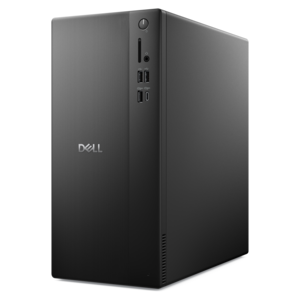
A business-ready tower desktop delivering reliable everyday performance with essential security features for productive workflows.
$900
$1087.00

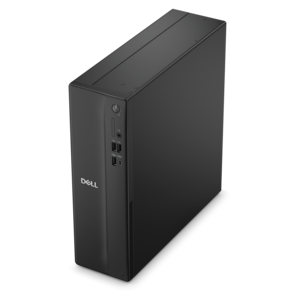
A space-saving desktop delivering reliable performance and security for everyday productivity.

$1087
$10001046.00

A space-saving, business-ready desktop delivering reliable everyday performance with essential security features.

$10001046

Computer Reliability

Computer reliability is the ability of a computer’s hardware and software to perform their intended functions consistently and correctly over time under expected operating conditions. For everyday use, that means a laptop that wakes predictably before a morning meeting, a desktop that stays responsive through an afternoon of spreadsheets, and a display that maintains a clear, stable picture during a long project. Reliable performance depends on more than speed alone. It reflects how well the computer’s components, cooling, operating system, applications, and connected accessories work together for the tasks at hand. A computer used mainly for email, documents, and video calls has different demands from one used for complex design work, large photo projects, or immersive gaming. Processing capability and memory should suit those demands, with enough room for the applications that typically run at the same time. A system that feels comfortable with a single browser window may respond differently when a presentation, several documents, and a video meeting are open together. Reliability also differs from durability: durability describes resistance to physical wear or damage, while reliability concerns consistent operation. Both matter when a computer moves between a kitchen table, a classroom, and a shared workspace. Enclosures made from aluminum or reinforced plastic can support everyday portability, but material alone does not establish how dependable a computer will be. Hinge construction, keyboard support, port placement, and thermal design contribute to the experience as well. A well-matched desktop can provide a stable foundation for a dedicated work area, while a laptop combines that computing role with the practical demands of travel and battery-powered use. Monitors and accessories round out the setup, where compatible connections and secure cable placement help reduce avoidable interruptions. The strongest fit is a computer and its supporting equipment suited to the actual workload, physical environment, and rhythm of the person using them.

The practical side of dependable computing becomes especially clear during ordinary moments: a student carrying a laptop between lectures, a remote employee joining consecutive calls, or a household sharing a desktop for homework and personal projects. For a frequently carried computer, weight, dimensions, hinge feel, and the fit of a protective sleeve influence how comfortably it travels and how well it is protected from routine bumps. A snug compartment with padding helps keep a laptop from shifting inside a bag, while separation from loose keys and other hard objects can limit scratches. At a desk, enough space around ventilation openings allows heat to escape, and a firm, level surface supports more consistent airflow than a blanket or cushion. Cooling matters because sustained heat can affect performance and contribute to component wear over time. Fan noise may change with workload without indicating a fault; repeated overheating or unexpected shutdowns deserve attention. Battery behavior is another part of laptop reliability, particularly for people who work away from an outlet. Runtime varies with screen brightness, applications, power settings, battery condition, and other factors, while rechargeable battery capacity typically declines with use and age. Compatible power equipment and sensible cable routing support a dependable charging routine without putting unnecessary strain on connectors. Routine care also has a place in long-term ownership. Dust around vents, crumbs near keys, and spills beside a computer can turn minor inconveniences into larger problems. Cleaning methods should follow the equipment’s care instructions, with liquids kept away from openings and harsh materials avoided on screens and finishes. Comfort supports consistent use, too. A monitor positioned at a suitable height, a keyboard that fits the available space, and a mouse comfortable for the user’s hand make a workstation easier to use through repeated sessions. For someone receiving a computer as a gift, familiar controls, manageable size, accessible connections, and suitability for everyday activities are often more meaningful than capabilities they are unlikely to need.

Software health is closely connected to computer reliability because even well-built hardware depends on a stable operating environment. Operating system updates, compatible drivers, and properly maintained applications help address known problems and keep essential functions working together. Updates can occasionally introduce compatibility issues, so a dependable setup also benefits from recoverable files and a practical recovery plan. A computer used for school assignments, family photos, or business documents holds more than applications; it holds work and memories that may be difficult to replace. Regular backups, with separate copies of important files, reduce the consequences of a device failure or accidental deletion, though they do not prevent the original problem. Security protections matter for similar reasons. Malicious software and untrusted downloads can interfere with normal operation, making careful software choices part of a stable everyday experience. Resources such as Computer Repair Software may be relevant when exploring tools intended to diagnose or address certain software-related problems, but software cannot repair physical damage or every type of hardware fault. The distinction matters when evaluating repeated freezes, application crashes, unexpected restarts, or a computer that no longer starts normally. Those symptoms can have several causes, and their presence alone does not identify which component or program is responsible. Built-in diagnostics, clear error messages, and access to technical support can make problems easier to investigate. Documentation and applicable warranty terms also provide useful context for ownership, particularly when a computer is essential for classes, remote work, or creative deadlines. No computer can promise uninterrupted operation indefinitely, and a single fast benchmark does not demonstrate long-term dependability. Consistent performance comes from a balanced combination of appropriate hardware, compatible software, thoughtful setup, and care that suits the environment. Whether the setting is a quiet study corner, a busy family room, or a dedicated home office, computer reliability ultimately means having equipment that supports regular responsibilities with fewer unexpected disruptions and a clear path to recovery when something does go wrong.

FAQs:

Add the products you would like to compare, and quickly determine which is best for your needs.

Add the products you would like to compare, and quickly determine which is best for your needs.