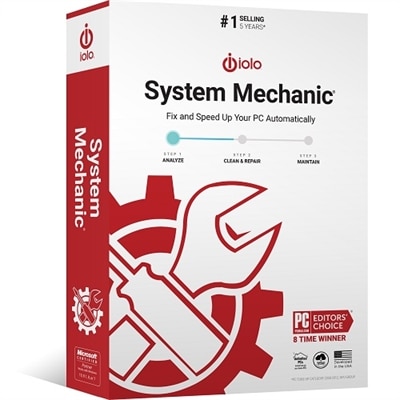
Computer Repair Software
Navigating the digital landscape with ease is essential, and computer repair software plays a crucial role in maintaining the health and performance of your devices. Whether you're dealing with slow processing speeds, unexpected crashes, or other technical hiccups, these powerful tools are designed to diagnose and resolve a wide range of issues. Ideal for both personal and professional use, computer repair software can help extend the life of your device while optimizing its functionality. Explore our selection to find the perfect solution that keeps your systems running smoothly and efficiently.
This product is not available
Check out the following recommendations.




Computer Repair Software
Computer repair software can help diagnose, maintain and restore a Windows PC when everyday problems begin to interrupt work, study, entertainment or communication. These tools are designed for a range of situations, from a computer that has gradually become sluggish to one that freezes, displays repeated error messages or refuses to start normally. Depending on the software, features may include system scans, startup repair, corrupted-file detection, malware removal, junk-file cleanup, privacy checks, driver and update assistance, storage analysis and performance monitoring. Some utilities work within the operating system, while others can run from a recovery environment or a bootable USB drive when Windows cannot load. Built-in recovery features can repair damaged startup information and replace missing or corrupted system files, while broader repair suites may reset permissions, refresh update components, clear faulty network settings or restore firewall-related functions. Security-focused applications are useful for locating persistent malware, spyware and unwanted browser software that may not be obvious during routine use. Diagnostic tools can also provide clues about recurring crashes, overheating, low storage or failing components, helping users decide whether a software repair is appropriate or whether professional service is needed. For additional ways to improve a computer’s everyday setup, browse PC Enhancements. When comparing options, look closely at the supported operating system, licensing terms, installation requirements and whether the software offers a trial, one-time purchase or ongoing subscription. It is also helpful to check whether scans can be scheduled, whether changes can be reviewed before they are applied and whether the utility creates a restore point or backup first. A clear interface may be valuable for occasional users, while advanced controls, command-line access and bootable recovery tools can matter more to experienced troubleshooters.
The right computer repair software depends on the problem and the person using it. A household user with a slow startup may benefit from a straightforward utility that identifies unnecessary startup programs, temporary files, browser clutter and settings that consume resources over time. Someone dealing with suspicious pop-ups, redirected searches or unfamiliar extensions should prioritize reputable security scanning and removal features rather than relying only on a general cleaner. If applications crash or Windows reports damaged files, a system-repair tool that checks protected operating system components and restores healthy versions may be more suitable. A PC that cannot reach the desktop calls for a different approach: recovery-environment access, startup diagnostics and bootable media can make it possible to scan the computer or copy important files before attempting a repair. For recurring update failures, look for tools that address update services and cached installation files without making broad, irreversible changes. Network-related problems may call for utilities that reset corrupted connection settings, DNS information or firewall rules, although users should record custom configurations before resetting them. Storage and disk-health features can reveal whether a nearly full drive is slowing the computer or whether unusual behavior points to a hardware concern. It is wise to save documents, photos and other irreplaceable files before using any repair utility, especially one that modifies system settings, the registry or disk partitions. A restore point is useful, but it should not be treated as a complete backup. Software downloaded from an unfamiliar source can introduce the very problems it claims to solve, so verify the publisher, read permissions carefully and avoid utilities that use alarming warnings to pressure users into immediate action. During the cooler months, when more time may be spent at a desk or home office, a small maintenance routine—updating trusted applications, removing files that are no longer needed, checking security status and confirming that backups open correctly—can help keep a computer dependable.
Computer repair software may be useful for home users, remote workers, students, creative professionals, small offices and anyone responsible for keeping several PCs in working order. It can also be a practical technology gift for a relative setting up a first home office or for a friend who wants more confidence handling routine computer problems, provided the recipient’s operating system and comfort level are considered. Beginners generally benefit from guided scans, plain-language explanations, automatic restore-point creation and the ability to undo changes. More experienced users may prefer detailed reports, selective repair controls, offline scanning and tools that can be placed on removable media for use when a computer will not boot. People who travel with a laptop may value recovery capabilities that do not depend on a reliable internet connection, while households with shared computers may want privacy cleanup and separate user profiles. Keep expectations realistic: repair software can correct many configuration, file-system and security issues, but it cannot replace a damaged display, worn battery, failed drive or other physical component. Cleanup tools should be used thoughtfully because deleting caches or old files may remove stored preferences, downloaded installers or browser information that someone still needs. Likewise, registry cleaners and automatic optimization features deserve caution; a longer list of detected issues does not necessarily mean a healthier PC. Look for transparent descriptions, recent compatibility information, customer support and clear instructions for reversing changes. With the right match between the software and the computer’s symptoms, these utilities can turn a frustrating afternoon of frozen windows and slow loading screens into a manageable maintenance task, helping a PC start cleanly, run more consistently and remain ready for work, learning and everyday use.
FAQs:
When choosing computer repair software, look for features such as system diagnostics, registry repair, disk cleanup, startup optimization, malware detection, and backup tools. An intuitive interface and compatibility with your operating system are also important for a smooth experience.
Computer maintenance software is valuable for a wide range of users, including students, remote workers, gamers, and anyone who relies on their PC for daily tasks. It's especially helpful for those who want to prevent issues before they become serious or who prefer to handle basic troubleshooting at home.
Yes, many computer fix software solutions are designed to work on older PCs and can help extend their lifespan by cleaning up unnecessary files, optimizing system settings, and addressing performance bottlenecks.
It's a good practice to run diagnostics on your PC every few months or whenever you notice a decline in performance. Regular maintenance helps identify issues early and keeps your system running efficiently.
Yes, there are repair and maintenance tools tailored for Dell computers. These utilities are optimized for Dell hardware and often provide additional features such as driver updates, hardware diagnostics, and system optimization specific to Dell devices.