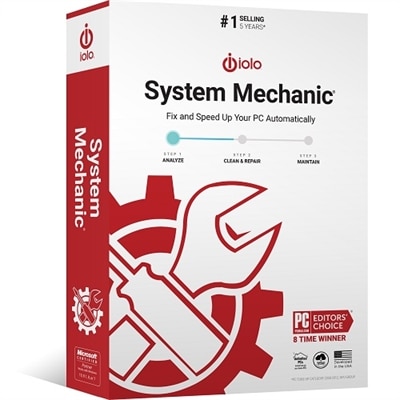
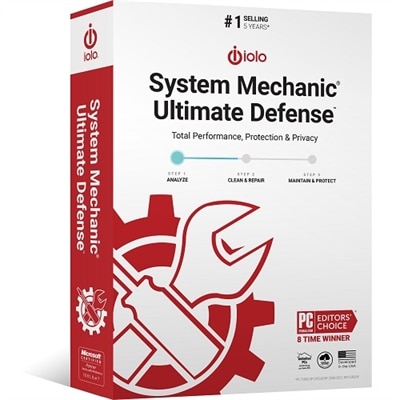
Computer Diagnostic Software
Computer diagnostic software plays a vital role in maintaining the performance and reliability of your devices. By providing insights into system health and identifying potential issues, computer diagnostic software helps users keep their laptops and desktops running smoothly. Whether you're looking to optimize your current setup or troubleshoot unexpected problems, these tools offer a practical solution for both everyday users and professionals. Explore a range of options designed to support your computing needs and ensure your technology continues to perform at its best.
This product is not available
Check out the following recommendations.




Computer Diagnostic Software
Computer diagnostic software helps identify hardware faults, monitor component behavior, and investigate performance problems on laptops and desktops. Depending on its capabilities, it can display processor temperatures, check memory for errors, report battery condition, record graphics performance, and organize information about crashes or unexpected restarts. These functions serve different purposes: monitoring shows what a computer is doing, testing checks how a component responds under defined conditions, and reporting makes the findings easier to review. A useful diagnostic application turns symptoms such as a frozen screen, a sudden shutdown, or a constantly running fan into evidence that can narrow the search for a cause. For a student whose laptop becomes unresponsive during an online lecture, that evidence might distinguish heavy background activity from a repeatable memory error. For someone editing photos on a desktop, temperature and processor readings may help explain why exports start quickly but slow down after several minutes. No single test can establish the cause of every computer problem, and a clean result does not guarantee that an intermittent fault is absent. The strongest fit depends on the symptom, the computer’s configuration, and the level of detail the person using the software needs. Hardware information utilities are useful for confirming component specifications, while dedicated memory tests look for errors that may contribute to freezes or corrupted work. Performance benchmarks measure how a system handles a particular workload, but a low score alone is not proof of defective hardware. Diagnostic suites may combine several of these functions in one interface, making them useful for households with multiple computers or professionals who want consistent reports across different machines. Clear descriptions of test coverage matter more than a long feature list, especially when the goal is to understand one recurring problem rather than examine every measurable detail.
Compatibility and intended use are central considerations when comparing computer diagnostic software. Operating system support, processor architecture, required permissions, and access to hardware sensors all affect which functions can run and how complete the results will be. A program may recognize a computer’s processor and memory yet receive only limited fan or temperature information because the device does not expose those readings. Laptop battery reporting can be similarly dependent on the hardware and firmware, with some systems providing design capacity, estimated full-charge capacity, and charge-cycle information. Those figures can help put shorter unplugged sessions into context, although battery runtime also changes with screen brightness, application activity, and power settings. For everyday use, an interface with readable summaries and clearly explained alerts can be more practical than a dense panel of constantly changing numbers. More experienced users may prefer time-stamped logs, adjustable sampling intervals, and exportable reports that capture behavior during a demanding task. Consider a video call that stutters only when a presentation and several browser tabs are open: a record covering that exact period is often more informative than a snapshot taken after the call ends. Background monitoring should also have a modest resource footprint, particularly on a computer already struggling with responsiveness. Some diagnostic tools run within the operating system, which makes them convenient for observing normal activity. Others operate in a separate boot environment, allowing certain tests to proceed without interference from everyday applications, though setup and hardware support vary. Test duration deserves attention as well. A brief check may reveal an obvious issue, while an extended memory test can take substantially longer and still may not reproduce every intermittent fault. Useful comparison points include whether testing can be paused, whether progress is clearly displayed, and whether results remain accessible after a restart. For someone maintaining a family laptop, these practical details can make the difference between a report that gets saved and understood and a test that is abandoned halfway through.
Computer health monitoring is most valuable when its readings are interpreted in context rather than treated as automatic verdicts. Processor and graphics temperatures normally rise during demanding work, and acceptable limits differ by component and device design. A thin laptop rendering a video may behave differently from a larger desktop performing the same task, even when both are operating as intended. Repeated thermal warnings, errors that recur under similar conditions, or shutdowns during a particular workload deserve closer attention than a single isolated spike. Stress-testing features deliberately place components under heavy demand, so they are better suited to controlled evaluation than casual background use. Important work should be saved before testing, and a computer showing physical damage, a swollen battery, or unusual odors needs appropriate service rather than another software test. Diagnostic software cannot clear obstructed vents, replace worn components, or prevent all future failures, but it can support informed maintenance by documenting changes over time. A baseline report from a normally functioning computer gives later results something meaningful to compare against. After a hardware change or an operating system update, another report may help show whether a new symptom coincides with a measurable difference. Diagnostic and repair functions also should not be confused: identifying an error is different from correcting its cause. For problems that call for corrective utilities rather than observation alone, PC Repair Software is a related category to consider, with suitability depending on the issue and the functions provided. Privacy is another practical consideration because reports may contain device identifiers, account names, or application details; control over collection, export, and sharing helps keep troubleshooting focused. Ongoing software maintenance matters, too, since newer components and operating system changes can affect recognition and test support. Students, remote workers, gamers, creative professionals, and people helping relatives maintain their computers may all benefit from diagnostic tools, but their priorities differ. For one person, a concise battery report is enough; for another, repeatable tests and detailed performance logs are essential. Software that matches those needs provides a clearer picture of computer behavior and a more useful starting point for maintenance or a conversation with a technician.
FAQs:
Computer diagnostic software is a tool designed to analyze, test, and report on the health and performance of your computer's hardware and software components. It helps identify issues, monitor system status, and provide recommendations for maintenance or repair.
Computer diagnostic software scans your system's hardware components such as the CPU, memory, hard drive, and graphics card, as well as software configurations. It checks for errors, outdated drivers, or potential failures and generates detailed reports to help users troubleshoot problems.
Yes, many diagnostic tools can detect issues that may be slowing down your computer, such as unnecessary background processes or outdated drivers. By addressing these issues based on the software's recommendations, you can often enhance your PC's overall performance.
Most computer diagnostic software is compatible with both desktops and laptops. These tools are designed to work across various hardware configurations and operating systems to provide comprehensive diagnostics regardless of device type.
Many modern diagnostic programs feature user-friendly interfaces and step-by-step instructions, making them accessible even for users with limited technical knowledge. However, advanced features may require a deeper understanding of computer systems.