PC Repair Software
In today's digital age, maintaining optimal performance for your computer is crucial, and PC repair software offers an effective solution to keep your system running smoothly. Whether you're dealing with sluggish speeds, unexpected crashes, or persistent error messages, these innovative tools can help identify and resolve issues efficiently. Perfect for both tech enthusiasts and everyday users, PC repair software provides a user-friendly way to enhance your PC's health without needing professional assistance. Explore the potential of these powerful applications to ensure your computer remains in peak condition, ready to tackle any task with ease.
This product is not available
Check out the following recommendations.




PC Repair Software
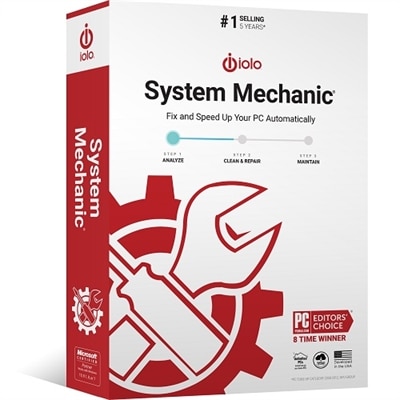
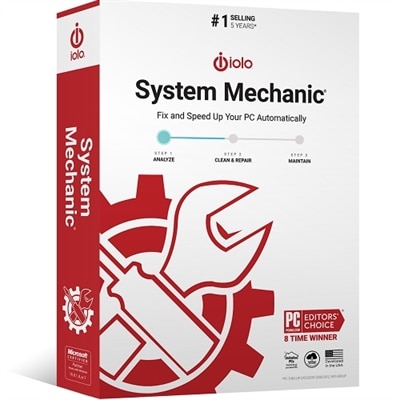
PC repair software is designed to help diagnose, maintain and restore a Windows PC when everyday problems begin to affect performance or reliability. Depending on the type of software, these tools may scan for corrupted system files, identify unnecessary temporary data, locate unwanted applications, check startup behavior, repair selected system settings, remove malware or help a computer recover from boot and update errors. A slow startup, repeated freezes, unexplained pop-ups, missing files, unstable internet connection or an error message that appears each time the computer turns on can all point to different underlying issues. Repair software brings many diagnostic and maintenance functions into a more accessible interface, which can be helpful for people who do not want to work through command prompts or recovery menus. Some utilities focus on one task, such as malware removal or disk cleanup, while broader repair suites combine health checks, privacy scans, startup management and system optimization. When comparing options, consider the specific problem you are trying to address rather than choosing the tool with the longest feature list. A lightweight scanner may be appropriate for a PC that is running normally but needs routine maintenance, while a more comprehensive utility may be useful for troubleshooting recurring crashes or several symptoms at once. Look for clear scan results, explanations of recommended changes and the ability to review or undo repairs before they are applied. A trustworthy program should identify what it plans to change instead of making sweeping adjustments without context. It should also come from a reputable source, receive ongoing updates and clearly explain its compatibility with the Windows version, processor architecture and available storage on your computer.
The right PC repair software can serve a wide range of users. Families may use it to keep a shared home computer responsive after years of downloaded files, browser extensions and unused applications have accumulated. Students and remote workers may appreciate a maintenance tool when a dependable laptop is needed for assignments, video meetings and document access. Small offices can use repair utilities as part of a basic troubleshooting routine for individual PCs, especially when a computer needs attention before being taken to a technician. More experienced users may value deeper diagnostic controls, startup reports, event information and bootable recovery features, while beginners often benefit from guided scans and plain-language recommendations. These programs can also be practical gifts for someone setting up a first home office, returning to school or caring for an older family member’s computer, although software should be selected with the recipient’s operating system and comfort level in mind. Before running any repair, back up important photographs, financial records, schoolwork and other irreplaceable files to a separate location. Repair utilities are intended to resolve problems, but no automated process can eliminate every risk associated with changing system files or settings. It is also wise to create a restore point when the software supports that function and to close open applications before beginning a scan. For registry-related problems, a cautious approach is especially important because the registry contains configuration information used by Windows and installed applications. Broad “cleaning” claims should be treated carefully, and users should favor tools that make a backup and provide a restore option. Learn more by browsing Windows Registry Repair Software when registry errors, broken file associations or configuration conflicts are part of the issue.
When selecting PC repair software, review the details that are easy to overlook. Check whether the license covers one computer or multiple PCs, whether essential functions require a recurring subscription and whether the program includes technical support, update access or recovery assistance. Privacy policies matter as well: a diagnostic utility may inspect file names, browser data, system settings or hardware information, so look for straightforward information about what is collected, where it is sent and how long it is retained. Avoid software that uses alarming messages to pressure users into making immediate changes, installs additional applications without clear consent or promises to solve every possible PC problem with one click. A useful repair program should work alongside existing security protections without creating conflicts, offer exclusions for trusted files and explain how suspected malware is quarantined or removed. For computers that will not start normally, consider whether the software can run from a recovery environment or removable drive, and verify that any recovery media is created before an emergency occurs. For performance concerns, tools that show startup impact, available disk space, memory use and background activity can help users understand whether a repair is likely to make a meaningful difference. Cleaning temporary files may free space, but it will not replace a failing drive, add memory or correct every hardware fault; persistent blue screens, unusual noises, overheating or repeated data loss may require professional service. During the warmer and cooler parts of the year alike, a simple maintenance routine—installing operating system updates, removing software that is no longer needed, scanning for threats, checking backups and reviewing startup items—can help a PC remain dependable. PC repair software is most effective when used as part of that broader routine, giving home users, students, professionals and families practical tools to diagnose common issues, make informed adjustments and preserve a stable computing experience.
FAQs:
PC repair software is beneficial for a wide range of users, including students, remote workers, gamers, and families. Anyone experiencing slow performance, frequent system errors, or unexpected crashes can use these tools to optimize and maintain their computer’s health.
A typical PC repair suite may offer features such as system optimization, registry repair, disk cleanup, malware scanning, startup management, and file recovery. Many suites consolidate these tools into a single dashboard for ease of use.
Yes, many PC repair programs include specialized tools for fixing registry errors. For users who need focused solutions, there are also dedicated options like Windows Registry Repair Software that address registry and file permission issues.
Most modern PC repair software is designed with user-friendly interfaces and guided steps, making them accessible for beginners while still offering advanced features for experienced users.
It’s generally recommended to run PC repair software periodically—such as monthly or whenever you notice slowdowns or unusual behavior. Regular maintenance helps keep your system running smoothly and can prevent small issues from becoming bigger problems.