$34.99
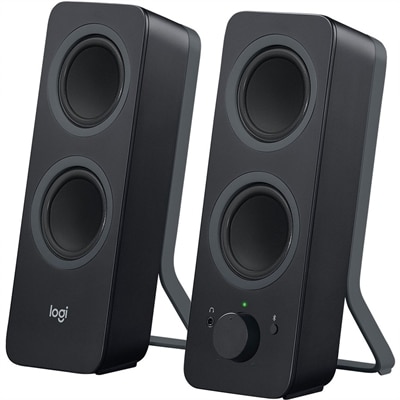
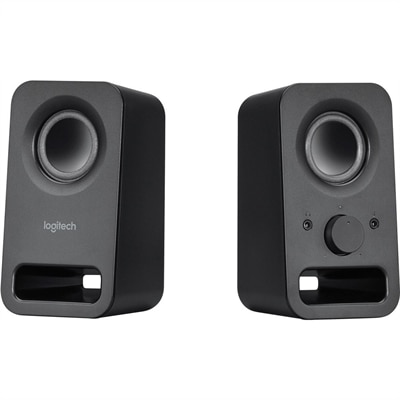
A pair of midnight-black multimedia speakers delivering clear stereo sound with 3W RMS power.
Browse computer speakers for desktop and laptop setups, whether you’re listening to music, watching videos, or joining calls. Compare connection requirements, speaker dimensions, and controls to find an option that works with your computer and fits your desk space.
A pair of midnight-black multimedia speakers delivering clear stereo sound with 3W RMS power.
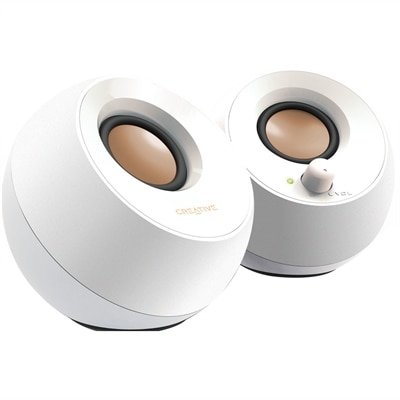
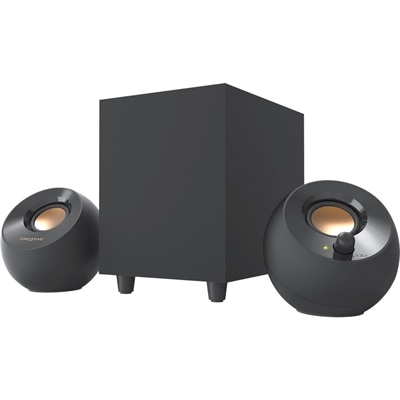
A white orb-shaped 2.0 speaker system with 4.4W RMS, elevated sound projection, passive radiators, and USB power.
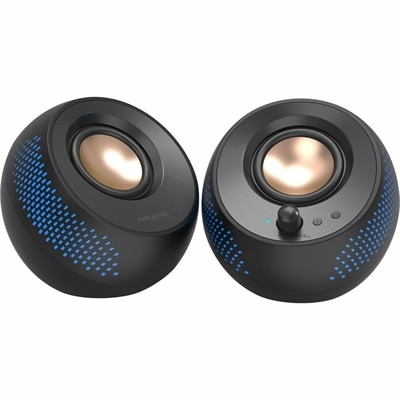
A black matte-finish speaker system delivering 15W RMS audio with Bluetooth 5.3, USB, and RGB illumination.
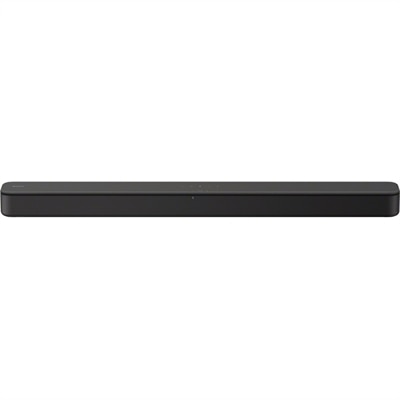
An AI-powered premium conferencing soundbar delivering clear audio with enhanced noise cancellation.
Computer speakers are external audio devices that bring sound from a desktop or laptop into the room, from spoken dialogue and video calls to music, movies, and games. The category includes compact desktop speakers, slim soundbars that sit beneath a monitor, two-speaker stereo systems, and systems with a separate subwoofer for deeper bass. A 2.0 system uses two speakers for left and right audio, while a 2.1 system adds a subwoofer to handle low-frequency effects and bass notes. Many computer speakers are active, meaning amplification is built into one or both speaker cabinets; passive speakers require a separate amplifier. These differences influence how a system fits into everyday life as much as how it sounds. A compact pair can sit beside a laptop on a small writing desk, leaving room for a notebook and coffee cup, while larger cabinets may suit a dedicated workstation with space on either side of the display. Slim desktop soundbars offer another layout when separate speakers would crowd the keyboard or interfere with monitor stands. Dimensions matter in more than one direction: cabinet depth, cable clearance, and the height beneath a monitor all affect placement. Speakers positioned at roughly equal distances from the listener can create a more balanced stereo image, making instruments, voices, and directional game sounds easier to distinguish. For typical near-field listening, where the listener sits close to the speakers, clear sound at a comfortable volume often matters more than the ability to fill a large room. A subwoofer can add weight to a movie soundtrack or the lower notes of a bass guitar, though its placement takes additional thought around chair legs, footrests, and shared walls. The most useful format is the one that complements the space and its routines, whether that means quiet background music during paperwork, distinct dialogue during an evening episode, or fuller sound when a laptop becomes the center of a weekend movie setup.
Connections determine how computer speakers work with different devices and how easily audio moves between daily activities. An analog 3.5 mm connection carries audio from a compatible headphone or line output, while USB-connected speakers may receive digital audio, electrical power, or both, depending on their design. A USB cable alone does not establish that a speaker supports USB audio, so the distinction between a power connection and an audio input matters. Some systems use an external power adapter, which adds an outlet requirement but does not by itself indicate better sound. Bluetooth can make it convenient to play audio from a compatible phone or tablet without moving an audio cable, although wireless delay varies and may be noticeable in games or video playback. A wired connection can provide more predictable timing for activities where sound needs to closely follow the action on screen. Multiple inputs can be useful at a desk shared by a work laptop and a personal computer, particularly when input selection is accessible rather than hidden behind the speaker. Physical controls also shape the experience. A front-facing volume knob is easy to reach when a call begins unexpectedly, and a clearly marked mute button makes quick adjustments straightforward. A headphone output can support a quieter transition when another person enters the room, though its presence and behavior vary by system. Sound quality involves more than loudness: intelligible voices, balanced bass, and treble that stays comfortable over longer sessions all contribute to enjoyable listening. Wattage describes aspects of power output, not a complete measure of clarity or overall performance, and ratings are most meaningful when their measurement methods are comparable. Enclosure size, driver design, tuning, listening distance, and the room itself all influence the result. On a bare desk beside a wall, bass may sound stronger than it would with more breathing room, while vibration passing through the desktop can make certain notes seem boomy. Stable placement and thoughtful spacing help speakers sound more natural without relying on excessive volume.
Materials, construction, and care contribute to how well computer speakers fit a room and hold up to regular use. Enclosures commonly use molded plastic or wood-based composites, with fabric or metal grilles protecting the drivers on some designs. Material alone does not determine audio quality; the rigidity of the cabinet, its internal design, and the quality of assembly also matter. A smooth finish may be easier to dust, while a textured grille can visually soften a workspace but needs gentle cleaning to avoid catching fibers or pushing dust inward. Rubber feet or isolation pads can help keep cabinets stable and reduce vibration against a hard desktop. For routine care, a soft, dry cloth is generally appropriate for exterior surfaces, with the manufacturer’s instructions taking precedence for any special finish. Power should be disconnected before cleaning, and liquids should stay away from ports, controls, and exposed drivers. Cables last better when they have slack at their connectors rather than being sharply bent or pulled tight behind a monitor. Keeping speakers clear of spilled drinks, direct heat, and blocked ventilation supports dependable everyday use. These practical details matter in a college study space, a busy household workstation, or a home office that shifts from meetings in the morning to entertainment at night. Computer speakers can also make a thoughtful gift for someone setting up a first apartment, refreshing a study desk, or spending more time listening to music at a computer, provided the connections and physical footprint suit the recipient’s setup. For listening that extends beyond the desk, Home Speakers offer a related category for considering audio throughout living spaces. At the computer, the appeal remains personal and immediate: a podcast voice that sounds less confined, a piano passage with clearer separation between notes, or a film conversation that is easier to follow without leaning toward the screen. A well-matched speaker setup makes those everyday moments more comfortable while keeping the workspace practical.
Add the products you would like to compare, and quickly determine which is best for your needs.