$24.99
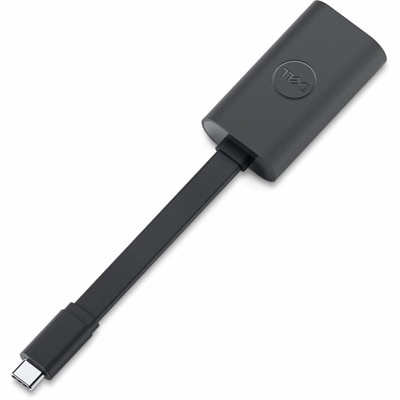
A compact USB-C to Ethernet adapter supporting transfer speeds up to 2.5Gbps anywhere.
Elevate your computing experience with top-notch computer speed upgrades that breathe new life into your system. Whether you're a gamer seeking seamless performance, a professional needing efficient multitasking capabilities, or simply looking to enhance everyday browsing, upgrading your computer's speed can make a world of difference. Discover an array of options designed to boost processing power and improve overall efficiency, ensuring your device keeps pace with your demands. Explore the possibilities and unlock optimal performance with our selection of cutting-edge solutions tailored to meet diverse computing needs.
A compact USB-C to Ethernet adapter supporting transfer speeds up to 2.5Gbps anywhere.
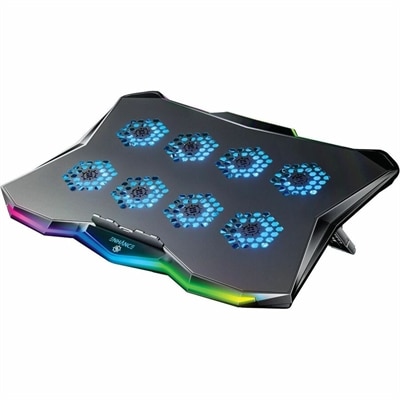
A slim metal laptop cooling pad featuring eight quiet fans, adjustable angles, and customizable RGB lighting.
A versatile Thunderbolt 5 smart dock delivering up to 300W power with remote management capabilities.
Computer speed upgrades can help a laptop or desktop feel more responsive, whether the system has slowed after years of everyday use or needs additional capacity for demanding work. The right choice depends on the computer’s age, internal components, operating system, and the type of tasks it handles. A system that takes a long time to start, pauses while opening applications, or struggles when several browser tabs are active may benefit from more memory or faster storage. A computer with a traditional hard disk drive can often feel substantially quicker after moving to a solid-state drive, particularly during startup, file searches, application launches, and large file transfers. Solid-state drives use flash memory rather than spinning platters, which allows them to access data with much less delay. SATA and NVMe are common solid-state drive interfaces, but compatibility varies by computer, so check the available drive bay, connector, physical size, and supported interface before choosing an upgrade. Memory, often called RAM, gives the computer room to keep active applications and data readily available. Increasing capacity to 16GB is a practical target for many people who work with documents, video calls, research tabs, creative applications, or several programs at once; users with especially demanding workloads may benefit from more. Memory speed also matters, but capacity and system compatibility should come first. Confirm the memory type, module format, maximum supported capacity, and the number of available slots before purchasing. Desktop computers may offer more room for component changes, while laptops can have limited access or memory that is integrated into the system board. These computer speed upgrades are useful for remote workers, students, home office users, photographers, hobbyists, and anyone who wants an older computer to keep pace with daily routines. They can also make thoughtful gifts for a family member setting up a study space or for a creative user whose computer has become a source of unnecessary waiting.
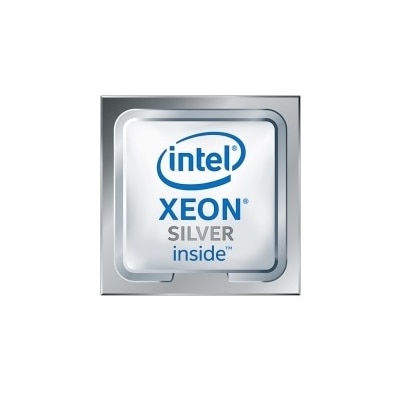
Finding the bottleneck before selecting an upgrade helps avoid spending on a component that will not address the real cause of sluggish performance. Windows Task Manager can show whether the processor, memory, storage, or another resource is reaching high utilization during the moments when the computer slows down. If memory usage stays close to its limit while switching between applications, additional RAM may improve multitasking. If storage activity remains at or near full capacity and applications take a long time to open, a solid-state drive may provide the most noticeable change. If the processor is consistently heavily loaded during rendering, compiling, gaming, or other intensive work, a compatible processor upgrade may be worth considering; available options depend on the desktop or laptop model, socket, firmware, cooling solution, and power requirements. Explore Processor Upgrades for solutions designed around processing performance. Heat can also affect speed. Dust around vents, restricted airflow, or aging thermal material may cause a computer to reduce its operating frequency to control temperature. Keeping vents clear and maintaining suitable airflow can support consistent performance, while any internal service should follow the manufacturer’s instructions and the computer’s warranty requirements. Before installing physical components, back up important files, record current settings, and verify that the selected part is supported. For an operating system drive replacement, plan how files and applications will be moved, whether through cloning or a fresh installation. Some upgrades require a mounting bracket, adapter, installation tool, or additional cable, while others may need a professional installation. Product descriptions and system documentation can help confirm these details. A speed upgrade should improve everyday responsiveness without creating new compatibility problems, and a little preparation makes the experience smoother from the first startup.
Software maintenance can complement new hardware and may reveal whether a physical upgrade is needed. Removing applications that are no longer used, clearing temporary files, and using built-in storage management features can free space for the operating system and essential programs. Keeping adequate free storage is especially helpful on solid-state drives, which need available space for efficient operation. Review startup applications and disable programs that do not need to launch automatically; reducing background activity can shorten startup time and leave more resources available after sign-in. Run a reputable security scan to check for malware or unwanted software that may consume processing power, generate unexplained network activity, or cause repeated slowdowns. Operating system, driver, and firmware updates can address compatibility and performance issues, although updates should be installed with important data backed up. Accessories such as external storage can help move large media libraries away from a crowded internal drive, while a monitor can make a refreshed computer more comfortable for extended work without changing its core speed. Compatibility remains the central consideration across every category: check the computer model, available ports, drive interface, memory specifications, physical dimensions, power needs, and operating system requirements. With the right match, computer speed upgrades can reduce loading screens, make multitasking feel less cramped, and extend the useful life of a familiar laptop or desktop through changing routines, from busy workdays in warm weather to focused projects during the cooler months.
Add the products you would like to compare, and quickly determine which is best for your needs.