Laptop Upgrades
Elevate your computing experience with the latest in laptop upgrades, designed to enhance performance, boost productivity, and keep you ahead of the curve. Whether you're looking to increase storage capacity, improve processing speed, or enhance graphics capabilities, our selection offers a range of options to meet your needs. Dive into a world where seamless multitasking and efficient workflows are just an upgrade away, ensuring your laptop keeps pace with your dynamic lifestyle. Explore our comprehensive collection of cutting-edge components and accessories that redefine what your laptop can do.
This product is not available
Check out the following recommendations.



Laptop Upgrades
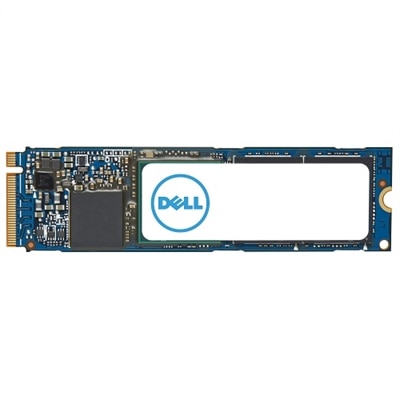
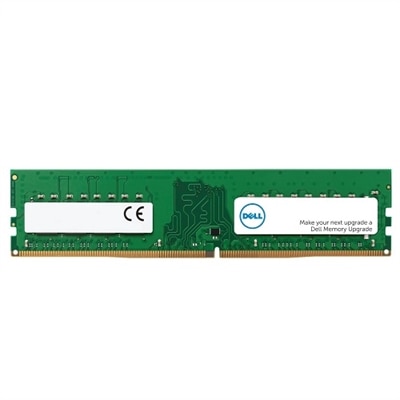
Upgrading your laptop can be a transformative experience, whether you’re looking to boost productivity, enhance your entertainment setup, or simply get more life out of a trusted device. For many, a laptop is the centerpiece of daily routines—used for work, school, creative projects, or staying connected with friends and family. Over time, you might notice your laptop slowing down when juggling multiple browser tabs, editing photos, or launching new applications. This is where a well-planned laptop upgrade comes into play. Adding more memory or switching to a faster solid-state drive (SSD) can dramatically improve performance and responsiveness, making tasks smoother and more enjoyable. For students preparing for a new semester, professionals working from home, or anyone who values seamless multitasking, a dell ram upgrade is often the most straightforward way to breathe new life into your system. It’s also a thoughtful gift for anyone starting a new job, heading off to college, or diving into a passion project, offering them the tools they need to excel.
Before you embark on a dell laptop upgrade, it’s important to consider compatibility and your specific needs. Not all laptops are created equal—some models, especially ultra-slim designs, may have memory or storage soldered onto the motherboard, making upgrades more challenging or even impossible. If you’re wondering, “can I upgrade my dell inspiron laptop?” the answer often depends on the exact model and its internal layout. Checking your device’s manual or support resources will help you determine whether your laptop has accessible RAM slots or an upgradeable SSD bay. Those with business-class or gaming laptops typically have more flexibility, as these systems are designed with future upgrades in mind. When it comes to dell laptop ram upgrade compatibility, matching the correct generation and speed of memory is crucial for optimal performance. Upgrading your SSD not only increases storage capacity for files, photos, and applications but also speeds up boot times and file transfers, making everyday use noticeably faster. If you’re considering how to upgrade dell laptop components safely, be sure to back up your data, work on a clean surface, and follow step-by-step instructions to avoid accidental damage. The process can be rewarding and empowering, especially when you power up your refreshed laptop and experience the difference firsthand.
Laptop upgrades are ideal for a wide range of users and occasions, from students and remote workers to creative professionals and casual users who want to maximize their device’s potential. As the weather warms and routines shift, it’s common to reevaluate your tech setup—perhaps you’re setting up a home office, planning travel, or preparing for new academic or professional challenges. Upgrades can help your laptop keep pace with changing demands, whether you’re editing videos, managing large spreadsheets, or indulging in immersive gaming sessions. For those interested in exploring more options or learning about the full range of possibilities, the Computer Upgrades page offers expert guidance and additional resources. Investing in the right components ensures your laptop remains a reliable companion through every season, adapting to your evolving needs and delivering a consistently smooth experience.
FAQs:
The most common laptop upgrades for boosting performance are increasing RAM and replacing an older hard drive with a solid-state drive (SSD). These upgrades can make your laptop run faster, open programs more quickly, and handle multitasking with greater ease.
You can check if your Dell laptop is upgradeable by reviewing your model’s specifications on Dell’s support website or in your user manual. Many Dell laptops allow upgrades to RAM and storage, but some ultra-thin models may have components that are soldered and not user-replaceable.
Basic tools for upgrading a laptop typically include a precision screwdriver set and plastic pry tools. These help you safely open the laptop chassis and access internal components like RAM and storage drives.
Yes, upgrading components such as RAM and storage can significantly extend your laptop’s usable lifespan. These enhancements can help your device keep up with new software requirements and maintain smooth performance over time.
Dell offers comprehensive online guides, videos, and customer support to assist you with laptop upgrades. Whether you’re a beginner or have some technical experience, these resources can help you complete your upgrade with confidence.