Computer Switches
Enhance your network efficiency and optimize connectivity with our comprehensive selection of computer switches. Whether you're setting up a home office, expanding your business infrastructure, or upgrading your gaming setup, the right switch can make all the difference. Our range of computer switches is designed to cater to various needs, ensuring seamless data transfer and reliable performance for all your devices. Explore our offerings to find the perfect solution that meets your requirements and boosts your network's capabilities.
This product is not available
Check out the following recommendations.




Computer Switches
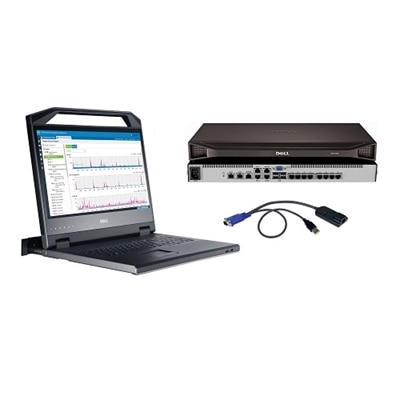
Computer switches for desktop use help multiple computers share the accessories that make a workspace comfortable and productive. A KVM switch—short for keyboard, video, and mouse—allows two or more computers to use a single set of those peripherals, with control moving between connected systems through a button, keyboard shortcut, or remote selector, depending on the design. That arrangement suits a desk where a work laptop sits beside a personal desktop, each needed throughout the day but rarely used at the same moment. Instead of keeping two keyboards within reach or moving monitor cables whenever tasks change, the same familiar setup serves both computers. A USB peripheral switch has a narrower purpose: it shares compatible USB devices between computers but does not necessarily switch a display. Likewise, a video switch selects which source appears on a monitor without necessarily transferring keyboard or mouse control. These distinctions matter because similar-looking accessories can support very different routines. Someone alternating between spreadsheets on a laptop and photo editing on a desktop may want full KVM functionality, while someone whose monitor already has separate inputs may only need to share a keyboard and mouse. A switch generally redirects the connected peripherals rather than combining the computers, synchronizing their files, or allowing both systems to control the same keyboard simultaneously. For a separate connectivity category, explore Router Switches. Within a personal workspace, the appeal of a computer switch is straightforward: fewer duplicate accessories, less cable handling, and a more consistent position for the screen, keyboard, and mouse. Remote professionals, students moving between school and personal computers, and hobbyists working across different operating systems can all benefit from that consistency. A shared household desk can also feel less crowded when each person connects a separate computer to the same display and input devices, provided the switch supports the connections each system requires.
Compatibility determines how naturally a computer switch fits into an existing setup. The number of computer connections establishes how many systems can share the peripherals, while the monitor connections determine whether the setup supports one display or several. A dual-monitor KVM switch needs the appropriate video connections from each computer, and each computer must independently support the intended display arrangement. HDMI, DisplayPort, and USB-C connectors are not interchangeable simply because adapters exist; supported signal formats, adapter direction, and the capabilities of the entire connection path affect the result. A USB-C connector alone does not guarantee video output, laptop charging, or every USB feature. Some arrangements still require separate video and USB cables between each computer and the switch. Display specifications deserve equally close attention. Resolution and refresh rate need to be considered together, since support for a high-resolution desktop at a standard refresh rate does not automatically mean support for the same resolution at a faster gaming refresh rate. Features such as HDR, variable refresh rate, and protected video playback also depend on explicit compatibility across the computer, switch, cables, and monitor. For everyday documents and browser windows, the priority may be readable text and a stable picture; for fast-moving games or detailed creative work, display performance can play a larger role. USB connections introduce another set of practical differences. Dedicated keyboard and mouse ports may be intended for basic input devices, while shared USB hub ports may better accommodate compatible webcams, printers, or other peripherals. Specialized keyboard features, wireless receivers, and high-bandwidth accessories are not universally supported. A camera that works well when directly connected to a laptop may need more bandwidth or power than a particular shared port provides. Audio switching, microphone support, and laptop power delivery are additional features rather than standard assumptions. Clear specifications help distinguish a switch that transfers the core desktop controls from one that also supports the wider collection of accessories used for calls, creative projects, or entertainment.
Physical design shapes the daily experience just as much as the connection list. A compact computer switch can sit beneath a monitor riser, while a separate selector button can keep switching within reach even when the main enclosure is tucked farther back on the desk. Front-facing ports are convenient for frequently connected accessories, whereas rear-facing connections can keep permanent cables out of the typing area. Cable length affects placement, but longer is not always better: cables need to meet the requirements of the signals they carry, and unnecessary length can create loops that catch on chair arms or pull against connectors. Lightweight plastic housings are easy to position, while metal housings may feel more substantial; neither material alone establishes reliability. Secure ports, stable feet, an accessible control button, and enough room around the connections often make a more noticeable difference during everyday use. A switch placed on a firm surface with slack in the cables is less likely to slide across the desk when a laptop is moved. Where the device requires external power, room for its adapter and access to an outlet belong in the workspace layout. Routine care is generally simple: follow the manufacturer's cleaning directions, disconnect power before cleaning when instructed, and remove dust with a soft, dry cloth rather than spraying liquid into ports or seams. Gentle cable handling helps limit unnecessary wear, especially in a setup that changes frequently. Switching behavior also affects comfort. A brief pause while a monitor or USB device reconnects can be normal, and some configurations may rearrange open windows when the display connection changes. Designs with display emulation may help preserve the monitor information presented to each computer, although behavior still depends on the systems involved. For someone spending hours at the same desk, predictable switching and a stable workspace often matter more than an extensive feature list. As a practical gift for a student, home-office user, or computer enthusiast, a switch is most useful when its connections and display support match the recipient's equipment. The right fit makes the transition between computers feel like a small change in task rather than a complete rearrangement of the desk.
FAQs:
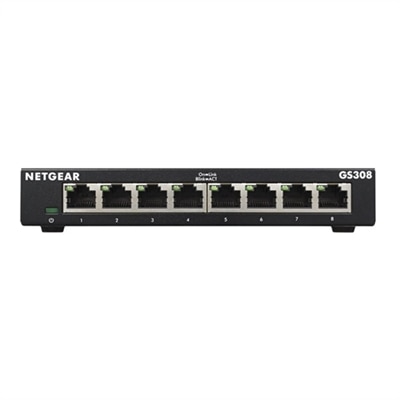
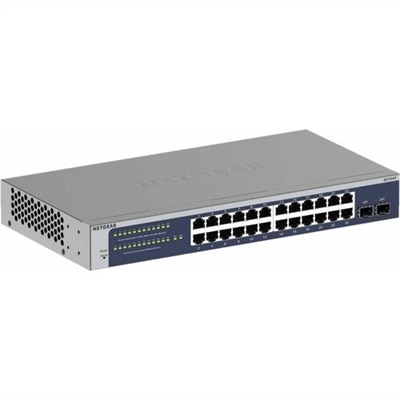
A computer network switch connects multiple devices within a local area network (LAN) and directs data traffic efficiently by sending information only to the intended device. This improves network performance and security compared to traditional hubs, which broadcast data to all connected devices.
Anyone with multiple devices that need to communicate over a network can benefit from using a computer switch. This includes remote workers, students, gamers, creative professionals, and small businesses looking to connect desktops, laptops, printers, and other networked devices seamlessly.
A switch computer operates within a local network, connecting devices and managing data traffic between them. In contrast, a router connects your local network to the internet and directs data between the network and external connections. Switches optimize local device communication, while routers handle external traffic.
When selecting a computer switch, consider the number of ports you need, data transfer speeds, and whether you require features like Power over Ethernet (PoE) for powering devices. For advanced users, managed switches offer network customization and enhanced security controls.
Yes, a computer switch can help improve streaming and online gaming performance by reducing network congestion and ensuring that data is delivered quickly and directly to the intended device. This results in smoother video playback and more responsive online gaming experiences.