$49.99
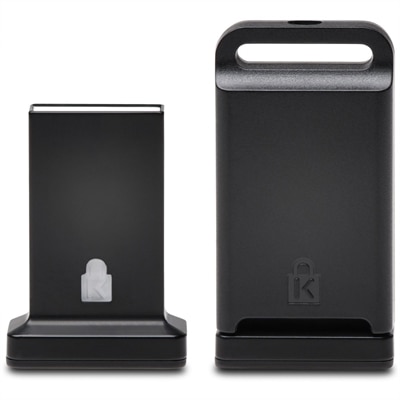
A cross-platform USB-A fingerprint security key offering FIDO2, FIDO U2F, passwordless and multi-factor authentication.
In today's fast-paced digital world, cybersecurity protection is more crucial than ever to safeguard your personal and professional data. As technology continues to evolve, so do the threats that can compromise your sensitive information. Whether you're securing a home network or fortifying an enterprise-level infrastructure, investing in robust cybersecurity solutions is essential for peace of mind. Explore our range of cutting-edge products designed to enhance your security posture and keep cyber threats at bay, so you can focus on what truly matters with confidence.
A cross-platform USB-A fingerprint security key offering FIDO2, FIDO U2F, passwordless and multi-factor authentication.
A reversible monitor privacy screen with ±30° viewing restriction, blue-light reduction, anti-glare, antimicrobial, and touchscreen-compatible protection.
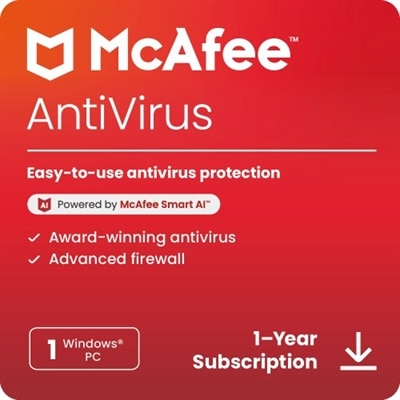
Cybersecurity protection helps defend computers, mobile devices, personal information and important files from digital attacks, theft and damage. For many households, protection begins with choosing security software that can scan for malicious files, identify suspicious activity and help block unsafe downloads, websites or applications before they cause problems. A well-protected laptop or desktop can make everyday tasks feel less exposed, whether someone is paying bills at the kitchen table, working from a home office or keeping family photos and school documents on a personal computer. As the weather turns cooler and more time is spent indoors, it is a natural opportunity to review the security tools installed on each device, check that subscriptions are active and make sure operating systems and applications are receiving updates. Explore Cybersecurity Software to find options designed to support safer digital habits across compatible devices. When comparing cybersecurity protection, consider the number and type of devices that need coverage, the operating systems in use, the length of the subscription and whether the software includes features such as real-time scanning, web protection, ransomware detection, privacy alerts or assistance for identifying suspicious messages. Clear controls and understandable notifications can be especially valuable for people who do not want to sort through technical settings every time a security alert appears. Families may also appreciate coverage that helps protect several computers, while remote workers, freelancers and small-office users can look for tools that fit the way they handle customer information, financial records and shared documents. Cybersecurity software is also a practical gift for a relative moving into a new apartment, a student setting up a computer for coursework or anyone replacing an older device and building a safer digital routine from the beginning.
Strong software works best alongside simple habits that reduce opportunities for trouble. Use a different, hard-to-guess password for every important account, combining uppercase and lowercase letters, numbers and symbols when allowed, and consider storing those credentials in a secure password manager rather than in a notebook beside the computer. Turn on multi-factor authentication for email, banking, shopping and other accounts that contain personal information; this adds a verification step, such as a code or approval on a trusted device, if someone obtains a password. Install operating system and application updates promptly because many updates repair known security weaknesses, and restart a computer when needed so those protections can take effect. Think carefully before clicking links or opening attachments in unexpected emails, text messages or social media messages, even when the wording appears urgent or familiar. A message warning that a payment failed or an account will be closed can create the same hurried feeling as a ringing phone in a quiet room, but pausing to visit the organization’s official website or contact it through a known phone number is safer than using the message link. Avoid entering passwords or payment details on pages with unfamiliar addresses, and be cautious with files from unknown senders. Security tools can help identify threats, but they cannot replace judgment. A firewall can help control unwanted connections, antivirus protection can scan for harmful software and browser safeguards can warn about risky sites, while privacy settings can limit what applications are allowed to access. Review these settings periodically, especially after installing a new application, connecting a new accessory or sharing a computer with another household member.
Protecting information also means preparing for the possibility that a device could be lost, damaged or affected by malware. Back up irreplaceable photos, tax records, creative projects and work files regularly, keeping a copy in an encrypted location or on a separate external drive that is not always connected to the computer. Test a backup occasionally by opening a few files; a backup is most useful when it can be restored without confusion during a stressful moment. Keep devices physically secure as well. Use a screen lock, avoid leaving a laptop unattended in a vehicle or public space and remove access for accounts that are no longer needed. People who work away from home should be particularly mindful when using shared computers or public charging areas, and they should avoid saving passwords on devices they do not control. Parents and caregivers can use cybersecurity protection as a starting point for conversations about privacy, respectful online behavior and the importance of telling a trusted adult when something feels wrong. Older relatives may benefit from a straightforward setup, written recovery information kept in a secure place and a brief walkthrough of common warning signs, such as unexpected payment requests, unusual login notices or messages asking for gift cards. Whether it supports one personal laptop, several household computers or a new setup for work and study, the right combination of security tools, current software, thoughtful browsing and dependable backups can help make digital life more resilient through the changing seasons.
Add the products you would like to compare, and quickly determine which is best for your needs.