$37.99
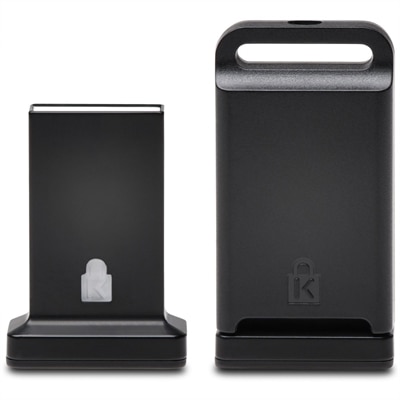
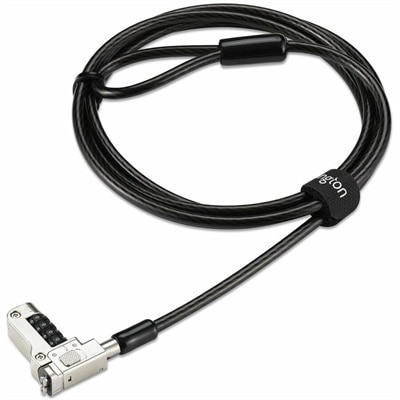
A security lock with carbon steel cable, four-wheel combination, and direct attachment for specialized USB-C slots.
In today's digital age, safeguarding your data and systems is more crucial than ever. Our comprehensive range of cybersecurity solutions is designed to protect your personal and professional information from cyber threats. Whether you're a small business owner, a large enterprise, or an individual user, our cutting-edge security options provide the peace of mind you need to navigate the online world confidently. Explore our selection of robust cybersecurity solutions that offer unparalleled protection for all your devices and networks.
A security lock with carbon steel cable, four-wheel combination, and direct attachment for specialized USB-C slots.
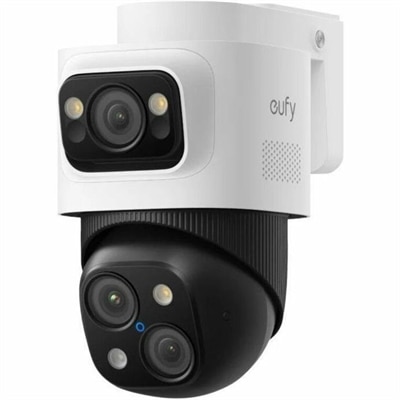
A weatherproof PoE security system with 2TB local recording, AI noise reduction, and expandable 8-to-16-channel monitoring.
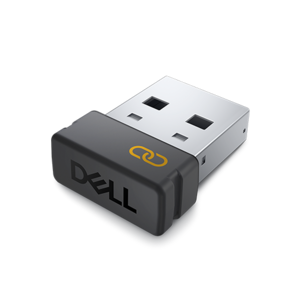
An encrypted USB receiver using FIPS-approved algorithms for secure keyboard and mouse connectivity.
A cross-platform USB-A fingerprint security key offering FIDO2, FIDO U2F, passwordless and multi-factor authentication.
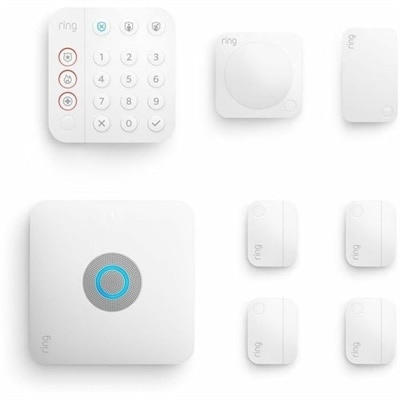
An eight-piece home security kit featuring an integrated Wi-Fi 6 router and backup internet connectivity.
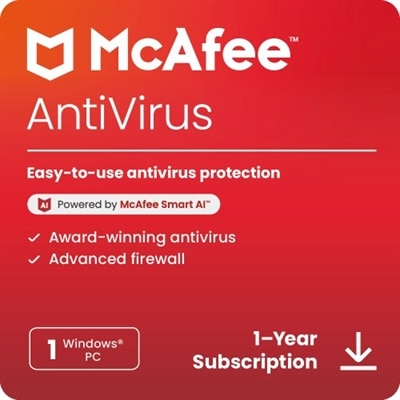
Cybersecurity solutions are technologies and services designed to help protect digital accounts, devices, applications, communications and data from unauthorized access, malware, phishing and other online threats. They can support a single household, a growing small business, a classroom, a remote team or a larger organization with many users and locations. The right combination depends on the environment being protected, the sensitivity of the information involved and the way people work each day. For personal use, a practical starting point may include strong account protection, malware defense, automatic software updates, secure browsing and tools that identify suspicious email or websites. Families may also value solutions that help protect several laptops, desktops and mobile devices under one account, making it easier to see whether protection is active and whether important updates have been completed. Small businesses often need broader coverage, including device monitoring, email security, access controls and reporting that can help an owner or administrator spot unusual activity without spending every evening reviewing alerts. Larger organizations may look for centrally managed policies, identity verification, compliance features and integrations that allow security teams to respond consistently across offices, remote workers and cloud-based applications. When comparing options, consider the number and types of users, supported operating systems, device coverage, administrative controls, alert quality, automated response capabilities and the level of technical assistance available. A solution should strengthen everyday routines rather than create confusion; clear dashboards, guided setup and understandable notifications can make it easier for people to recognize a legitimate warning before clicking a harmful link. Explore Cybersecurity Protection options with these practical needs in mind, especially when outfitting a home office, refreshing employee equipment or helping a family member use a connected device with greater confidence.
A layered approach is often more dependable than relying on a single security feature. Firewall technology can inspect incoming and outgoing traffic, allowing legitimate communication while helping block unauthorized connections; advanced firewall capabilities may add application awareness, intrusion prevention and more detailed policy controls. Zero Trust Network Access, commonly called ZTNA, treats every access request as something that must be verified rather than assuming that a person or device is trusted simply because it is inside a familiar environment. This approach can confirm identity, device health, location and permissions before granting access to a particular application, which is useful for distributed teams and people working away from a traditional office. Secure Access Service Edge, or SASE, brings access and security functions together through cloud-delivered services, helping organizations apply consistent protections as users move between home, office and public internet connections. Endpoint Detection and Response, known as EDR, continuously watches laptops and desktops for behavior that may indicate a compromise, such as an unfamiliar process changing files or attempting to contact a suspicious destination. When configured for automated response, EDR can isolate a device, stop a process or guide an administrator through remediation. Patch management is equally important because outdated operating systems and applications can leave known weaknesses exposed; automated scheduling, inventory views and restart controls can help updates happen without disrupting work. Email security tools can filter phishing attempts, impersonation messages, malicious attachments and links that lead to fraudulent sign-in pages. DNS protection and cloud access security can add another layer by blocking risky destinations and helping identify unsanctioned applications or unsafe web activity. For organizations that develop or operate their own applications, Runtime Application Self-Protection, or RASP, can monitor an application while it is running and respond to suspicious behavior from within the application environment. These categories address different points in the path between a user, a device, an application and the information being accessed, so compatibility and coordination matter. Look for products and services that share alerts, support centralized policies and provide useful activity records instead of creating isolated tools that are difficult to manage.
Purchase decisions should also reflect the people who will use the protection and the habits it needs to support. A home user may prefer a simple subscription with automatic updates, easy device enrollment and notifications written in plain language. A small business may benefit from role-based administration, remote management, multi-factor authentication, backup planning and reports that make it easier to demonstrate responsible handling of customer or employee information. A larger organization may prioritize policy granularity, identity integration, audit trails, threat investigation, retention controls and the ability to connect security events across many applications and endpoints. Before choosing, confirm licensing terms, renewal structure, coverage for personal and business devices, support hours, privacy practices and whether the solution requires specialized expertise. Hardware can matter as well: a current laptop or desktop with supported security features, timely firmware updates and a responsive operating system provides a better foundation for protective software, while a monitor and accessories can help create a comfortable workspace where secure habits are easier to maintain. Keep operating systems, browsers and applications updated; use unique passwords with a password manager; enable multi-factor authentication wherever available; lock devices when stepping away; and teach household members or colleagues to pause before opening unexpected attachments or entering credentials. Security awareness is especially valuable during busy periods when messages about deliveries, account notices or urgent requests may seem convincing at a glance. A well-chosen cybersecurity solution does not eliminate every risk, but it can reduce exposure, improve visibility and give users a clearer path to follow when something unusual happens. Select protection that can grow with the number of devices and users, offers manageable controls and fits naturally into the daily rhythm of work, learning and personal communication.
Add the products you would like to compare, and quickly determine which is best for your needs.