Data Center Security Cameras
Data center security cameras play a vital role in protecting sensitive information and maintaining a secure environment for critical infrastructure. With advanced monitoring solutions designed specifically for data centers, organizations can enhance surveillance and ensure continuous oversight of their facilities. Explore a wide selection of data center security cameras to help safeguard your operations and support your organization’s commitment to security and reliability.
This product is not available
Check out the following recommendations.

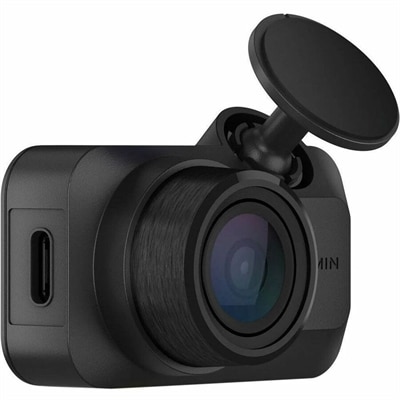
Data Center Security Cameras
Security cameras for critical facilities help create a layered approach to physical protection, extending visibility from entrances and loading areas to interior corridors, restricted rooms, cabinets, and service zones. A well-planned system can discourage unauthorized access, document activity, and help security teams respond quickly when something looks out of place. Indoor dome cameras are a practical choice for hallways, reception areas, and controlled-access rooms because their compact design blends into the surroundings while making it less obvious where the lens is pointed. Bullet-style cameras can provide a clear view across doors, gates, and exterior walls, while pan-tilt-zoom cameras give operators the ability to follow movement, survey a broad area, or zoom in on details such as badges, vehicles, or open doors. For dark perimeters and locations with limited lighting, infrared or thermal imaging can extend visibility through the night and help identify people, vehicles, heat anomalies, or unusual activity. Pole-mounted and mobile units may be useful for temporary work areas, expanding boundaries, parking lots, and construction zones where permanent installation is not yet practical. When selecting cameras, consider the layout of the property, lighting conditions, viewing distance, weather exposure, mounting surfaces, and the level of detail needed for identification. A camera that looks sharp in a well-lit lobby may not deliver the same results across a long outdoor drive or in a dim mechanical room. Resolution, frame rate, low-light performance, viewing angle, night vision range, weather resistance, and tamper detection all affect how useful the recorded footage will be. It is also important to evaluate installation height and lens placement carefully; a camera mounted too high may cover a large area but lose the facial detail needed for an investigation, while one aimed too low may be vulnerable to accidental or intentional interference.
These products can support security personnel, facility managers, property owners, contractors, and organizations that need dependable oversight of sensitive spaces. Some teams use a central monitoring station to review multiple camera feeds, while others rely on alerts that draw attention to activity requiring follow-up. Intelligent analytics may help identify loitering, line crossing, unusual movement, abandoned objects, open doors, or activity during restricted hours, reducing the need for someone to watch every screen continuously. Analytics should be treated as an aid rather than a replacement for good procedures: lighting, camera placement, privacy settings, and clear response plans remain essential. Integration can make the system more useful by connecting cameras with badge readers, door controls, alarm panels, intercoms, fire detection, and environmental sensors. For example, an access event paired with a corresponding camera view can make it easier to confirm whether the right person entered an authorized area. A door-left-open alert can provide visual context before a team member is dispatched, and a perimeter alert can help distinguish an employee arriving for an approved task from an unexpected visitor. Consider how footage will be viewed and retained, who can access it, and how permissions will be managed across shifts and locations. Local recording can provide prompt access during an internet interruption, while remote access can help authorized personnel review events from another building or location. A Cloud Based Security Cameras approach may be useful for organizations that value browser or mobile access, centralized administration, and flexible expansion, provided the solution meets internal privacy, compliance, and connectivity requirements. Strong passwords, multifactor authentication, encrypted connections, software updates, and separate user roles help protect the camera system itself from unauthorized use.
The best camera setup is shaped by the everyday rhythm of the facility. Walk the property at different times of day and note where sunlight creates glare, where shadows conceal a doorway, and where rain, fog, dust, or reflective surfaces could affect the image. Watch how employees, vendors, and visitors naturally move through the site; a frequently propped-open service door or poorly lit side entrance may deserve more attention than a prominent front gate. During warmer weather, outdoor areas may see more deliveries, maintenance work, and temporary activity, while cooler months can bring earlier darkness, condensation, reduced visibility, and weather-related changes in traffic patterns. Choose weather-rated housing and reliable mounting hardware for exposed locations, and confirm that cables, power sources, and network connections are suited to the installation environment. For interior areas, discreet designs can preserve a clean appearance, whereas highly visible cameras may provide a stronger deterrent in entrances and restricted zones. Check whether the system supports the image quality, alert types, viewing access, and expansion options your organization expects to need over time. It is wise to leave room for additional coverage as floor plans change, new access points are added, or temporary projects create new blind spots. Clear signage and a consistent privacy policy can help set expectations for employees and visitors, especially in shared spaces. Whether used by a small facilities team or a larger security operation, thoughtfully selected cameras can turn isolated views into a more complete picture of activity across a property, helping people verify events, protect important areas, and maintain a safer, more accountable environment.
FAQs:
When selecting a security camera for data center use, consider features such as high-resolution imaging, AI-powered analytics for anomaly detection, PTZ (Pan-Tilt-Zoom) capability for flexible monitoring, and seamless integration with access control systems. Cameras with environmental sensors can also help detect hazards like water leaks or overheating, providing an extra layer of protection for sensitive equipment.
Many modern data center CCTV systems offer integration with access control solutions, such as biometric scanners, keycard readers, and mantrap doors. This integration allows for real-time video verification of personnel, automated alerts for unauthorized access attempts, and centralized management through Video Management Software (VMS), streamlining security operations and supporting compliance requirements.
Yes, security cameras play a crucial role in helping data centers meet compliance standards like ISO 27001 and HIPAA. By providing continuous visual records, these cameras support audit trails, incident investigations, and regulatory reporting, ensuring that physical access to sensitive areas is thoroughly documented and verifiable.
Cloud integration enables remote access to live and recorded footage, scalable storage options, and centralized management across multiple sites. This flexibility is ideal for IT teams overseeing distributed data centers, allowing them to monitor activity, receive instant alerts, and manage footage securely from anywhere with an internet connection.
AI-powered analytics can automatically detect unusual behavior such as tailgating, unauthorized item placement, or loitering, and trigger instant alerts for security personnel. This reduces the need for continuous manual monitoring, increases response speed, and helps maintain a high level of security throughout the facility.