$199.99
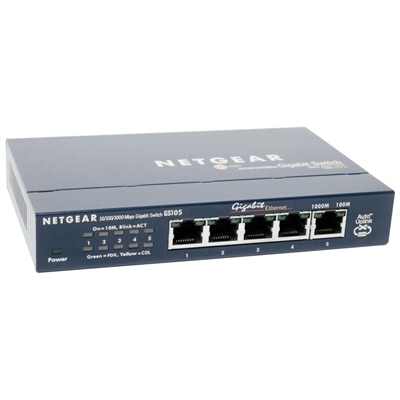
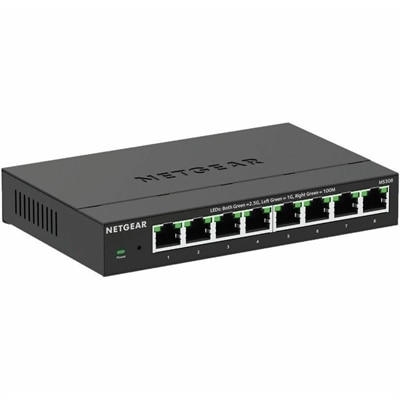
An eight-port metal switch offering fanless, plug-and-play 2.5Gbps networking with desktop or wall mounting.
Unlock the full potential of your business with cutting-edge data center solutions designed to streamline operations and enhance efficiency. As the backbone of modern enterprise infrastructure, these solutions cater to diverse needs, from optimizing storage capabilities to ensuring robust security measures. Whether you're scaling up or refining existing systems, our comprehensive range of offerings provides the flexibility and support necessary for seamless integration into your IT environment. Embrace innovation and drive your business forward with data center solutions that are tailored to meet the demands of today's fast-paced digital world.
An eight-port metal switch offering fanless, plug-and-play 2.5Gbps networking with desktop or wall mounting.
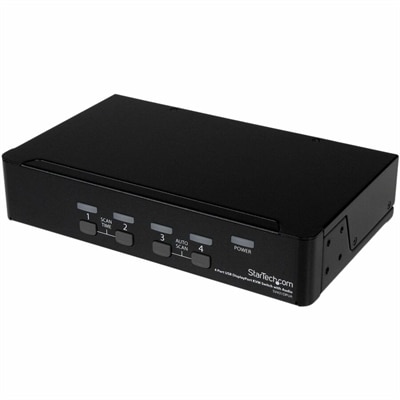
A four-port USB DisplayPort KVM switch with 7.1 HD audio, USB 2.0 hub, and 2560x1600 support.
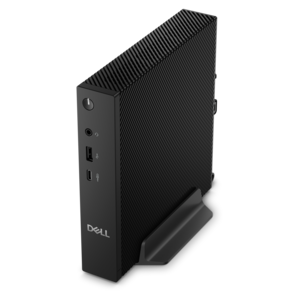
A dense, powerful rack-ready desktop engineered to optimize demanding computing environments.
Data Center Solutions support the people and workflows behind demanding digital operations, from technical specialists monitoring business applications to finance, healthcare, education and creative teams working with large, frequently accessed files. While the right environment depends on an organization’s size, workload and growth plans, dependable computing at the user level remains an important part of the experience. A well-chosen laptop can give an administrator the flexibility to move between a quiet office, a meeting room and a secured operations area, while a desktop can provide a steady, comfortable workstation for employees who spend long hours reviewing dashboards, analyzing reports or managing complex applications. Monitors can make dense information easier to read by giving teams more room for side-by-side windows, detailed charts and live status views. Accessories such as docks, keyboards, mice, headsets, webcams and privacy filters can help create a more consistent workspace, especially when employees divide their time between a central office and remote locations. For organizations comparing options, it is useful to begin with the work itself: identify the applications employees rely on, the amount of multitasking involved, the level of mobility required and the conditions in which each device will be used. A field technician may value a lightweight design, durable construction and long battery life, while an analyst may prioritize processing capability, generous memory and a large, high-resolution display. Matching the device to the person, rather than choosing one configuration for every employee, can make daily work feel smoother and help teams stay productive through changing demands.
When evaluating computing solutions for a technical environment, consider the complete user experience instead of focusing on a single specification. Processing capability affects how quickly applications open and how smoothly several tasks run together, while memory can make a noticeable difference when employees keep numerous browser tabs, documents and business tools active at once. Display size, resolution, brightness and adjustability all influence comfort during extended work sessions; a monitor that can be positioned at the right height and distance may help reduce the cramped feeling that comes from studying detailed information on a small screen. Connectivity is also important, particularly for workstations that need to interact with multiple displays, external drives, specialized peripherals or secure office accessories. A docking solution can simplify a flexible workspace by allowing one connection to support a monitor, keyboard, mouse and other everyday tools. For mobile users, pay attention to weight, keyboard comfort, camera quality, microphone performance and charging convenience, since these details tend to shape the rhythm of a workday. Security features deserve equal attention. Business-focused authentication, privacy options, firmware protection and manageable device settings can help organizations create more consistent safeguards across a distributed workforce. IT teams may also want a platform that is easy to configure, update and maintain over time, with clear support options and a product lifecycle that aligns with internal planning. Teams exploring related capacity and information-management options can also review Data Center Storage as part of a broader technology evaluation, while keeping endpoint requirements, application performance and employee comfort in view.
These solutions can serve a wide range of users. A growing business may equip a small operations group with reliable desktops and adjustable monitors, giving employees a dedicated place to review records, coordinate schedules and respond to customers. A larger organization may standardize laptops and accessories across departments so that employees can move between work areas without relearning their setup. Developers, engineers and analysts often benefit from responsive systems that can handle demanding applications, while managers may value clear video communication, simple docking and a polished workspace for collaboration. Education and research teams can use flexible computing stations for coursework, laboratory analysis and shared projects, while healthcare and professional services groups may place greater emphasis on privacy, manageability and dependable access to essential applications. These products can also make thoughtful gifts for a student entering a technical program, a family member beginning remote work or a home-based professional building a more comfortable office; practical accessories are particularly useful when a full workstation is not needed. As the weather shifts into cooler months and people spend more time indoors, a thoughtfully arranged workspace can make long hours feel more manageable, with a clear display, supportive input devices and lighting positioned to reduce glare. Before purchasing, review compatibility with existing applications and accessories, available ports, warranty coverage, dimensions, upgrade flexibility and the physical space where the device will live. A solution that fits the employee, the room and the organization’s operating habits is more likely to remain useful as responsibilities change, helping technology feel less like an obstacle and more like a dependable part of the workday.
Add the products you would like to compare, and quickly determine which is best for your needs.