$798.00
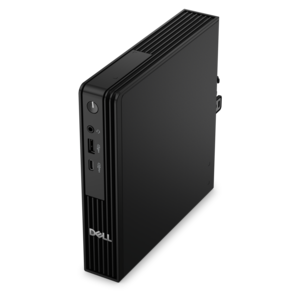
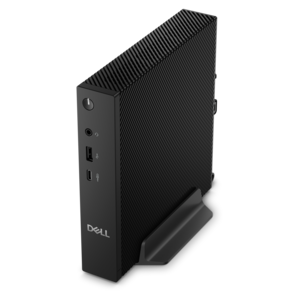
A compact thin client supporting cloud software, ThinOS, Windows 11 IoT Enterprise, or no operating system.
In today's rapidly evolving digital landscape, data center technologies are at the forefront of innovation, providing the backbone for businesses looking to enhance their IT infrastructure. As organizations strive to manage growing volumes of data, streamline operations, and ensure seamless connectivity, cutting-edge data center solutions offer unparalleled scalability, efficiency, and reliability. From energy-efficient servers to advanced networking equipment and storage solutions, these technologies empower enterprises to optimize performance while maintaining robust security protocols. Explore how investing in state-of-the-art data center technologies can transform your business operations and drive success in an increasingly connected world.
A compact thin client supporting cloud software, ThinOS, Windows 11 IoT Enterprise, or no operating system.
Data center technologies support the digital services people rely on every day, from business applications and online collaboration to research, entertainment, and automated operations. Behind those services are carefully planned facilities, high-performance computing systems, information-retention platforms, fast communications pathways, power protection, temperature management, physical safeguards, and software that helps teams use resources efficiently. This page focuses on client technology that helps professionals interact with those environments, monitor operations, review reports, create documentation, and stay productive wherever their work takes them. Laptops are a practical choice for technicians, consultants, analysts, and managers who move between offices, work areas, and remote locations. A desktop can be well suited to a permanent workstation where a larger display, a full-size keyboard, and consistent performance make long sessions more comfortable. Monitors can give teams more room to compare dashboards, review logs, examine diagrams, or keep communication tools visible while completing another task. Accessories such as keyboards, mice, webcams, headsets, docking solutions, and privacy tools can help shape a workspace around the way a person actually works. When evaluating these products, begin with the workflow rather than a feature list. Someone who travels between facilities may value a lighter laptop, dependable battery life, a durable design, and a comfortable keyboard. A person who spends most of the day reviewing detailed information may benefit from a large, sharp display with height adjustment and connectivity that makes it easy to arrange a more ergonomic desk. A shared operations room may need displays that remain clear under varied lighting, while a home office may benefit from a compact setup that can be packed away at the end of the day. I have seen how a small improvement, such as placing a second monitor at the right height or replacing an awkward mouse, can change the rhythm of a workday: fewer windows are hidden, less time is spent switching between tasks, and attention stays on the work instead of the desk.
Choosing technology for work connected to data center operations also means considering compatibility, manageability, security, and support over the expected life of the device. Check the ports and connection options needed for existing displays, peripherals, and workplace tools, especially when a laptop will serve as both a mobile computer and the center of a desk setup. Review the operating system requirements for the applications used by your organization, along with memory and processing needs for virtualization tools, technical dashboards, development environments, data analysis, or other demanding software. A good display decision includes more than screen size: resolution, viewing comfort, adjustability, color consistency, and the ability to organize multiple screens can all affect concentration during extended sessions. For accessories, look for dependable construction and controls that feel natural after hours of use. Teams should also consider device management, user permissions, firmware support, encryption capabilities, and policies for protecting sensitive information in shared or mobile environments. These details are especially important when a laptop or monitor is used to access systems that support critical services. The broader Data Center Infrastructure landscape can include dense computing resources, specialized acceleration for demanding workloads, resilient power, advanced cooling, restricted physical access, virtualization, and automation that helps identify problems before they interrupt service. Client devices do not replace those underlying capabilities, but they provide the working view through which people configure, observe, document, and respond to them. A thoughtful purchase can therefore benefit many users: an information technology professional may use a laptop and external display to investigate an alert from a quiet office; an engineering team may use several monitors to study performance patterns; a student entering a technical field may appreciate a capable computer and comfortable accessories for learning, practice, and portfolio work. These products can also be meaningful gifts for a graduate, new employee, or home-based professional when the selection reflects real needs instead of adding unnecessary complexity. As the weather shifts from warmer days to cooler months, a flexible workspace becomes even more valuable, allowing work to continue comfortably at a dedicated desk, in a shared room, or from another location. Look for a balanced combination of performance, comfort, expandability, security, and dependable support so the technology remains useful well beyond the initial setup.
Add the products you would like to compare, and quickly determine which is best for your needs.