$199.99
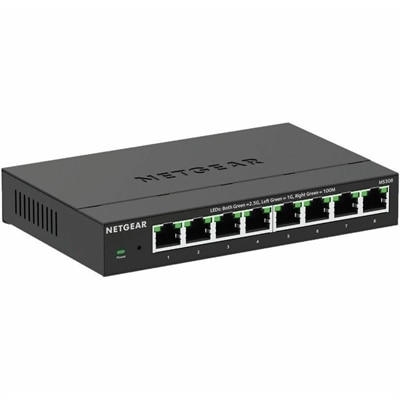
An eight-port metal switch offering fanless, plug-and-play 2.5Gbps networking with desktop or wall mounting.
Elevate your IT capabilities with cutting-edge data center infrastructure that seamlessly integrates into your business operations. As the backbone of modern enterprises, data center infrastructure provides the essential components needed to support and manage large-scale computing environments. From efficient power distribution and cooling solutions to robust networking and storage options, our offerings ensure that your data center operates smoothly and efficiently. Explore a range of innovative solutions designed to enhance performance, scalability, and reliability, empowering your organization to meet the demands of today’s digital landscape.
An eight-port metal switch offering fanless, plug-and-play 2.5Gbps networking with desktop or wall mounting.
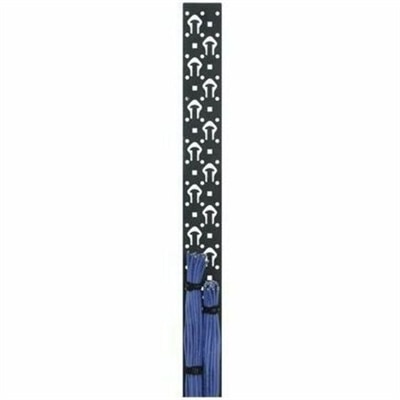
A black powder-coated steel lacer strip providing vertical cable management with tie posts and mounting holes.
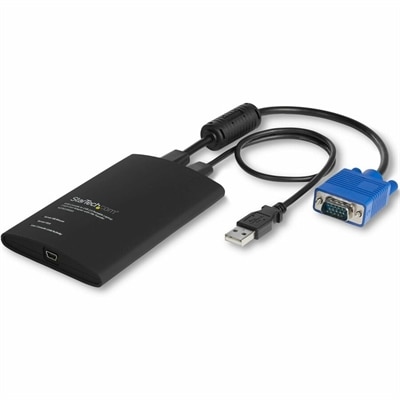
A compact USB/VGA crash cart adapter enabling BIOS-level control, file transfer and 1920×1200 video capture.
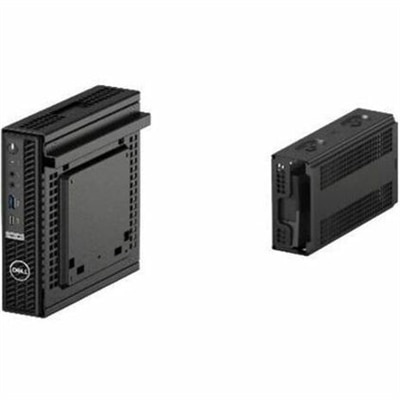
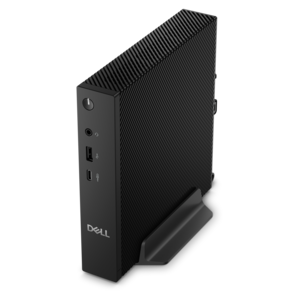
A dense, powerful rack-ready desktop engineered to optimize demanding computing environments.
Data Center Infrastructure supports the digital services people rely on for work, communication, commerce, research, and entertainment. While the behind-the-scenes environment may be located in a dedicated facility, many of the professionals who plan, monitor, maintain, and improve these operations work from offices, control rooms, engineering spaces, or home workstations. A dependable computing setup can make it easier to review performance information, document procedures, coordinate projects, analyze trends, and respond to changing priorities. Laptops are useful for specialists who move between locations or need to stay connected during facility walkthroughs, meetings, and maintenance visits. Desktop computers can provide a comfortable, consistent workspace for teams that spend long hours reviewing dashboards, preparing reports, managing configurations, or working with demanding business applications. Monitors can add valuable screen area for comparing information side by side, keeping communication tools visible, or following several workflows without constant window switching. Accessories such as keyboards, mice, webcams, headsets, and connectivity solutions can help create a more organized and comfortable workstation. When choosing products for this type of work, consider the applications involved, the number of people who will use the equipment, the physical layout of the workspace, and the level of mobility required. A traveling technician may value a lightweight design, long battery life, and a durable build, while an analyst or administrator working from a fixed desk may benefit from a larger display, a full-size keyboard, and a desktop computer with room to support several everyday tasks at once. The right choices should fit naturally into established workflows rather than adding unnecessary complexity.
Organizations evaluating technology for data center infrastructure often begin by identifying the people, processes, and locations that the equipment must support. A facilities team may need clear displays for operational dashboards and documentation, while an engineering group may prioritize responsive performance for development, testing, virtualization, or technical analysis. Project managers and business leaders may place greater emphasis on video conferencing, document collaboration, accessibility features, and simple device management. In each case, compatibility matters. Review operating system requirements, available ports, wireless connectivity, display resolution, camera and microphone quality, security features, and support options before making a decision. Ergonomics also deserves attention, especially for employees who spend much of the day at a desk. A monitor positioned at a comfortable height, an input device that supports a natural hand position, and a laptop dock that reduces cable clutter can make a noticeable difference by the end of a long shift. In shared work areas, consider easy adjustments, straightforward login procedures, and accessories that can be cleaned or moved without disruption. In remote or hybrid environments, products should support reliable communication and make it easy to transition between home, office, and facility-based work. Seasonal changes can also influence practical choices: during cooler months, teams may spend more time indoors reviewing projects, refreshing procedures, and preparing systems for heavier business periods, making a comfortable and dependable workstation especially valuable. For additional context on technology used across modern business environments, explore Data Center Technologies.
Selecting equipment for professionals who support large-scale digital operations is also an opportunity to think about longevity and everyday ownership. Look for designs that are easy to maintain, straightforward to deploy, and suitable for the organization’s existing support practices. Standardized configurations can simplify onboarding and training, while flexible connectivity can help employees attach the displays, input devices, and other accessories they already use. Energy-conscious operation may be important for companies reviewing the long-term impact of a large device fleet, and a product’s serviceability can matter just as much as its initial specifications. Before ordering, estimate the number of users, determine whether equipment will be assigned individually or shared, and allow room for future growth. It can be helpful to speak with employees about the small frustrations that slow them down: a display that feels cramped, a camera that struggles in low light, a keyboard that is uncomfortable during extended documentation, or a laptop that is difficult to carry between work areas. Those details often reveal which improvements will have the greatest practical value. These products can also be thoughtful gifts for a student entering computer science, an aspiring developer, a technology enthusiast, or a family member creating a more capable home office. A reliable laptop, an expansive monitor, or a well-chosen accessory can support learning, creative projects, professional certification, and personal organization long after the initial setup. Whether outfitting a dedicated team or improving one person’s workspace, focus on dependable performance, comfortable use, useful connectivity, and a configuration that can adapt as responsibilities evolve.
Add the products you would like to compare, and quickly determine which is best for your needs.