$65.99
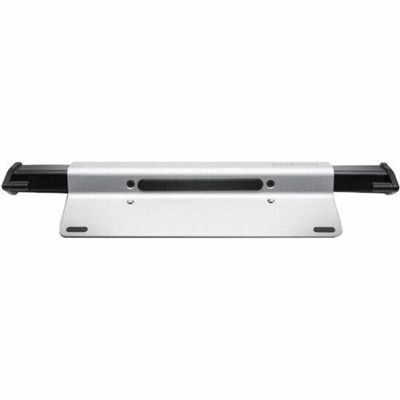
A brushed aluminum laptop locking station with adjustable arms, slim resettable combination lock and protective bumpers.
Safeguarding sensitive information is more critical than ever, and investing in robust data security products is a key step in protecting your digital assets. From advanced encryption solutions to comprehensive firewall systems, these tools are designed to shield your data from unauthorized access and cyber threats. Whether you're a business aiming to secure client information or an individual looking to protect personal files, our selection of data security products offers reliable options tailored to meet diverse security needs. Explore our range to find the ideal solutions that align with your security strategy and ensure peace of mind in today's digital landscape.
A brushed aluminum laptop locking station with adjustable arms, slim resettable combination lock and protective bumpers.
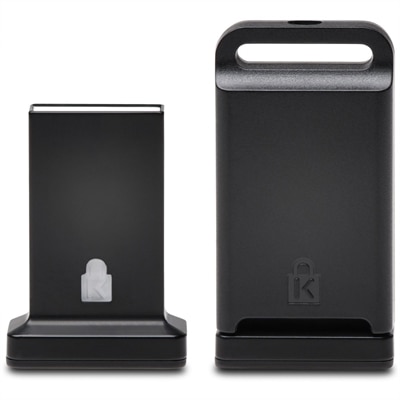
A cross-platform USB-A fingerprint security key offering FIDO2, FIDO U2F, passwordless and multi-factor authentication.
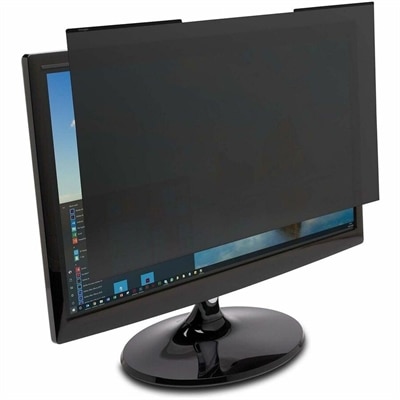
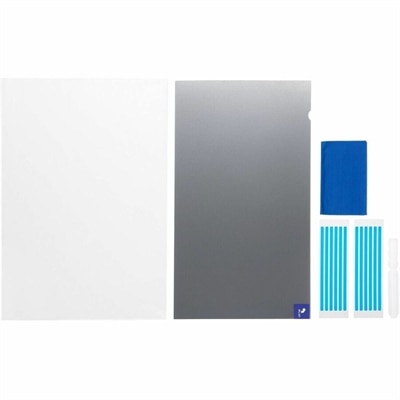
A reversible magnetic privacy filter limits viewing to ±30°, reduces blue light and glare, and resists scratches.
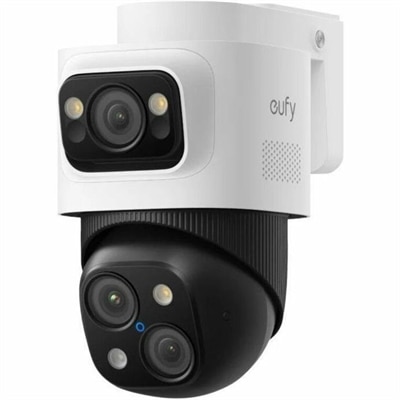
A weatherproof PoE security system with 2TB local recording, AI noise reduction, and expandable 8-to-16-channel monitoring.
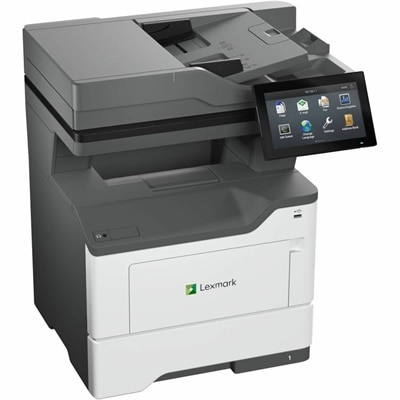
A secure monochrome multifunction laser printer with wired/wireless connectivity, 50-ppm printing and 104-ipm duplex scanning.
Data security products help protect digital information from unauthorized access, exposure, alteration, or loss. For everyday laptop and desktop use, that protection can involve security software, identity verification tools, encryption features, and physical privacy accessories. Each addresses a different part of the way information moves through a day, from signing in before breakfast to opening an attachment at work or reviewing financial documents in the evening. Endpoint protection focuses on the computer itself, helping detect malicious software and suspicious activity. Encryption makes protected information unreadable without the appropriate key, while access controls limit which people can open files or change settings. Multifactor authentication adds another verification step beyond a password, reducing dependence on a single credential. These functions complement one another rather than serving as interchangeable substitutes: an encrypted computer can help protect files if the device is lost, but it does not automatically prevent someone from reading an unlocked screen. Likewise, malware protection cannot guarantee that every convincing fraudulent message will be recognized. A useful combination reflects both the sensitivity of the information and the places where a computer is used. A student carrying a laptop between a residence hall and a library faces different exposure than someone using a desktop in a private home office. A small business handling customer records may also need consistent settings across employee computers and clear controls for granting or removing access. The broader category of Security Software Solutions includes software-based approaches that can support these everyday protection needs. Across this category, the meaningful distinctions are what information a product protects, how it verifies access, which threats it addresses, and how much ongoing attention it requires. Clear feature descriptions matter more than broad claims, particularly when a product combines several protective functions under one subscription or license. No single layer replaces careful account management, current software, or a reliable way to recover important files.
Software compatibility and day-to-day usability have a direct effect on how well data protection fits into a household or workplace. Supported operating systems, minimum hardware requirements, license terms, and the number of covered devices determine whether a security application suits a single personal laptop or several shared computers. Some features depend on a particular operating system edition, supported hardware, or a separate account, so similar descriptions do not necessarily mean identical protection. Real-time scanning can examine files as they are opened or downloaded, while scheduled scans provide another opportunity to check a computer when it is not needed for a video call or a deadline. Performance requirements deserve attention on lightweight laptops used for coursework and on desktops running demanding creative applications. Straightforward alerts are equally important: a warning should make the affected file, application, or account understandable without requiring the user to interpret technical logs. For someone reviewing tax documents at the kitchen table, protection that works quietly in the background may be a better fit than a system requiring frequent manual decisions. In a small office, centralized endpoint management may be useful for applying consistent policies and checking whether employee laptops are receiving updates. Data loss prevention, where supported, can identify certain sensitive information and restrict actions such as copying or sending it through covered applications. Its effectiveness depends on the configured rules and the channels it can inspect; it is not a universal barrier against disclosure. Identity and access management features serve a different purpose, helping control who can sign in and what they are permitted to access. Encryption adds confidentiality, but recovery credentials need careful handling because losing them can make protected files inaccessible. Secure recovery arrangements and separate copies of essential documents support resilience when equipment fails or files are damaged. For households sharing a computer, individual accounts and appropriate permissions can also help keep personal documents separate without making ordinary tasks unnecessarily complicated.
Physical security and privacy accessories bring another dimension to data protection, especially for laptops that travel and monitors positioned in shared spaces. A privacy filter narrows the viewing angle of a compatible screen, making content harder to read from the side while preserving a usable view from directly in front. That can be helpful when a commuter reviews a document on a train or an employee works at a desk beside a frequently used hallway. It does not conceal the display from someone standing directly behind the user, and it does not encrypt anything on the computer. Fit involves more than the advertised screen diagonal: aspect ratio, visible display dimensions, bezel design, touchscreen support, and the attachment method all affect the result. Depending on the design, a filter may change perceived brightness, clarity, or touch response. Surface finish matters as well, with matte surfaces potentially reducing reflections while introducing a different visual texture. Removable designs can suit people who alternate between private work and sharing their screen with a colleague. Cable locks and compatible mounting accessories address physical retention rather than digital confidentiality, offering a deterrent when a laptop remains at a shared desk. Their usefulness depends on the device’s lock interface, the lock mechanism, cable construction, and a suitable anchor point. Hardware authentication accessories have another role, supporting compatible account sign-ins through a physical device; connector type, supported authentication standards, and recovery options determine practical fit. Durability across these accessories comes down to repeated handling as much as material choice. Attachment tabs, connectors, hinges, and cable joints experience wear when equipment is packed and unpacked every day. Care should follow the manufacturer’s directions, particularly for screen-contact surfaces and electronic connectors. A soft, nonabrasive cloth and protected transport can help limit scratches, while avoiding unnecessary strain helps preserve connectors and attachment points. For a student, frequent traveler, remote worker, or family member setting up a home office, well-matched privacy accessories can make a thoughtful, practical gift when the recipient’s device specifications are known. The strongest fit is protection that suits the equipment, respects everyday routines, and remains manageable over time.
Add the products you would like to compare, and quickly determine which is best for your needs.