Security Software Solutions

Filters

In today's digital landscape, safeguarding your personal and professional data is more crucial than ever. Security software solutions offer a robust line of defense against cyber threats, ensuring peace of mind whether you're browsing, banking, or managing sensitive information. From advanced firewalls to comprehensive antivirus protection, these solutions are designed to shield your devices from evolving threats and vulnerabilities. Explore a range of options that provide the security you need to protect what matters most in your digital world.

$135.00

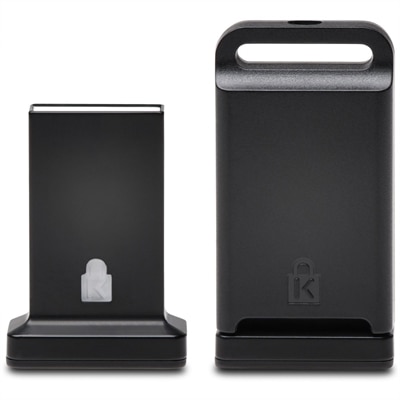
An AI-powered cybersecurity platform providing real-time endpoint protection, USB device control, and advanced threat response.

$135
An AI-powered cybersecurity platform providing real-time endpoint protection, USB device control, and advanced threat response.
$75.00

An AI-powered cybersecurity suite delivering real-time threat protection, malware prevention, and centralized monitoring for multiple operating systems.

$75
An AI-powered cybersecurity suite delivering real-time threat protection, malware prevention, and centralized monitoring for multiple operating systems.
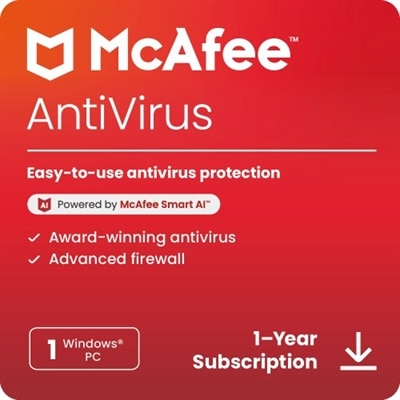
$49.99

An advanced antivirus software offering AI-driven threat detection and comprehensive online protection for one Windows PC.

$49.99
An advanced antivirus software offering AI-driven threat detection and comprehensive online protection for one Windows PC.
$169.99

A comprehensive security software offering antivirus, identity monitoring, and parental controls for unlimited devices.

$169.99
A comprehensive security software offering antivirus, identity monitoring, and parental controls for unlimited devices.
$84.99

A comprehensive security solution offering antivirus, identity monitoring, and VPN for one device across multiple platforms.

$84.99
A comprehensive security solution offering antivirus, identity monitoring, and VPN for one device across multiple platforms.
$99.99

A comprehensive security solution offering antivirus, identity monitoring, and VPN for three devices across multiple platforms.

$99.99
A comprehensive security solution offering antivirus, identity monitoring, and VPN for three devices across multiple platforms.
$34.99

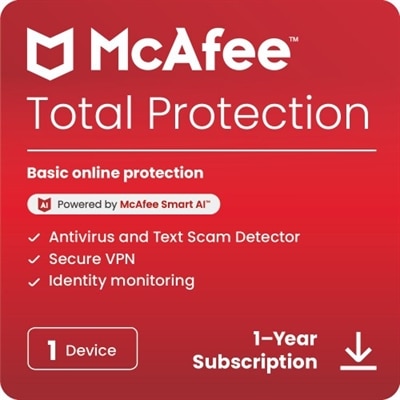
A comprehensive security solution offering antivirus, identity monitoring, and VPN for five devices over one year.

$34.99
A comprehensive security solution offering antivirus, identity monitoring, and VPN for five devices over one year.
$149.99

An all-in-one security solution offering antivirus, identity monitoring, and VPN for unlimited devices.

$149.99
An all-in-one security solution offering antivirus, identity monitoring, and VPN for unlimited devices.
$9754.79

A next-gen firewall appliance delivering advanced threat prevention, centralized management, and multi-gigabit performance for enterprises.

$9754.79
A next-gen firewall appliance delivering advanced threat prevention, centralized management, and multi-gigabit performance for enterprises.
$42755.00

A rack-mountable firewall appliance offering high port density, advanced threat protection, and intuitive management.

$42755
A rack-mountable firewall appliance offering high port density, advanced threat protection, and intuitive management.
$458.99

A desktop firewall appliance offering 10 Gigabit Ethernet interfaces and advanced real-time threat protection.

$458.99
A desktop firewall appliance offering 10 Gigabit Ethernet interfaces and advanced real-time threat protection.
$1101.99

A desktop security appliance offering advanced threat protection with GigE, 2.5 GigE, and dual-band Wi-Fi.

$1101.99
A desktop security appliance offering advanced threat protection with GigE, 2.5 GigE, and dual-band Wi-Fi.
$79.95

An all-in-one software suite offering security, privacy, and optimization to protect against modern digital threats.

$79.95
An all-in-one software suite offering security, privacy, and optimization to protect against modern digital threats.
$79.99

A comprehensive security software suite protecting five devices from viruses, scams, and online threats for one year.

$79.99
A comprehensive security software suite protecting five devices from viruses, scams, and online threats for one year.
$100.00

A security tool that permanently removes unwanted data, ensuring no possibility of recovery.

$100
A security tool that permanently removes unwanted data, ensuring no possibility of recovery.
$1266.49

A desktop firewall appliance offering 10 Gigabit Ethernet interfaces and advanced real-time threat protection.

$1266.49
A desktop firewall appliance offering 10 Gigabit Ethernet interfaces and advanced real-time threat protection.
$535.00

A compact desktop firewall appliance offering advanced threat protection, intrusion prevention, and simplified remote management.

$535
A compact desktop firewall appliance offering advanced threat protection, intrusion prevention, and simplified remote management.
$1174.44

A compact, fanless desktop firewall appliance offering top-tier security and SD-WAN for enterprise branches.

$1174.44
A compact, fanless desktop firewall appliance offering top-tier security and SD-WAN for enterprise branches.
$1508.79

An advanced security appliance with firewall protection, VPN support, and high port density for small organizations.

$1508.79
An advanced security appliance with firewall protection, VPN support, and high port density for small organizations.
$10.00

A security tool that permanently removes unwanted data on Android devices, preventing any data recovery.

$10
A security tool that permanently removes unwanted data on Android devices, preventing any data recovery.
$29.95

A powerful software ensuring secure data deletion with up to 100 overwrites, protecting your privacy.

$29.95
A powerful software ensuring secure data deletion with up to 100 overwrites, protecting your privacy.
$39.99

A comprehensive 1-year subscription offering theft recovery, remote locking, and data protection for devices.

$39.99
A comprehensive 1-year subscription offering theft recovery, remote locking, and data protection for devices.
$50.00

A secure VPN software license for Windows, offering streamlined management and reliable corporate access.

$50
A secure VPN software license for Windows, offering streamlined management and reliable corporate access.
$59.99

A one-year subscription offering theft recovery, remote data protection, and a $1,000 recovery guarantee.

$59.99
A one-year subscription offering theft recovery, remote data protection, and a $1,000 recovery guarantee.

Security Software Solutions

Security software solutions are programs and services designed to help protect laptops, desktops, mobile devices, accounts and digital files from threats such as malware, ransomware, spyware, phishing, unauthorized access and harmful downloads. A well-chosen security program can work quietly in the background, much like a porch light that makes a home feel safer without changing the way people live in it. Antivirus and endpoint protection tools scan files, websites, email attachments and connected devices for suspicious activity, while threat detection features can identify unusual behavior that may not match a known virus. Firewall controls help monitor incoming and outgoing traffic, and virtual private network software can add privacy when someone connects through public Wi-Fi at a café, airport or hotel. Other security software focuses on password management, identity monitoring, parental controls, secure file handling or backup support, giving households and individuals several ways to reduce exposure across their digital routines. These solutions can be useful for a student carrying a laptop between classes, a remote worker moving between a home office and a shared workspace, or a family that keeps photos, financial records and personal documents on multiple devices. During the cooler months, when more time may be spent indoors catching up on work, streaming entertainment or organizing household paperwork, dependable protection can help make those everyday activities more comfortable. A practical starting point is to consider the devices being used, the operating systems they run, the number of people who need coverage and whether protection is needed for personal use, professional work or both. Comparing these details with the software’s supported devices, update process and feature set can make it easier to find a suitable fit through Cybersecurity Solutions.

Different types of security software address different parts of the digital environment, and the strongest overall approach often combines several layers rather than relying on a single feature. Endpoint security protects individual laptops, desktops and phones by scanning for malicious files, blocking suspicious programs and alerting users when activity appears unsafe. Network security software can help guard an internet connection by filtering unwanted traffic and preventing unauthorized access, while firewall tools create rules for what may communicate with a device. Cloud security focuses on accounts, applications and files hosted online, helping organizations manage permissions, verify users and protect information that may be accessed from many locations. Application security supports the protection of software itself by identifying vulnerabilities, limiting unauthorized data access and helping keep applications safer after installation. For personal use, simple controls and clear notifications matter because protection should be understandable when a warning appears in the middle of a busy day. For a small office, a larger feature set may be more important, including centralized administration, device visibility, user access controls, reporting and support for multiple employees. Families may look for coverage that extends across shared computers and phones, along with tools that help younger users avoid unsafe websites or suspicious messages. Someone purchasing a security software solution as a practical gift for a new computer owner may value easy setup, broad device compatibility and an interface that does not demand constant attention. Whether the user is opening a work document, shopping online, joining a video call or sending photographs to relatives, the right protection should fit naturally into those habits while helping reduce the chance that one careless click becomes a larger problem.

Before choosing a security software solution, review how it handles automatic updates, real-time scanning, ransomware protection, phishing detection and privacy controls. Threats change over time, so software that receives regular security intelligence and updates can be better prepared for newly discovered risks than a program that depends on occasional manual checks. It is also worth confirming how many devices are included, whether coverage can be transferred when a computer is replaced, and whether the software is compatible with the operating systems and applications already in use. Performance is another important consideration: protection should be thorough without making everyday tasks feel sluggish, especially on a laptop used for work, school or creative projects. Look for straightforward alerts that explain what happened and what action is recommended, since an unclear warning can be as frustrating as a locked door with no key. Privacy policies, data collection practices, customer support options and account recovery procedures deserve attention as well. Businesses may need to evaluate user roles, audit records, regulatory expectations and ways to separate access to sensitive files, while individuals may place greater emphasis on identity monitoring, secure browsing and protection for personal accounts. No software can replace thoughtful habits, including using strong, unique passwords, enabling multifactor authentication, installing operating system updates, checking links before opening them and keeping important files backed up. Used together, these habits and software protections create a more resilient digital routine for work, learning, communication and entertainment throughout the year.

FAQs:

When selecting security software for your home office, prioritize features such as real-time antivirus and antimalware protection, robust firewall capabilities, password management tools, and automatic updates. Additional benefits like VPN support and multi-factor authentication can further enhance your security, especially if you frequently work with sensitive information or connect to public networks.
Many security software solutions offer multi-device licensing, allowing you to protect several laptops, desktops, or tablets under a single subscription. This is ideal for families, remote workers, or small business owners who need to secure multiple systems efficiently. Always check compatibility with your operating systems before installation.
Dell application security is designed to prevent unauthorized access, block malicious software, and safeguard your personal data by monitoring and controlling the applications running on your device. It adds an extra layer of defense by identifying and neutralizing potential threats before they can compromise your information.
Yes, there are many user-friendly security software solutions tailored for students. These often include features like parental controls, safe browsing tools, and identity monitoring, making them ideal for protecting personal information and ensuring a secure online learning environment.
A password manager securely stores all your login credentials in an encrypted vault, helping you create strong, unique passwords for each account. This reduces the risk of password reuse and simplifies the process of accessing your online accounts, making your digital life both safer and more convenient.

Add the products you would like to compare, and quickly determine which is best for your needs.
Add the products you would like to compare, and quickly determine which is best for your needs.