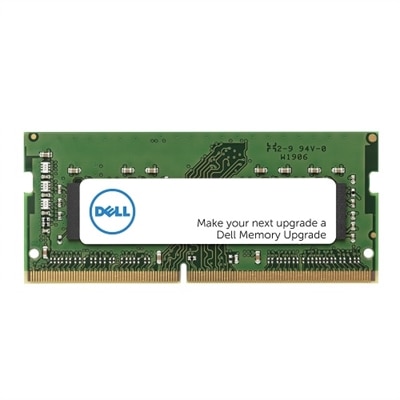
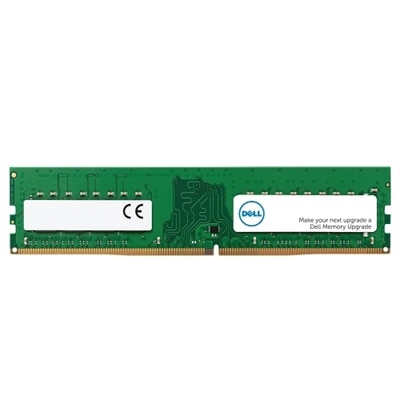
Dell DDR5 RAM: High-Speed Upgrade
Unlock the next level of computing performance and get a high-speed upgrade with DDR5 memory, the latest advancement in RAM technology. Designed to deliver significantly faster speeds and enhanced efficiency, our top-tier Dell DDR5 RAM modules ensure your system operates at peak performance, whether you're experiencing lightning-fast load times in the latest games, enjoying accelerated responsiveness during intense multitasking, or streamlining your creative workflows with demanding applications.
This product is not available
Check out the following recommendations.




Dell DDR5 RAM: High-Speed Upgrade
DDR5 RAM is a practical way to give a compatible laptop or desktop more room to handle demanding work, creative projects, games, and everyday multitasking. System memory acts like a broad work surface for the programs in use: with more available capacity, a computer can keep more browser tabs, documents, photo libraries, communication apps, and background utilities ready without repeatedly moving information in and out of slower storage. DDR5 also provides greater data bandwidth than earlier memory generations, helping compatible systems move information efficiently during tasks such as compiling code, editing high-resolution media, working with large spreadsheets, rendering 3D scenes, or loading expansive game environments. Common operating speeds include 4800 MT/s and 5600 MT/s, while standard operating voltage is typically 1.1V. The right upgrade can make a computer feel less crowded during a busy afternoon, whether that means switching between a video call and a presentation, keeping reference material open while studying, or returning to a creative project without closing half the workspace. Capacity matters as much as speed. A 16GB configuration can be a sensible starting point for general productivity and light creative work, while 32GB or more may be better suited to heavier multitasking, advanced editing, engineering applications, virtual machines, or games that place greater demands on memory. More memory does not automatically make every computer faster, and it cannot compensate for incompatible hardware, but it can reduce slowdowns caused by running short of available system memory. For shoppers comparing upgrade options, the computer’s supported capacity, memory generation, speed, form factor, and module type should be treated as a complete set rather than separate specifications. A careful match helps the upgrade work as intended and avoids the frustration of opening a computer only to discover that the selected memory cannot be installed.
Compatibility is the most important consideration when choosing DDR5 RAM. Laptop memory commonly uses a compact SODIMM form factor, while many desktop computers use full-size UDIMM modules, but the slot style alone does not tell the whole story. Some newer thin laptops and mobile workstations use specialized CAMM-based memory designs, so the computer’s service documentation and compatibility information should be checked before placing an order. The system may also support a specific maximum capacity or a limited range of operating speeds. Memory rated for a higher speed may run at the highest speed supported by the computer, while installing a slower module can limit the overall configuration. Mixing memory with different speeds or timings can cause the system to operate at the lowest common speed, and mixing incompatible capacities or module types may lead to instability or prevent the computer from starting. DDR5 memory should not be substituted for DDR4 or another generation simply because the module appears similar; the notch position, electrical requirements, and platform support differ. It is also important to distinguish between non-ECC and ECC memory. Non-ECC modules are common in everyday laptops and desktops, while ECC options are designed for compatible professional systems that support error correction. ECC and non-ECC memory are not interchangeable in every computer, and the motherboard or system documentation should identify the required type. Before selecting an upgrade, note the exact computer model, existing memory capacity, number of occupied slots, supported maximum, and whether the system uses a removable module or an integrated design. A manufacturer’s memory selector, product specifications, or service manual can help confirm these details. For a new computer purchase, browsing compatible DDR5 Computers can also help shoppers compare systems built around this newer memory standard instead of planning an upgrade after the fact.
DDR5 RAM can suit a wide range of users, from someone refreshing a well-used home computer to a professional preparing a mobile workstation for demanding assignments. Students may appreciate the extra headroom when research tabs, online coursework, note-taking tools, and video meetings all need to remain open together. Remote workers can use additional memory to keep collaboration software, spreadsheets, presentations, and multiple displays moving smoothly throughout the day. Creators working with photographs, video timelines, music projects, or large design files may benefit from a higher-capacity configuration that keeps active assets accessible while other applications remain open. Gamers often look for a balanced system in which memory capacity and speed complement the processor, graphics hardware, and software requirements rather than relying on one specification alone. An upgrade can also be a thoughtful gift for a college student, a family member who enjoys digital photography, or a home user whose computer has begun to struggle with ordinary multitasking. It is especially useful when the recipient already has a compatible computer and has mentioned slowdowns, frequent application reloads, or difficulty keeping several programs open. Installation should be handled with care: shut down the computer fully, disconnect power where appropriate, work on a clean surface, and follow the system’s service instructions. Static electricity, forced insertion, or opening a device that is not designed for user upgrades can cause damage, so professional installation may be the better choice for some laptops. After installation, the operating system should recognize the new capacity, and system diagnostics can help confirm that the memory is functioning correctly. During the warmer or cooler parts of the year, when home offices, schoolwork, and indoor entertainment often share the same computer, dependable memory can make everyday use feel more fluid. The best choice is not simply the fastest or largest module available; it is the DDR5 configuration that matches the computer’s supported form factor, capacity, speed, voltage, and memory type while leaving enough room for the way the system will be used.
FAQs:
Upgrading to Dell DDR5 RAM offers significantly higher data transfer speeds, increased bandwidth, and improved energy efficiency compared to earlier memory generations. This results in faster application load times, smoother multitasking, and enhanced performance in demanding tasks such as gaming, content creation, and large-scale data processing.
DDR5 RAM is ideal for users who require top-tier performance, such as gamers, creative professionals, engineers, and students working with resource-intensive applications. It also benefits anyone who wants a more responsive and future-ready computer for everyday multitasking and productivity.
To ensure compatibility, check your Dell system’s technical specifications or user manual for supported memory types and maximum capacities. Look for information about whether your device uses DDR5 DIMMs (for desktops) or SODIMMs (for laptops) and confirm that your model is designed for DDR5 technology.
Dell DDR5 RAM includes advanced features such as on-die ECC (Error Correction Code) for improved error detection and correction, as well as enhanced signal integrity and training features. These innovations help maintain system stability and reliability, especially during heavy workloads or extended use.
DDR5 RAM makes an excellent gift for tech enthusiasts, students, or professionals who want to boost their system’s speed and multitasking capabilities. It’s especially appreciated by those who use their Dell computers for gaming, creative work, or other performance-intensive activities.