$79.95
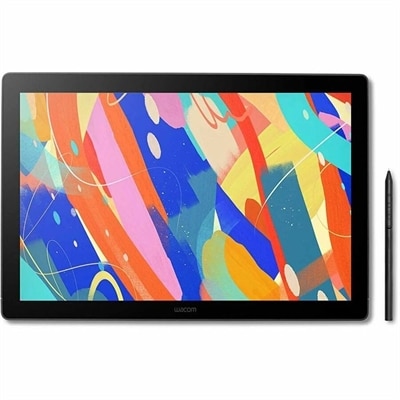
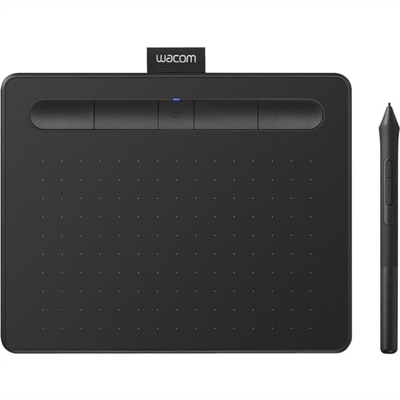
A wireless black graphics tablet with pressure-sensitive pen, Bluetooth, USB connectivity, and creative software for artistry.
Unlock your artistic potential with our range of drawing tablets, designed to bring your creative visions to life. Whether you're a professional artist, a budding illustrator, or someone who loves to doodle, our selection of drawing tablets offers the perfect blend of precision and flexibility to suit your needs. Explore the latest technology that allows you to seamlessly sketch, design, and edit with ease. Dive into a world where your imagination can run wild, and create stunning digital art with tools that are both intuitive and powerful. Discover how drawing tablets can transform your creative process today.
A wireless black graphics tablet with pressure-sensitive pen, Bluetooth, USB connectivity, and creative software for artistry.
A drawing tablet with 2.5K anti-glare etched glass, pressure-sensitive pen, tilt support, and 99% DCI-P3 coverage.
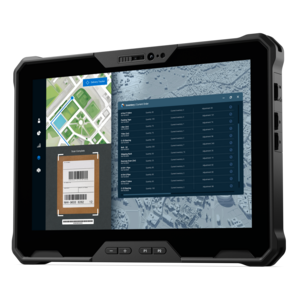
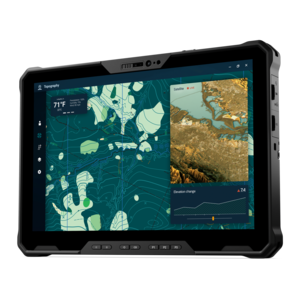
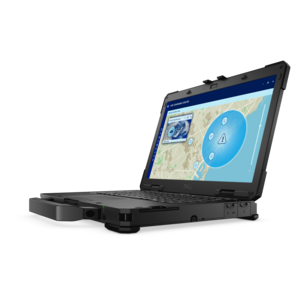
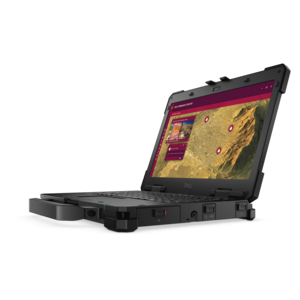
A lightweight rugged tablet with improved battery life, Copilot+ PC, and Intel Core Ultra 200V processors.
A fully rugged tablet with Copilot+ features, designed for all-day productivity and extended battery life.
Drawing tablets give artists, designers, students, and visual thinkers a more natural way to create digital work, combining the familiar motion of pen on paper with the flexibility of computer software. Depending on the format, a drawing tablet may connect to a laptop or desktop and let you view your work on a separate monitor, or it may include its own screen so you can draw directly on the image. Screen-free pen tablets are often a practical choice for beginners, illustrators building a home workspace, and anyone who already has a reliable monitor. They can also be comfortable for extended sessions because the drawing surface stays in front of the user while the monitor sits at a preferred viewing height. Pen displays, by contrast, place the artwork directly beneath the stylus, which can feel intuitive for sketching, line work, painting, photo retouching, animation, and design. Standalone tablets combine a display, operating system, battery, and creative apps in one portable device, making it easier to move from a desk to a kitchen table, classroom, studio, or quiet corner during the cooler months. When comparing drawing tablets, consider the type of work being done, the available workspace, and the devices already in use. A compact model can fit beside a laptop and leave room for a keyboard, notebook, or reference materials, while a larger surface may provide more comfortable room for broad strokes, detailed illustrations, and multi-layer compositions. Screen size, display resolution, color accuracy, viewing angles, brightness, and surface texture all influence how an image looks and how the stylus feels as it moves. A matte finish can provide subtle resistance that resembles paper, while a smoother surface may be preferred for quick gestures and fluid strokes. A tablet’s active area matters as much as its overall dimensions, particularly when desk space is limited.
The stylus is central to the drawing experience. Look for responsive pressure sensitivity that allows light touches to create delicate lines and firmer strokes to add weight, along with tilt support for shading and calligraphic effects when compatible software supports it. Battery-free pens can be convenient because they do not need charging, while rechargeable styluses may offer additional controls, wireless features, or integrated shortcut functions. Replacement nibs, an included pen holder, an eraser end, and easy access to customizable buttons can make a noticeable difference over time. Express keys, dial controls, and programmable pen buttons help users zoom, undo, change brush size, rotate a canvas, or switch tools without repeatedly reaching for a keyboard. Compatibility should be checked before choosing a tablet, including support for the operating system, creative applications, connection type, and required drivers. Some models connect through USB, while others may support wireless connections for a cleaner desktop. Artists who work with a laptop may value a lightweight design and a single-cable setup; those creating at a fixed workstation may prefer a larger display, an adjustable stand, and extra ports. A tablet that works smoothly with illustration, painting, animation, modeling, note-taking, and image-editing applications can serve several roles rather than being limited to one creative specialty. It can pair with a desktop or laptop, while a separate monitor may be useful for keeping reference images, tool panels, or project notes visible. For more ideas that support digital creativity across different setups, explore Computer Drawing Tools. Ergonomics are worth considering as well: an adjustable angle can reduce wrist strain, a larger active area can help users who draw from the shoulder, and a compact design can be easier to carry between rooms. Cable placement, palm rejection, shortcut layout, and the ability to use a protective case or screen cover may seem like small details, but they shape everyday comfort.
Drawing tablets can be a thoughtful gift for a wide range of people, including an aspiring illustrator, a student learning digital art, a photographer exploring retouching, a hobbyist making character sketches, or a professional who wants a dedicated creative workspace. For someone new to digital drawing, a straightforward tablet with dependable pen response and accessible controls can make the transition from paper less intimidating. A creator who already uses a laptop or desktop may appreciate a pen tablet that expands the computer’s capabilities without requiring a separate all-in-one device. A frequent traveler, college student, or artist who likes to capture ideas away from the desk may prefer a standalone tablet with a bright display, strong battery life, and enough storage for reference files and creative applications. Families can use drawing tablets for digital coloring, school projects, handwriting practice, and collaborative activities, while educators and presenters may use them to annotate documents or explain ideas visually. Professional users often look for precise color reproduction, dependable performance, generous working space, and compatibility with established desktop workflows. Beginners may place greater value on ease of setup, compact dimensions, included accessories, and a gentle learning curve. The right choice ultimately depends on where the tablet will be used, whether the user prefers drawing on the surface while looking at a monitor or working directly on the image, and how much room is available for accessories. A supportive stand, comfortable stylus, protective sleeve, external keyboard, and quality monitor can further improve the setup. Whether it is used for quick thumbnail sketches at a café, detailed concept art at a desk, handwritten notes during class, or polished illustrations late in the evening, a drawing tablet can turn creative ideas into editable digital work while leaving plenty of room to develop new techniques.
Add the products you would like to compare, and quickly determine which is best for your needs.