$49.99
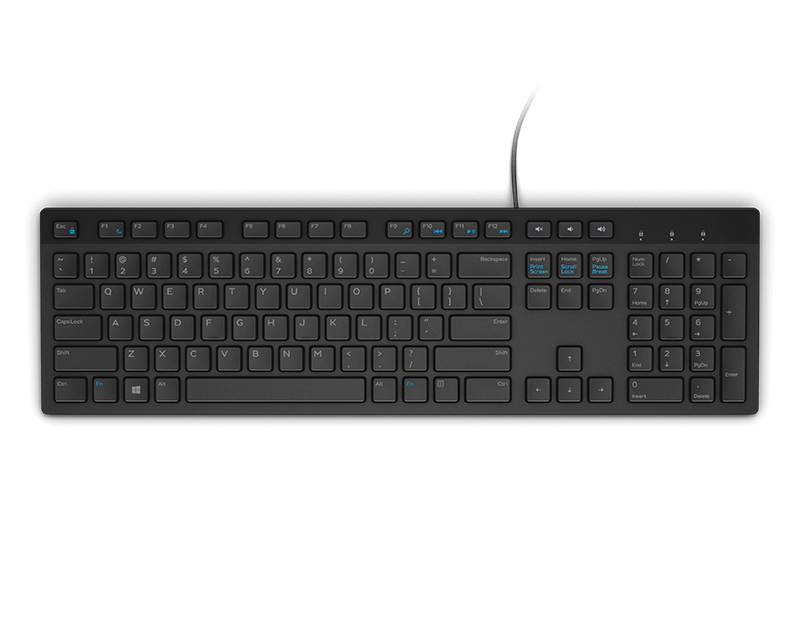
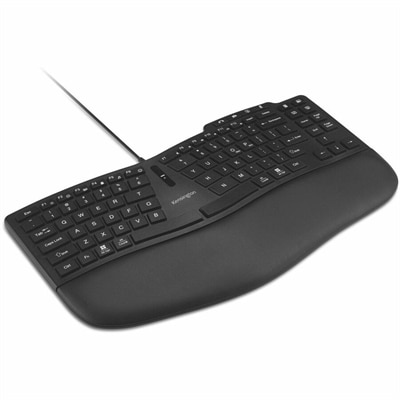
An ergonomic wired keyboard with a curved TKL layout, wrist pad, customizable keys, and video-conferencing controls.
Ergonomic keyboards are designed to help create a more comfortable and efficient typing experience for users at home, in the office, or on the go. With a focus on promoting natural hand positioning and reducing strain during extended computer use, these innovative keyboards are a popular choice for those seeking to enhance their workspace. Explore a wide selection of ergonomic keyboards to find the perfect fit for your needs and enjoy a more enjoyable and productive workflow.
An ergonomic wired keyboard with a curved TKL layout, wrist pad, customizable keys, and video-conferencing controls.
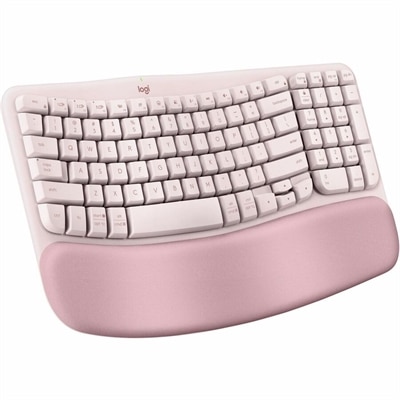
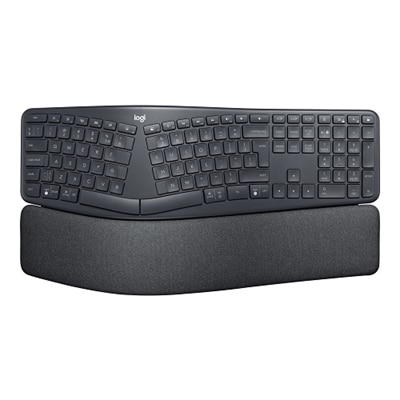
A rose ergonomic keyboard with cushioned memory foam palm support, Bluetooth, Easy-Switch, and three-year battery life.
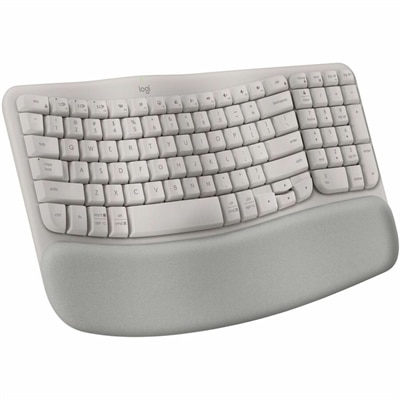
A sand-colored ergonomic wireless keyboard with a cushioned memory-foam palm rest, Bluetooth, Easy-Switch, and long-lasting battery.
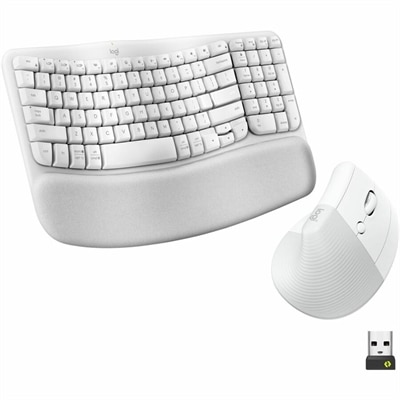
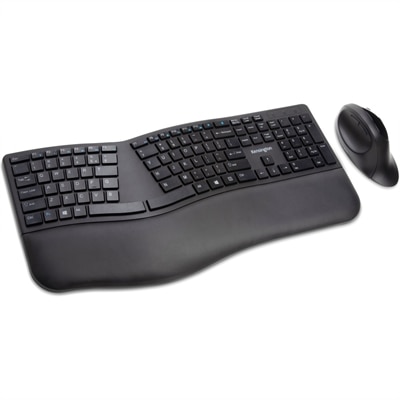
An off-white ergonomic wireless keyboard and vertical mouse combo with cushioned palm rest, Bluetooth, multi-OS support.
A professional wireless gaming keyboard with hot-swappable switches, compact 75% layout, and linear mechanical switches.
A laptop featuring an FHD camera, enlarged ergonomic keyboard, and AMD Ryzen™ processing.
A laptop featuring an FHD camera, enlarged ergonomic keyboard, and Intel 13th Gen processors.
Ergonomic keyboards are designed to support a more natural position for the hands, wrists and forearms while you type. Unlike a conventional flat keyboard, an ergonomic model may use a gently curved or wave-shaped layout, a split design with two separate sections, or a contoured shape that raises the center of the keyboard to follow the natural arch of your hands. These designs can help reduce excessive wrist bending, limit uncomfortable reaching and make long typing sessions feel more relaxed. Some models include a cushioned wrist rest, while others are shaped to encourage your wrists to hover in a neutral position rather than press against a hard surface. The right choice depends on your desk space, typing habits and comfort preferences. A wave keyboard is often an easy transition for someone who wants a familiar single-piece layout with a softer curve, while a split keyboard can give your shoulders and arms more room to open naturally. A tented or fully contoured design may feel especially supportive for people who spend much of the day writing, coding, entering information or communicating with customers. Office professionals, students, remote workers, creators and anyone who uses a computer for extended periods may appreciate the added attention to posture and hand placement. An ergonomic keyboard can also make a thoughtful gift for a home-office user, a college student setting up a study space or a family member who enjoys having a comfortable computer station for correspondence, budgeting and everyday tasks. It is important to remember that an ergonomic keyboard is not a medical device and cannot diagnose or treat an injury. If typing causes persistent pain, numbness or tingling, consider speaking with a qualified health professional. For shoppers exploring a coordinated setup, the Ergonomic Keyboard And Mouse For Carpal Tunnel page offers additional context about pairing keyboard and mouse designs with comfort-focused computer use.
When comparing ergonomic keyboards, start with the layout and how much adjustment it offers. A split keyboard allows each half to be positioned independently, so you can set the sections at a width that feels comfortable for your shoulders and elbows. Some split models also let you change the angle between the two halves or raise the inner edges into a tented position. This can be helpful when your hands naturally turn outward as you type, although a split layout may require a short adjustment period. Wave and curved keyboards keep the keys together, making them a practical option for people who want a familiar setup without giving up a more gently shaped design. Contoured keyboards take the idea further by placing keys in a bowl-like arrangement, reducing the amount your fingers need to stretch across rows. Consider key spacing, key travel and actuation force as well. Softer, quieter keys can suit shared work areas, libraries and bedrooms, while more tactile keys may appeal to writers or programmers who enjoy clear feedback with every keystroke. Backlighting can make individual keys easier to see in a dim room, and programmable keys may streamline repeated tasks such as opening applications, controlling media or inserting frequently used commands. A compact design can free space for a mouse or notebook, whereas a full-size keyboard with a dedicated number pad may be more convenient for spreadsheets, accounting and data entry. Wireless connectivity helps keep a desk clear and makes it easier to move the keyboard between a workstation and a kitchen table, reading nook or shared family space. Wired models can be a dependable choice for a permanent desk, and rechargeable designs reduce the need to replace batteries as often. Check compatibility with your computer, tablet or other device, and look for connection options that match the way you plan to work. Dimensions matter, too: a keyboard that supports your wrists but leaves no room for your mouse can create a new source of awkward reaching.
Comfort comes from the entire workstation, not just the keyboard. Place the keyboard so your elbows can stay near your sides, your shoulders remain relaxed and your forearms are roughly level with the desk. Keep the keyboard close enough that you do not need to lean forward, and position the monitor so you can view it without repeatedly bending your neck. If the keyboard includes a wrist rest, use it to support the heel of your hands during pauses rather than pressing down on it while actively typing. A small adjustment in chair height, desk position or keyboard angle can make a surprisingly noticeable difference; many people discover this after an afternoon of work leaves their fingers feeling tired and their shoulders raised toward their ears. Give yourself time to learn a new layout, especially when moving from a traditional keyboard to a split or contoured model. Begin with familiar tasks, type at an unhurried pace and adjust the spacing or angle gradually instead of changing everything at once. During the cooler months, when work, study and entertainment may naturally move indoors, an ergonomic keyboard can help make a home computer area feel more considered and inviting. It fits neatly into a focused productivity station, a creative corner or a shared desk used by several members of a household. Whether the priority is a simpler curved profile, flexible wireless use, quiet typing, visible backlighting or extensive customization, the best ergonomic keyboard is the one that complements your routine and encourages a relaxed, sustainable typing position.
Add the products you would like to compare, and quickly determine which is best for your needs.