$27.99
A genuine OEM replacement fan engineered for reliable cooling and compatibility with Inspiron 5480 systems.
Building or upgrading a computer can be an exciting venture, and understanding the essential computer parts is key to creating a system that meets your needs. Whether you're a seasoned tech enthusiast or a first-time builder, selecting the right components ensures optimal performance and longevity for your setup. From processors and motherboards to memory and storage solutions, each part plays a crucial role in how your computer operates. Explore our comprehensive range of essential computer parts to find exactly what you need to power up your digital experience.
A genuine OEM replacement fan engineered for reliable cooling and compatibility with Inspiron 5480 systems.
A genuine OEM heatsink assembly with fan designed for compatible Latitude 7300 systems.
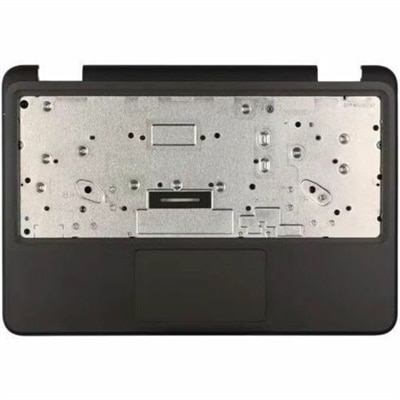
A genuine OEM replacement component engineered for compatible laptops, delivering reliable fit, tested quality, and warranty.
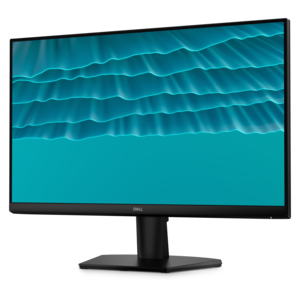
A smooth 144Hz monitor with 1ms MPRT and TÜV 3-star eye-comfort certification for everyday tasks.
A productivity-focused fixed-stand monitor certified by TÜV Rheinland for 3-star eye comfort.
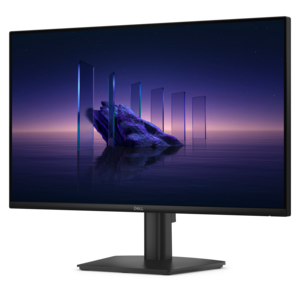
A crisp FHD monitor with smooth 144Hz visuals, built-in speakers, and TÜV 4-star eye comfort certification.
A versatile Thunderbolt 5 smart dock delivering up to 300W power with remote management capabilities.
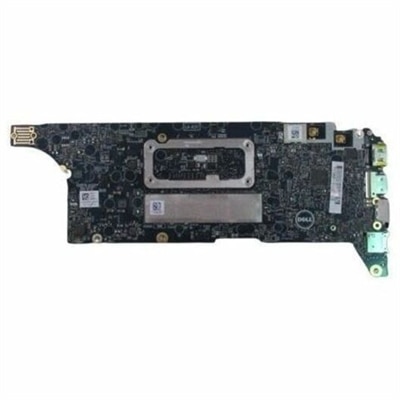
A genuine OEM notebook motherboard rigorously tested for compatibility, reliability, and dependable system performance.
Essential computer parts are the internal components and external peripherals that let a desktop or laptop process information, display content, and respond to input. A processor handles calculations and runs instructions, a motherboard connects the internal components, and random access memory, or RAM, holds information that active applications need in the moment. A monitor presents text and images, while a keyboard and mouse provide familiar ways to enter commands, write, and navigate. Speakers or headphones make audio accessible for conversations, entertainment, and everyday tasks. These parts work together, so the experience depends on how well the complete setup matches its intended use rather than on a single component alone. A computer used for homework and household paperwork has different demands from one used for detailed illustration, video editing, or immersive gaming. Processor performance affects how quickly many tasks run, while sufficient compatible memory helps keep several applications responsive at once. Graphics capabilities influence everything from moving windows across multiple displays to rendering detailed scenes. Some computers have graphics integrated into the processor; others accommodate a separate graphics card with its own power and cooling requirements. The motherboard determines important compatibility details, including processor support, memory type, and expansion connections. In a desktop, the power supply converts electricity from an outlet into the power required by internal components. Cooling fans and heat sinks help move heat away from hardworking hardware, supporting consistent operation during extended use. Metal heat sinks, commonly made with aluminum or copper, transfer heat, while the enclosure and fan placement influence airflow. Desktop towers generally provide more room for component changes than laptops, although the exact design determines what can be replaced. Laptop components often fit a much tighter layout, and memory or other hardware may be integrated rather than removable. For either format, essential computer parts are most useful when their specifications, physical dimensions, and connection types suit the computer they are intended to support.
External computer parts shape the experience just as directly as the hardware inside the case. A monitor’s screen size and resolution determine how much detail and workspace it can present, but the most comfortable choice also depends on desk depth, viewing distance, and the work on screen. Someone comparing spreadsheets may appreciate room for side-by-side windows, while someone editing photographs may place greater emphasis on color performance and consistent viewing angles. A higher refresh rate can make motion look smoother when the computer and connection support it. Adjustable stands make it easier to position a display at a comfortable height, and compatible mounting hardware can free up valuable space on a crowded desk. Keyboards vary in width, key spacing, travel, and feedback. A full-size layout includes a dedicated number pad that can be useful for frequent numeric entry, while a compact layout leaves more space for mouse movement. Mouse size, shape, and button placement affect how naturally the hand rests during long sessions. A precise pointer can matter when selecting small cells in a worksheet or adjusting a fine detail in a drawing. Wired connections offer a direct physical link, while wireless peripherals reduce cable clutter and introduce battery or charging considerations. For video conversations, a webcam provides the image and a microphone captures speech; headphones can help keep a shared room quieter and make conversations easier to follow. Speakers suit listening when private audio is not necessary. Many of these functions may already be built into a laptop, but separate peripherals allow a desk setup to fit different tasks more comfortably. Related PC Equipment can help bring those connections and everyday interactions together. Port compatibility remains important throughout: a connector that physically fits does not always support every desired display, charging, or data function. Cable capabilities and the computer’s supported features both influence what a connected accessory can do, particularly when one desk serves several purposes.
Fit, materials, care, and durability help distinguish computer parts that merely connect from those that suit daily life. Internal desktop components need sufficient clearance inside the enclosure, compatible mounting points, and appropriate electrical connections. A graphics card can be too long or too thick for a particular case, and a processor cooler may require more height than a compact enclosure provides. Power requirements also vary, making the computer manufacturer’s compatibility information more useful than appearance alone. For laptop power adapters, connector type, supported charging standards, and required wattage all matter; a matching plug by itself does not establish compatibility. Outside the computer, practical details become visible quickly. A monitor stand should sit securely on the desk, a keyboard should remain steady during typing, and cables should reach their ports without being pulled taut. Peripheral housings commonly use molded plastic, metal, or a combination of both, while textured surfaces and rubberized feet can improve grip and stability. Durability depends on construction and use as well as material: a cable repeatedly pinched beneath a chair can wear prematurely, and blocked ventilation can interfere with cooling. Regular care generally includes keeping liquids away from electronics, maintaining clear air vents, and removing surface dust with methods approved by the manufacturer. Screens often have specialized coatings, so appropriate cleaning materials help protect their finish. Powering equipment down before cleaning or working inside a computer reduces avoidable risks, and internal components require precautions against static electricity. These considerations matter in ordinary settings, from a student carrying a laptop between classes to a remote worker settling into a full day of calls. A shared family desktop benefits from straightforward controls and accessible connections, while a creative workspace may need more display area and accurate input. Computer accessories can also make practical gifts for students, graduates, or someone establishing a home workspace when the recipient’s device connections and preferences are known. Across these uses, a well-matched combination of processing hardware, display equipment, input devices, and supporting accessories makes the computer easier to use for the tasks that fill the day.
Add the products you would like to compare, and quickly determine which is best for your needs.