$24.99
A compact USB-C to Ethernet adapter supporting transfer speeds up to 2.5Gbps anywhere.
Enhance your network connectivity with our comprehensive range of ethernet devices, designed to meet the demands of both home and office environments. Whether you're setting up a new network or upgrading an existing one, our selection offers reliable solutions for seamless data transfer and robust internet performance. From routers and switches to cables and adapters, discover the tools you need to ensure your network runs smoothly and efficiently. Explore our collection of ethernet devices and take the first step towards a more connected world.
A compact USB-C to Ethernet adapter supporting transfer speeds up to 2.5Gbps anywhere.
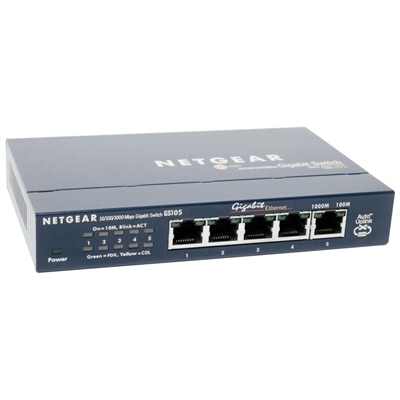
A compact, fanless five-port Gigabit Ethernet switch with a durable metal chassis for quiet, reliable networking.
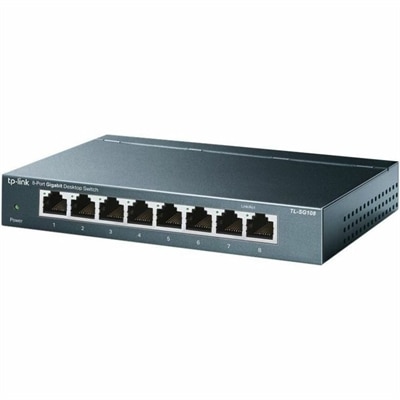
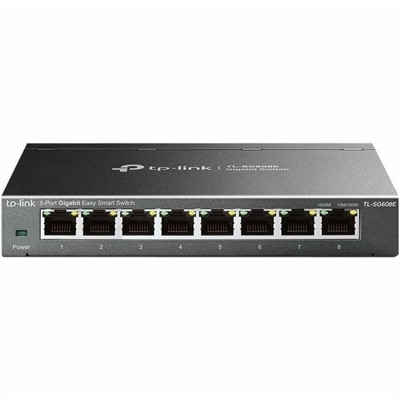
An 8-port Gigabit desktop switch with metal casing, fanless operation, plug-and-play setup, QoS, and energy savings.
Ethernet devices are hardware components that connect computers and other compatible electronics to a wired local network through physical cables. They can help send, receive or manage data between devices, making them useful in homes, classrooms, home offices and small businesses. Common types include Ethernet switches, network interface cards and Ethernet adapters. A switch provides several Ethernet ports so multiple wired devices can communicate through the same local connection, while directing data to the appropriate destination instead of sending it indiscriminately to every connected device. A network interface card, sometimes built into a computer or installed separately, provides the connection needed for an Ethernet cable. An Ethernet adapter serves a similar purpose for newer laptops and tablets that may have USB or USB-C ports but no built-in Ethernet port. Gateway equipment supplied for an internet connection may also include Ethernet ports for wired connections to computers, printers, displays or other compatible electronics. Because each device has a particular role, it helps to consider what you want to connect before choosing hardware. A single laptop may only need a compact adapter, while a home office with several computers and accessories may benefit from a switch with enough ports for today’s setup and a little room for future additions. To learn more about the physical connection point used by many of these devices, visit Ethernet Ports.
A wired Ethernet connection can be a practical choice when consistency matters. Unlike a wireless signal, which can be weakened by walls, floors, distance and interference from nearby electronics, a cable creates a direct path between compatible devices. That steady connection can be helpful for video calls, large file transfers, cloud applications, online learning and multiplayer gaming, where interruptions or noticeable delay can be frustrating. Wired links often offer faster and more predictable performance than wireless connections, although the actual result depends on the capabilities of every part of the setup, including the computer, adapter, cable and internet service. Latency is another consideration: data traveling through a direct wired connection may reach its destination with less delay, which can make cursor movement, voice communication and game response feel more immediate. Ethernet devices can also help organize a workspace. A desktop computer tucked beneath a desk, a printer near a home office, or a television and game console in a family room can remain connected without relying on the strength of a distant wireless signal. In a small business, wired connections may provide dependable access for point-of-sale equipment, shared printers or workstations that stay in one place throughout the day. They are equally useful for students attending remote classes, professionals working from a quiet corner of the home and families who want to reserve wireless capacity for phones and portable devices. For an especially tidy installation, measure the distance between connection points, plan where cables will run and choose cable lengths that reach without creating loose loops across walkways.
When comparing Ethernet devices, begin with compatibility. Check the ports available on the computer or other equipment, noting whether the connection uses a traditional Ethernet port, USB or USB-C. An adapter should match the available port and the operating system, while a switch should provide enough ports for the devices you intend to connect. Speed ratings deserve attention as well, but they should be viewed as part of the entire connection rather than a promise of one fixed result. The switch, adapter, interface, cable, computer and internet service all influence performance, and a higher-rated component cannot make a slower component operate beyond its limits. Port count is another practical detail. Counting current devices, then allowing one or two open ports for a future computer, printer or entertainment device, can prevent an immediate replacement as a workspace grows. Size and design may matter in compact areas, especially when an adapter travels between a desk, classroom or meeting room. For a permanent setup, look for a sturdy build and a layout that allows cables to be connected without crowding. Ethernet devices can make thoughtful gifts for a remote worker, college student, gamer or anyone refreshing a home office because they solve a familiar problem in a useful, low-profile way. During the cooler months, when more work, study and entertainment takes place indoors, a reliable wired connection can make a desk feel calmer and more dependable. The best choice is the one that fits the available ports, supports the desired speed, accommodates the right number of connections and complements the way the recipient actually uses their electronics.
Add the products you would like to compare, and quickly determine which is best for your needs.