$164.99
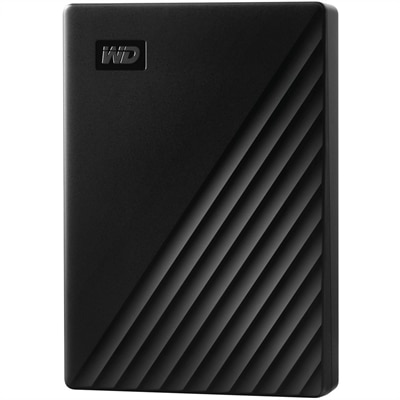
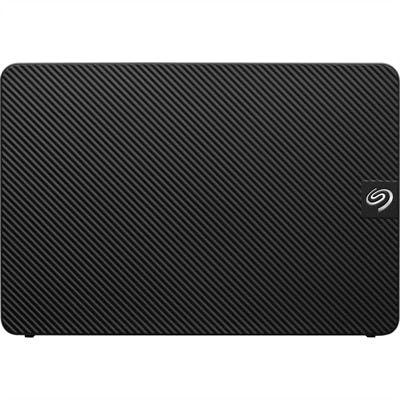
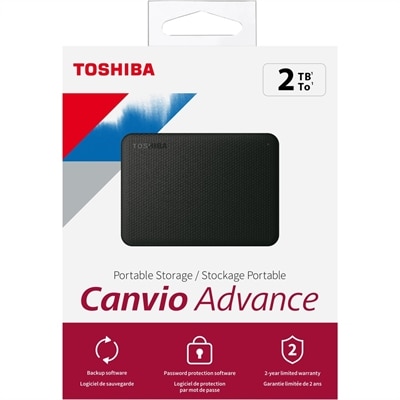
A 2TB black portable external hard drive with automatic backup and password-protection software for data storage.
External hard drives for data backup offer a reliable solution for safeguarding important files, photos, and documents. Whether expanding storage capacity or securing information from unexpected loss, these versatile devices make it easy to manage and protect valuable data. Explore a wide selection of external hard drives for data backup to find the ideal option that fits your storage needs and lifestyle.
A 2TB black portable external hard drive with automatic backup and password-protection software for data storage.
External hard drives for data backup provide a practical way to keep important files available when a computer is lost, damaged, or affected by a hardware problem. Photos, home videos, school projects, financial records, creative work, and everyday documents can represent years of memories and effort, yet many people keep only one copy on an internal drive. A separate external drive creates another local copy that can be stored away from the computer and accessed when needed. USB connectivity makes many models simple to set up, with support for common Windows and Mac computers, though compatibility, included cables, operating system requirements, and formatting should be reviewed before purchase. Some drives are designed for compact portability and fit easily into a laptop bag, while others offer larger enclosures and higher capacities for use beside a desktop. A portable drive can be useful for a student moving between home and campus, a photographer returning from a trip with a full memory card, or a family preserving years of photos in one organized location. A larger desktop-oriented drive may be a better match for a home office, especially when it will remain connected to one computer and hold regular backups. When comparing capacity, consider more than the amount of data stored today. A drive with at least two to four times the space currently needed leaves room for new files, multiple backup versions, software updates, and changing storage habits. Someone with 500GB of important files, for example, may find a 1TB drive workable for a simple copy, while a 2TB option offers more flexibility for future photos, videos, and archived projects. People who create high-resolution video, manage large music libraries, work with design files, or maintain several computers may benefit from substantially more capacity. Storage needs often grow quietly, one phone photo folder or downloaded project at a time, so extra room can help prevent the need to replace a drive soon after setting it up.
Hard disk drives, often called HDDs, can provide substantial capacity at an economical cost per terabyte, making them well suited to scheduled backups, photo archives, document collections, and other files that do not need to be moved constantly. Solid state drives, or SSDs, generally cost more per gigabyte but offer faster transfer speeds, quiet operation, and strong resistance to movement because they have no spinning platters. An SSD may be appealing to a video editor transferring large footage files each day, a student working with media-heavy assignments, or anyone who values quick access while traveling. For a simple home archive, an HDD may provide the capacity needed for a broader collection, while an SSD can be a useful choice when speed and portability carry greater importance. Physical design matters as well. A compact enclosure is convenient for commuting and travel, while shock-resistant construction can add reassurance when a drive is carried between rooms or packed in a bag. Backup software, automatic scheduling, password protection, and hardware-based encryption may also influence the choice. Automatic backups can reduce the chance of forgetting to copy new files, while version history can help recover an earlier document after an accidental change or deletion. It is wise to confirm that the drive supports the computer’s available USB connection and to check whether a separate power adapter is required. New drives may need to be formatted before use, and reformatting can affect compatibility between operating systems, so important files should be copied elsewhere before making changes. For households with multiple computers, a drive that works across the devices in use can simplify file organization, but each computer should have a clear backup plan rather than relying on one occasional manual copy. For related storage needs involving moving files between locations or computers, explore External Hard Drives For File Transfer.
A dependable backup routine is just as important as the hardware. Connect the external drive on a regular schedule, allow the backup to finish, and check periodically that files can be opened from the backup copy. Keeping the drive disconnected and powered off when it is not actively backing up can add protection against malware that may reach connected storage, accidental file deletion, power events, or problems that affect the computer and its attached devices at the same time. Store it in a cool, dry place away from spills, excessive heat, and heavy objects, and handle portable models carefully even when they are built to withstand everyday bumps. A local external drive is one part of a broader approach: especially valuable files may also benefit from a second drive stored in another location or a reputable cloud service. This layered approach helps protect against more than a single computer failure, including theft, fire, and other unexpected events. External backup drives can make thoughtful gifts for graduates beginning a new school year, remote workers setting up a more organized home office, photographers preserving a season of images, or relatives who want a simple place for family memories. They are useful without demanding a major change in daily routines: connect the drive, choose the folders or backup schedule, and give important files another place to live. During the cooler months, when more time may be spent indoors sorting photographs, completing projects, or organizing household records, an external drive can turn a cluttered collection of files into a manageable archive. Before choosing, consider the total amount of data, desired capacity, HDD or SSD technology, portability, connection type, security features, backup software, and the environment where the drive will be used. With the right fit and a consistent routine, external storage can help keep irreplaceable memories, essential documents, and valuable creative work accessible for years to come.
Add the products you would like to compare, and quickly determine which is best for your needs.