$215.99
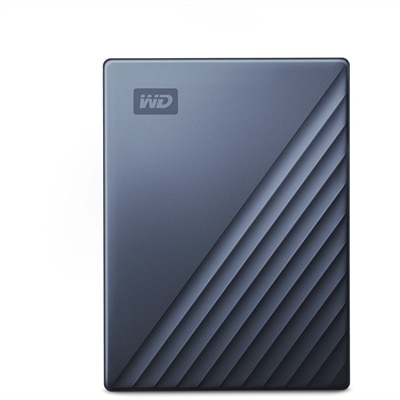
A blue anodized-metal portable hard drive with USB-C connectivity, automatic backups, and 256-bit AES hardware encryption.
Expand your Mac’s storage and keep your important files secure with external hard drives for Mac computers. Designed to offer seamless compatibility and reliable performance, these storage solutions make it easy to back up data, transfer large files, and organize your digital life. Whether you need extra space for creative projects, work documents, or personal memories, discover a range of options tailored to enhance the way you use your Mac.
A blue anodized-metal portable hard drive with USB-C connectivity, automatic backups, and 256-bit AES hardware encryption.
External hard drives for Mac computers provide a practical way to expand available space, protect important files and keep large libraries close at hand without replacing the computer itself. They can hold photos, home videos, music collections, creative projects, schoolwork and downloaded files that may otherwise fill a Mac’s internal drive. A separate drive is also useful for creating regular backups through Apple Time Machine, giving you a recoverable copy of your files if a laptop is lost, damaged or unexpectedly stops working. When browsing this selection, start with the type of work you plan to do. Hard disk drives, often called HDDs, typically offer more capacity at a lower cost and are well suited to routine backups, archived photos and documents that do not need to be opened or transferred quickly. Solid-state drives, or SSDs, use flash memory instead of moving parts, making them faster, quieter and more resistant to bumps while traveling. That makes an SSD a strong choice for video editing, photography, audio production, gaming libraries or any project that involves moving large files frequently. Capacity matters just as much as speed: a drive with a few terabytes can suit everyday backup needs, while larger capacities provide room for high-resolution video, extensive photo libraries and years of family records. It is wise to consider both what you have today and what you expect to create over the next several years, since a drive that feels spacious at first can become crowded as phones and cameras produce increasingly detailed files.
Connection type and Mac compatibility deserve careful attention before choosing an external drive. Many newer Mac computers use USB-C ports, while some accessories and older computers use USB-A, so check the ports on your Mac and confirm which cable or adapter is included. A compatible connection helps the drive work as expected, but the port’s speed also affects how quickly files move. Faster connections are especially helpful when transferring a large video folder or opening active project files directly from the drive. For a drive intended mainly for Time Machine, maximum transfer speed may be less important than dependable capacity and simple setup. Apple’s backup system can automatically create copies of your files at regular intervals, preserving earlier versions so you can retrieve a document as it looked before an accidental change. For more information about choosing a drive for that purpose, visit External Hard Drives For Time Machine. Formatting is another consideration. A drive may arrive ready for a particular operating system, but Mac users should review its file-system compatibility and reformat it when appropriate, especially if the drive will be used only with Mac computers. Reformatting can erase existing content, so any files already on the drive should be copied elsewhere first. People who move files between Mac and Windows computers may prefer a format that supports both platforms, while a Mac-only drive can be configured for features associated with macOS. Always review the manufacturer’s instructions and keep a second copy of irreplaceable files rather than treating one external drive as the sole backup.
These drives suit a wide range of Mac users. A photographer returning from a long weekend may use one to move hundreds of images off a laptop, leaving room for the next project while keeping older originals organized in clearly labeled folders. A student can keep research papers, class recordings and creative assignments together, while a remote professional can maintain a local copy of work files for days when an internet connection is unreliable. Families often use external drives to gather scattered phone photos and home videos in one place, creating a personal archive that is easier to browse and preserve. An SSD can be especially helpful for someone who edits video, records music or works with design files, where waiting for transfers can interrupt concentration. An HDD may be the better fit for a household that primarily needs generous capacity for backups and long-term archives. Portability also shapes the decision. Compact bus-powered models can slip into a laptop bag and draw power through the connection, making them convenient for travel between home, school and work. Larger desktop-style drives may be intended to remain on a desk and can be a sensible choice when maximum capacity is the priority. An external hard drive can also make a thoughtful gift for a Mac owner who enjoys photography, travels often or has accumulated years of family memories, particularly when paired with a simple plan for organizing folders and running regular backups. Look for a balance of capacity, speed, connection compatibility, portability and intended use so the selected drive fits naturally into the way the Mac is used every day.
Add the products you would like to compare, and quickly determine which is best for your needs.