$576.99
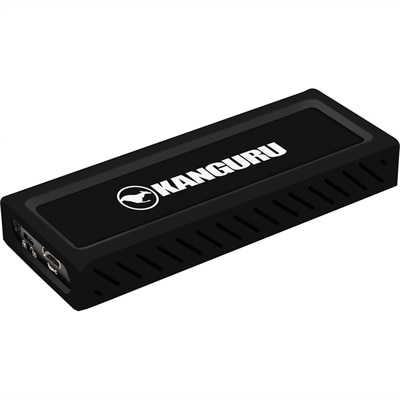
A sleek metal USB-C NVMe SSD delivering 675MB/s reads, 575MB/s writes, and write protection.
External SSDs for MacBook Pro provide a reliable and efficient way to expand your storage and enhance data management. Whether you’re working with large files, backing up important documents, or seeking faster transfer speeds, these storage solutions are designed to complement the performance of your MacBook Pro. Discover a wide selection of external SSDs for MacBook Pro that offer compatibility and convenience, making it easy to store, access, and protect your digital content wherever you go.
A sleek metal USB-C NVMe SSD delivering 675MB/s reads, 575MB/s writes, and write protection.
External SSDs for MacBook Pro provide a fast, compact way to keep projects, photo libraries, creative applications and important files close at hand without filling the computer’s internal drive. Unlike traditional spinning hard drives, solid-state drives have no moving parts, which helps them remain quiet, responsive and better suited to a laptop that travels between a home office, classroom, studio or client location. Many models connect through USB-C, while some support Thunderbolt or USB4 for higher performance with compatible MacBook Pro configurations. Connection speed is an important part of the experience: a drive using a fast USB standard can work well for routine file transfers, backups and everyday media, while a Thunderbolt-capable drive can make it more practical to edit large video files directly from the external drive. The actual results depend on the drive, cable, MacBook Pro port, file type and software, so checking the supported connection standard is worthwhile before choosing. A drive that fits naturally into your workflow should make it easy to move a folder of raw photographs, open a music session or copy a project archive without turning file management into a distraction. For broader compatibility, shoppers may also compare External Hard Drives For Mac Computers, especially when a larger desktop-oriented option is more appropriate than a compact SSD.
Capacity is one of the clearest ways to narrow the selection. A 1TB external SSD can suit routine backups, documents, applications, schoolwork and a modest photo collection, although the usable space will be somewhat lower after formatting. A 2TB drive is often a comfortable middle ground for photographers, designers and musicians who work with larger libraries, video clips or audio sample packs. Anyone handling extensive 4K or 8K footage, raw camera files, layered design documents or long-term project archives may benefit from 4TB or more, particularly when several active projects need to remain available at once. It is helpful to think beyond the size of today’s files. A photographer returning from a weekend shoot may add hundreds of high-resolution images in one sitting, while a video editor can fill hundreds of gigabytes with source clips, proxies and exported versions before a project is complete. Keeping some free space available can also help maintain a smoother experience, so choosing a drive with more capacity than the immediate minimum often provides welcome breathing room. Speed should be matched to the work rather than selected by a headline number alone. Around 1,000 MB/s-class performance is generally well suited to backups, everyday file storage and light photo work, while faster Thunderbolt or USB4 options are designed for demanding workflows involving large media files and frequent transfers. If the drive will mainly hold a Time Machine backup, capacity, dependable connectivity and a simple setup may matter more than the highest sequential speed. For active editing, rapid previews and moving large folders, faster performance can save noticeable time across a busy afternoon.
Compatibility and durability deserve equal attention. MacBook Pro models use USB-C-shaped ports, but the connector shape does not guarantee identical capabilities; USB-C, USB 3, USB4 and Thunderbolt describe different standards, and the included cable must support the connection speed you intend to use. A drive can still function when connected through a slower port or cable, but transfer performance may be reduced. Before placing an order, confirm the drive’s macOS support, cable type and power requirements, particularly if it will be used with a dock, hub or additional display. Most new drives can be reformatted in macOS using APFS for a Mac-focused setup, while exFAT can be useful when files need to move between a MacBook Pro and a Windows computer. Reformatting erases existing contents, so any included files should be copied elsewhere first. For backups, consider using the drive with Time Machine and keeping a separate copy of especially important work; an external SSD is convenient protection against accidental deletion or an internal drive problem, but it should not be the only copy of irreplaceable photographs, recordings or documents. A compact, shock-resistant enclosure is valuable for commuters, students and creators who carry equipment through busy studios, airports or cooler outdoor conditions. Hardware-based encryption, password protection and a reassuring warranty may also matter when the drive contains client work or personal records. These drives can make thoughtful gifts for a MacBook Pro owner who is building a photo library, learning video editing, recording music or simply trying to bring order to a crowded computer. During the cooler months, a portable SSD can follow a remote worker from a kitchen table to a library desk or keep a family’s growing collection of images within easy reach. The right choice balances capacity, connection standard, sustained speed, portability, protection and the way the recipient actually works, resulting in a practical companion for everyday files as well as demanding creative projects.
Add the products you would like to compare, and quickly determine which is best for your needs.